New post
Avatar
0

Windows 10 and Latest Finale version


When I use the "Change Instrument" feature on my woodwind doublers staff,

if the first bar is in the selected area, it affects the 'measure number' on/off attributes

of all of the others staves in the score.

??

I see 5 months ago a similar problem was posted by Joshua Cabrera

and a reply from J ADRIAN VERKOUTEREN

was posted....any further action??

6 comments

Date Votes
Avatar
0

I do not experience this result--if I understand what you are seeing, which I may  not.

  1. Could you post an image of a portion of your score that shows us the problem?
  2. What do you mean by "first measure of a selection"?
  3. Can you reset the measure numbering display of the instruments afterwards as a work-around? (How did you want the measure numbers displayed--since parts and score can have separate display settings--every staff in the score?
Comment actions Permalink
Avatar
0

Answers:
1. I will attach 3 samples...at least I would like to...

2. I mean, if the very first measure of the score is included in a multi-measure selection, and then the 'change instrument' is applied, the measure number display attributes change in the entire score.

3. Yes this is the work around I am using but it is annoying.

I would like to upload 3 small sample 8 bar scores that I just created to show you....how do I do that? I don;t know how to create a jpeg of the score, sorry.


Comment actions Permalink
Avatar
0

In Windows, ALT+PrtScn puts a snapshot of your top window into the Clipboard.

You can then Paste this image into Paint (a free program that comes with Windows) to edit, crop, or annotate.

Save as a .PNG image; that seems to be the optimal format for many users.

Comment actions Permalink
Avatar
0

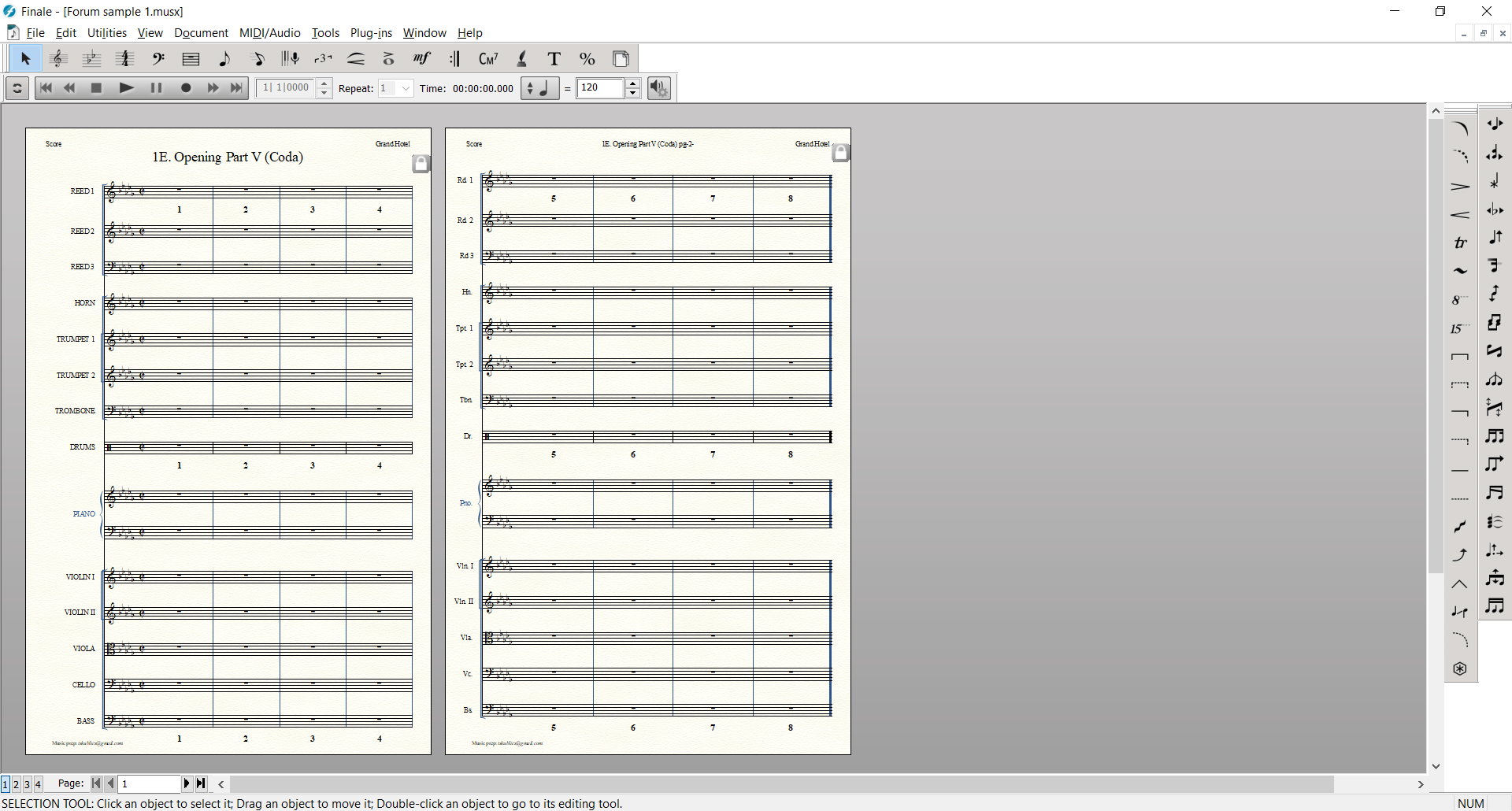
Basic original score (REED 1 is actually set to Flute):

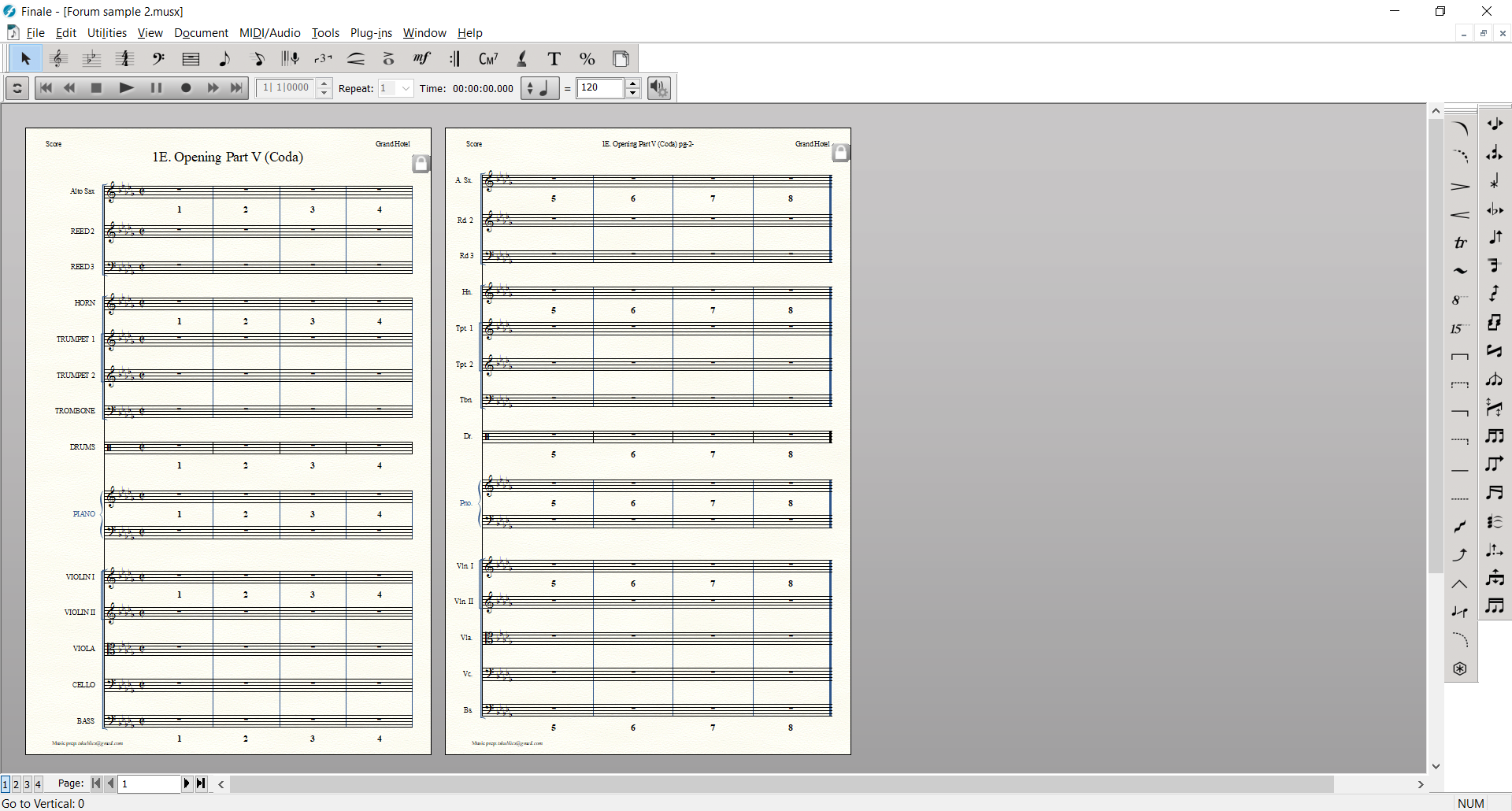
Score after Measures 1 - 8 of REED 1 were selected and "Change Instrument" to alto was applied:

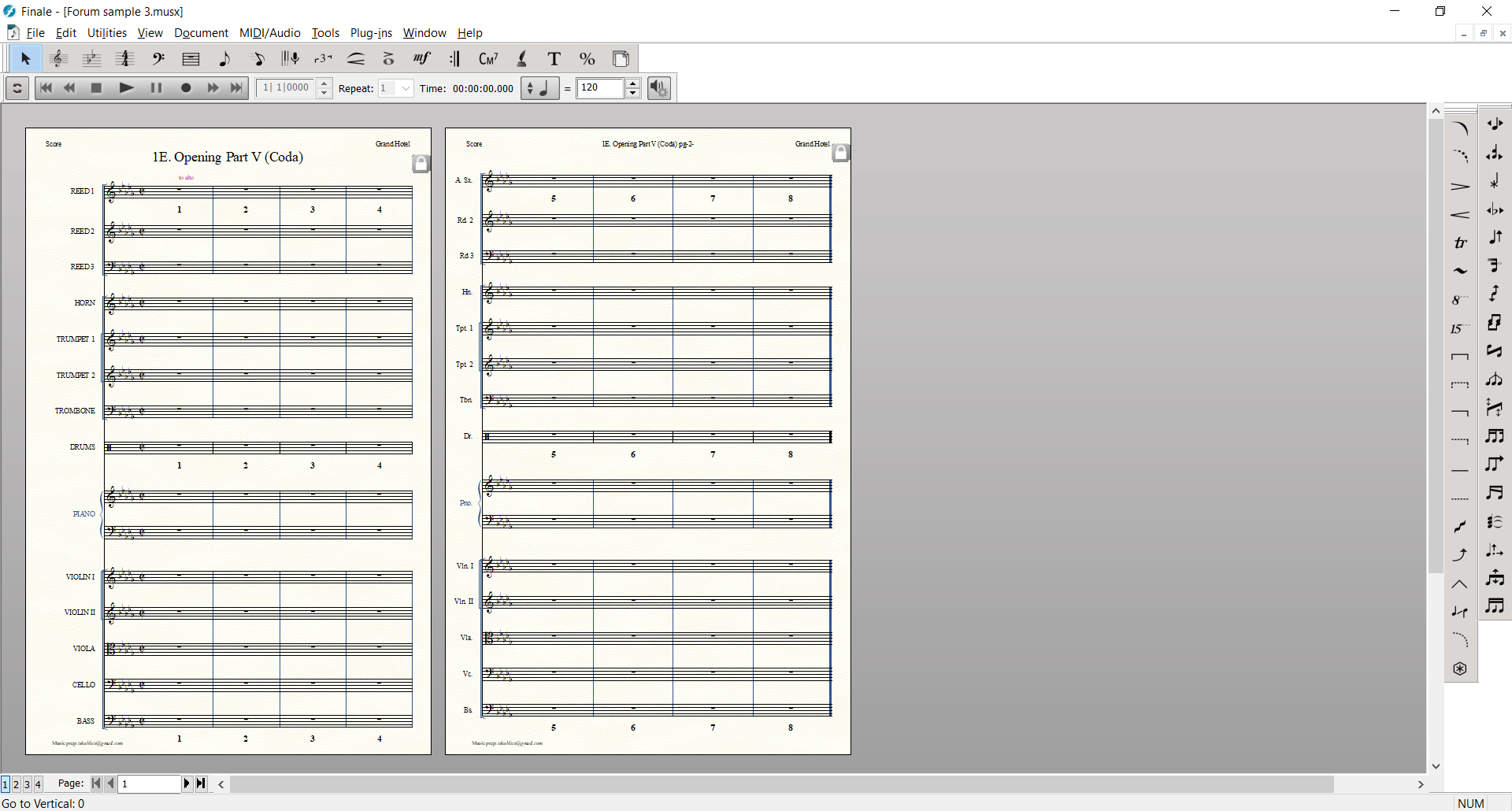
Score after Measures 2 - 8 of REED 1 were selected and "Change Instrument" to alto was applied:

Comment actions Permalink
Avatar
0

Just a wild guess:


Take a look in

Preferences - Edit

Is the option “Automatic Instrument Family Measure Numbers & Text Repeats” selected or de-selected?

Comment actions Permalink
Avatar
0

Yes that did it. It was selected - I de-selected and tried again and no problems.

Seems to me I have encountered other issues with that flag in the past.

Anyway, thanks!


Comment actions Permalink

Please sign in to leave a comment.