Finale v.25
Windows 10
I would like to shorten the secondary beams of the semiquavers as shown in this picture. I'd be grateful if someone could tell me how.
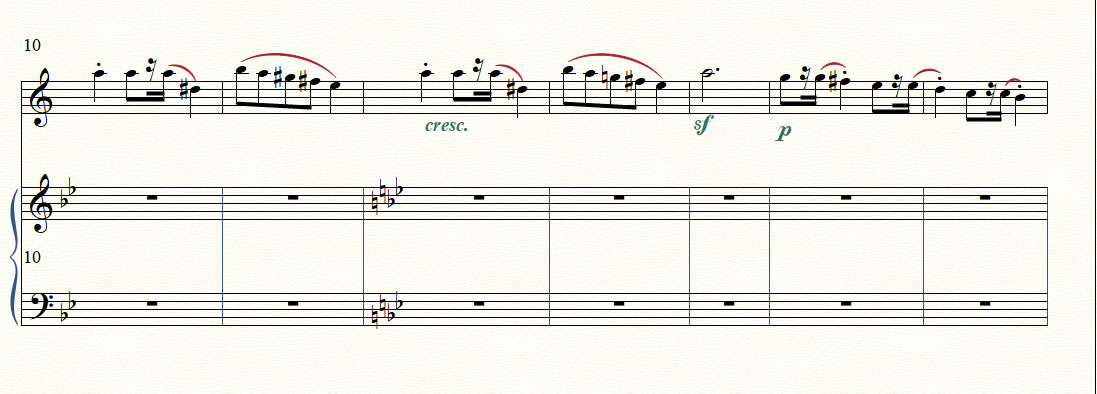


You can get “primary beam over rest” via a workaround.
Unfortunately the workaround is time consuming.
To speed up a bit, do one measure, and copy that measure to the other measures.
Then adjust the pitches with the Repitch Tool.
Here comes the workaround:
Hide the sixteenth rest.
This step will shorten the secondary beam to “normal” beam stub length.
Use the Speedy Entry Tool feature {Voice 1 / Voice 2} to add a sixteenth rest in Voice 2.
Your example does not show “secondary beam over rests”.
If you need a solution for “secondary beam over rests”, let me know.
Please sign in to leave a comment.
2 comments
Date Votes