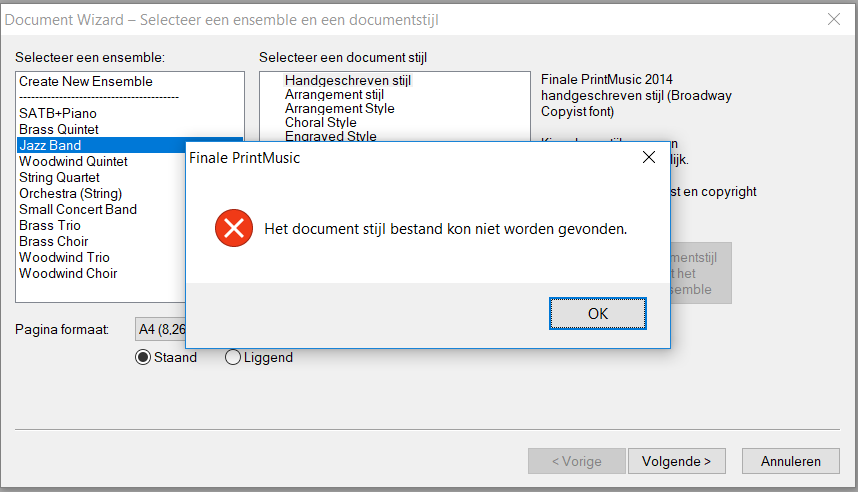
when I create a score with the document wizard and I select Jazz Band, I get an error (see image) "document style cannot be found". How can I solve this?
I use Win10, printmusic 2014a.v855


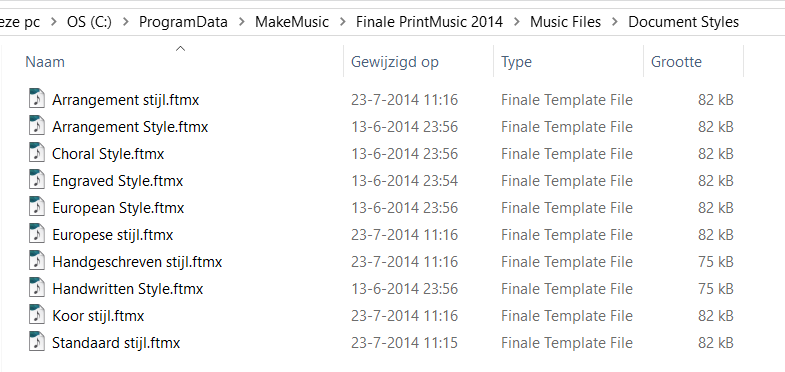
This looks nothing like what I find in my Roaming Profile (try starting your search for styles by typing %appdata%/MakeMusic/Finale 2014 and look in Music Files there.
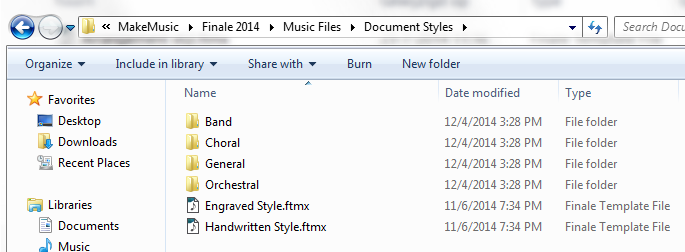
I found the Jazz style in the Bands Folder.
(Finale builds a custom set of defaults in each user's hidden Users Roaming folder. The files in the Program Files (86) folder are general files and those needed to rebuild the files customizable for each user.)

Interesting. According to the comparison chart, PrintMusic 2014 only comes with 7 templates. It doesn't say which ones they are however.
Here's the list from the manual — it shows only 6.
https://usermanuals.finalemusic.com/PrintMusic2014Win/Content/PrintMusic/Best_Practices2.htm
Barbershop Female - Two staves (Sopr, Lead, Alto, Alto)
Barbershop Male - Two staves (Tenor, Lead, Bari, Bass)
Handbells - Grand Staff
Lead Sheet (Handwritten) - Six staves (SATB plus piano)
SATB (2-Staff) with Piano - Four staves (SA on Treble, TB on Bass, plus piano)
Shape Notes - Two staves with Note Shapes
Many of the templates in your hidden folder are among the 50 that come with Finale 2014. Did you install the demo at some point?
Not having PrintMusic, I don't know if it can just open and use the Finale full version templates. They use the same suffix so I don't see why not. If you have that installer, try running it and extract the templates you want. If it works, it works.
If you know someone who has the full version of 2014 for Windos installed, you can try copying the templates over.
Please sign in to leave a comment.
7 comments
Date Votes