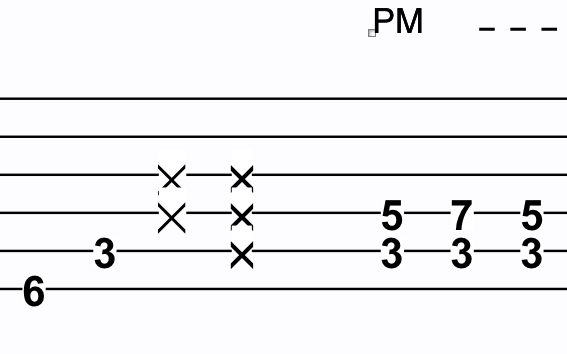
Can I adjust size and style of ghostnotes (x's) in TAB staff?
Anyone?
Mac, Finale 2011, consider upgrade to Finale 25


How did you create the ghostnotes?
Anyway, you can adjust an individual notehead via the dialog box Notehead Settings:
Special Tools Tool.
Click the sub-tool Note Shape Tool.
Click inside the staff/measure. Handles appear on the noteheads.
Context-click the notehead handle.
In the context menu, choose “Edit…”.
(or, go via the sub-tool Notehead Position Tool,
select the notehead handle, and hit the Return key)
Please sign in to leave a comment.
2 comments
Date Votes