New post
Avatar
0

Apparently, I must have an ending on every staff in score in order for it to show up in parts.

Is there any way to move the ending marks on a per staff basis? Whenever I move one, they all move. For flutes, the endings are too low and for Tubas, they are too high.

19 comments

Date Votes
Avatar
0

Please add the program and version you are using to your signature, in the user control panel. 

You should have an option to,"show on all staves."

Comment actions Permalink
Avatar
0

If I understand you correctly, you prefer have repeat endings display in all parts, but only on specific staves in the score, right?


Finale can do that, via a Staff List.

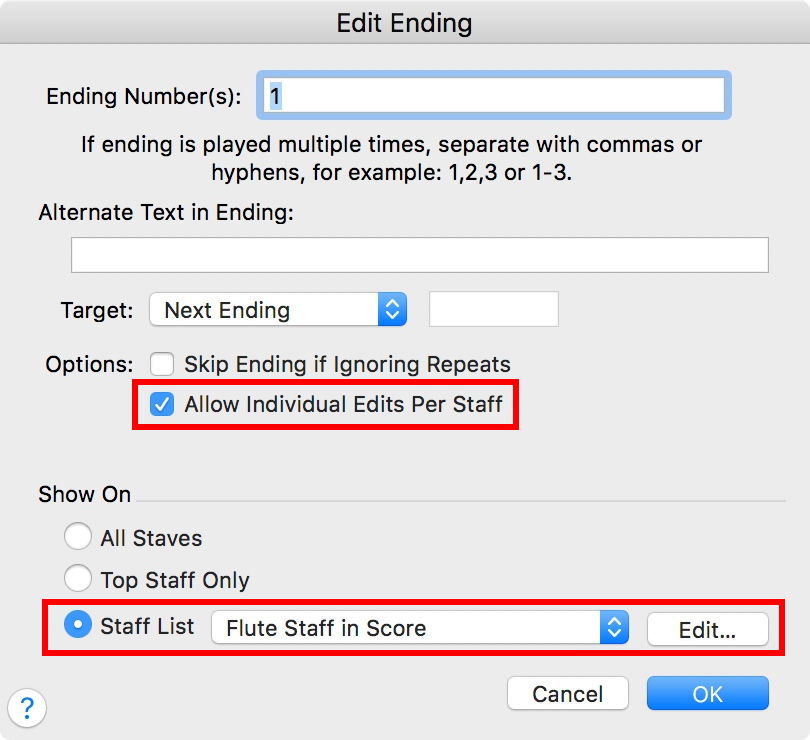
Look in the dialog box Edit Ending.


Also, the Edit Ending dialog has the option

“Allow Individual Edits Per Staff”.


Comment actions Permalink
Avatar
0

I am away from the computer so I can't try it now but thanks for the replies. I have the latest version of Finale on Mac.


Ideally, I'd like only a few ending marks show up in the score but have them all in the parts.

Comment actions Permalink
Avatar
0

Peter's suggestion to use lists will take care of score vs parts display if you are using full Finale.

Comment actions Permalink
Avatar
0

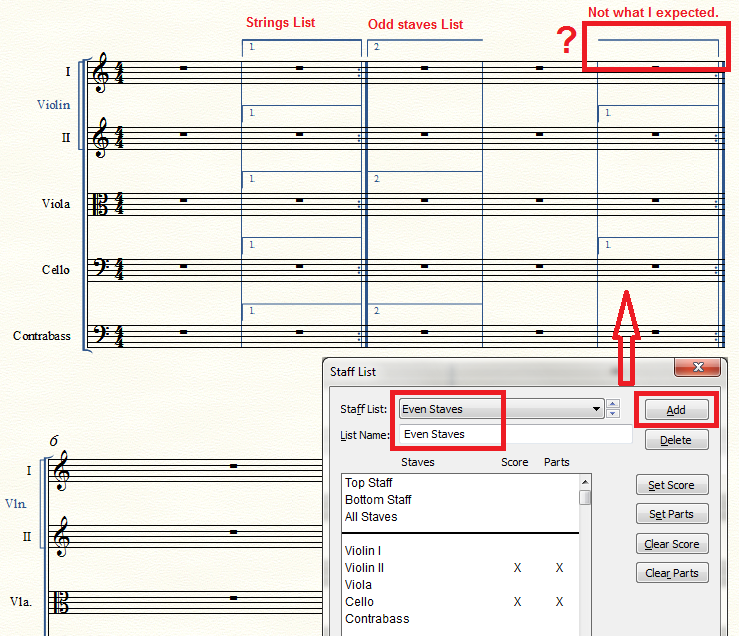
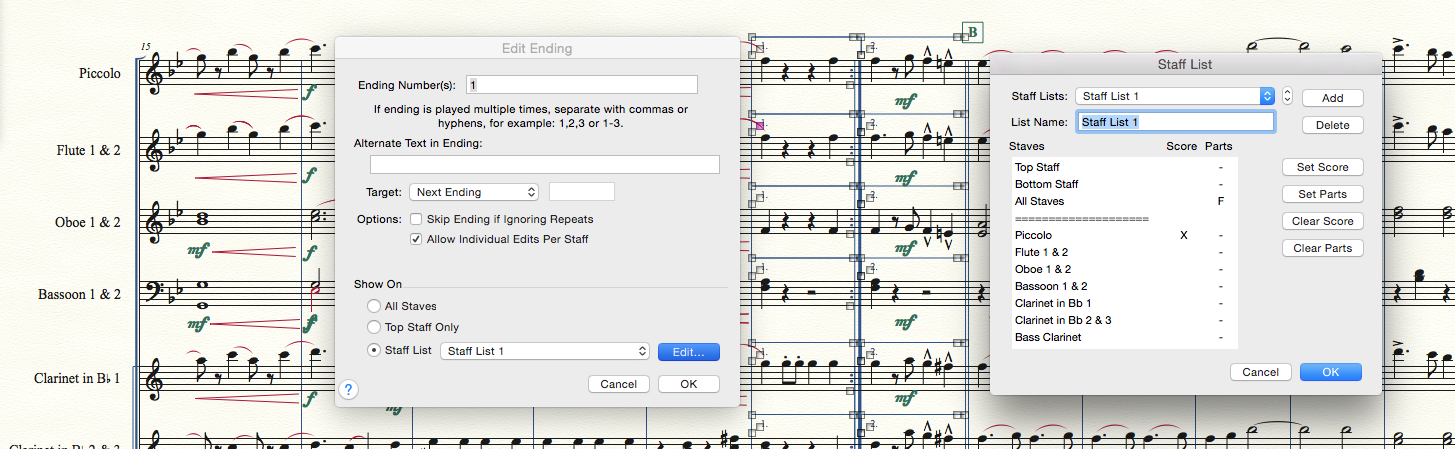
I apparently need an explanation above what is in the manual. I am getting absolutely no effect from the Edit Ending dialog box. If I do ALL STAVES or STAFF list no change. I do get a change if I edit the staff properties. Here I have enable repeats on the Euphonium staff but omitted Euphonium from the staff list—yet the repeat still appears in the score. I have included the Tube in the Staff lis but no repeat shows up in the in the score.

In other words, the Staff properties are the only thing I am seeing that has an effect and that affect both the score and the parts.

Comment actions Permalink
Avatar
0

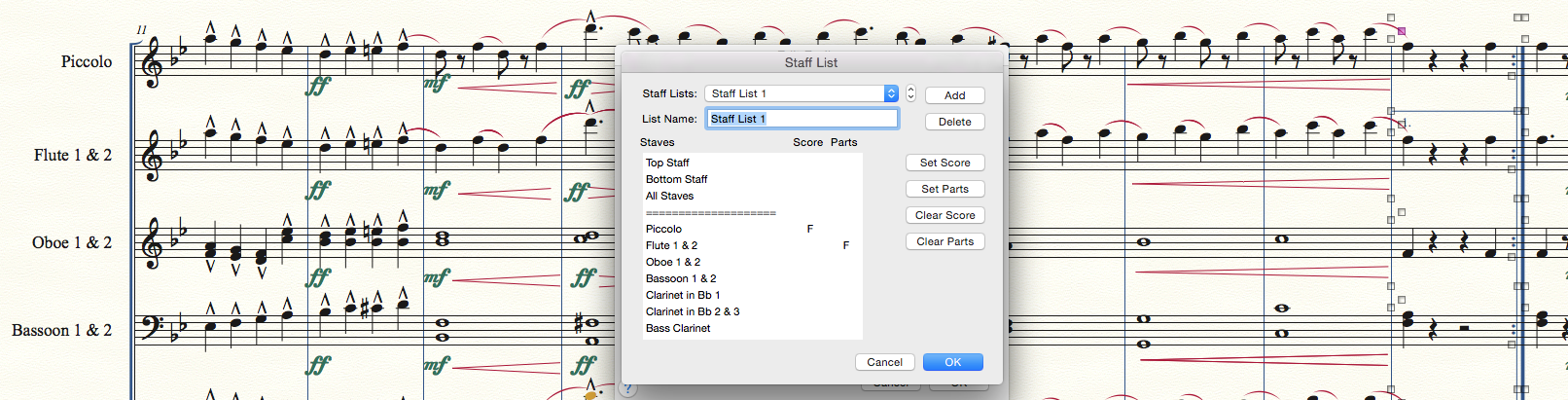
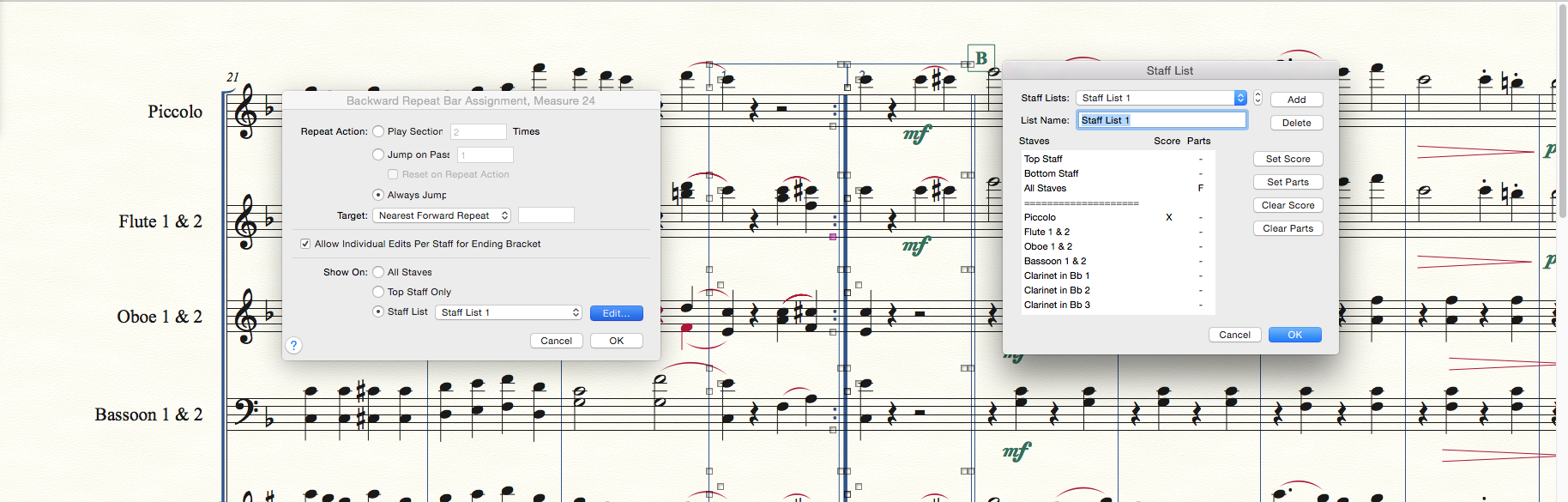
I am blindly playing around here. I have placed an F in the Score column for Piccolo but there is  no repeat mark on that staff in the score port part. I have put an F in the Parts column for Flute and the repeat mark appears in both the score and the part.


Comment actions Permalink
Avatar
0

John Miano,


Quoting the manual:


The Score and Parts columns cycle between three states as you click:

- hide repeat text for the staff (the column is blank),

- show repeat text (an "X" appears in the column),

- or force repeat text to always appear (an "F" appears in the column).

When an "F" appears, the repeat text will always appear in that staff, even if you’ve elected to hide repeat endings for the staff in the Staff Attributes dialog box.

Comment actions Permalink
Avatar
0

I seem to get that if there is an X, repeats have to be enabled for the both the staff and checked in the Staff List. However, In the second screen shot, I have an F in the Score Column for the Piccolo but there is no repeat in the score (or part).

I have put an F in the parts column for Flute but the repeat appears in the score (and the part).

In other words, I have not yet seen any change clicking in the Score column. The parts column in my case if affecting both the score and part.

Comment actions Permalink
Avatar
0


Am I correct? Do your changes appear on the staff below the ones checked in your list? This is very odd. Perhaps sending the file to MM Support via the "Submit a request" link at the top of the page will let them figure out whether this is a peculiarity in your file or a problem with the program routine.


Here's what I found.


(But I have to admit, I cannot imagine when I would ever not put a repeat ending on a top staff. Usually that's all I do--for both score and parts.)

Comment actions Permalink
Avatar
0

As Adrian suggested, it looks like this is a problem with a file. I opened another file and got this:


X's in the Score column are determining whether the repeats show up in the score. In contrast, the file I was working with looks like this:

F's in the PARTS column are controlling whether the repeat shows up in the SCORE.


Comment actions Permalink
Avatar
0

And what is selected in the Staff Attributes,

- for the Piccolo staff?

- for the Flute 1 & 2 staff?


I think that we need to examine an actual Finale document.

Otherwise we can only guess.


In this forum you can not attach a Finale document.

But you can add a hyperlink to a Finale document you have uploaded elsewhere.


You can e. g. upload a Finale document in this, other, Finale forum:

http://www.finaleforum.com/index.php 

Comment actions Permalink
Avatar
0

They have the same staff attributes. Piccolo has repeat marks enabled. Flute has them disabled (as do all the other instruments visible).

Comment actions Permalink
Avatar
0

John,

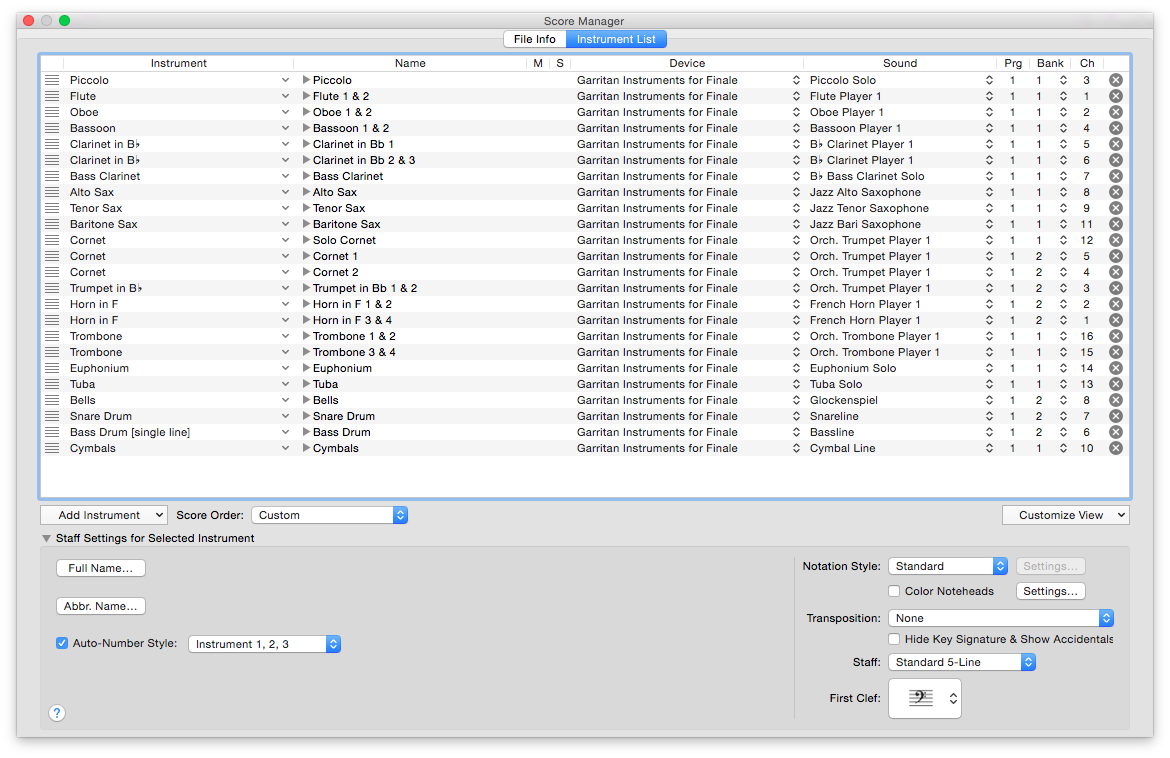
Can you show us a screenshot of your Score Manager listing of the instruments? I'm particularly interested in the leftmost columns.

Comment actions Permalink
Avatar
0

Comment actions Permalink
Avatar
0

Thank you for the image. I have to admit I am stumped. If you get an answer from sending your file to "Submit a request," please let us know what it was.

Comment actions Permalink
Avatar
0

I'll do so. It would have been a lot easier on all of us if I had picked of the four files I am working with where this works rather than the one file where it does not.

Comment actions Permalink
Avatar
0

But if if you had chosen a file that worked we would never figure out what caused the situation in the file you posted. Always want to learn.

Comment actions Permalink
Avatar
0

I exported to MusicXML and then imported. When I imported all staves had repeats enabled (I do not know of that is a feature of MusicXML export/import).

Then I disabled repeats for all but the staves I wanted. Then it appeared to work. Looks like the file got corrupted somehow.

Comment actions Permalink
Avatar
0

edit the staff list to show/hide whatever you want


Comment actions Permalink

Please sign in to leave a comment.