New post
Avatar
0

Operating system: MacOS Sierra Version 10.12.5

Software version: Finale 25.4.1.163 (I believe it's 2014)

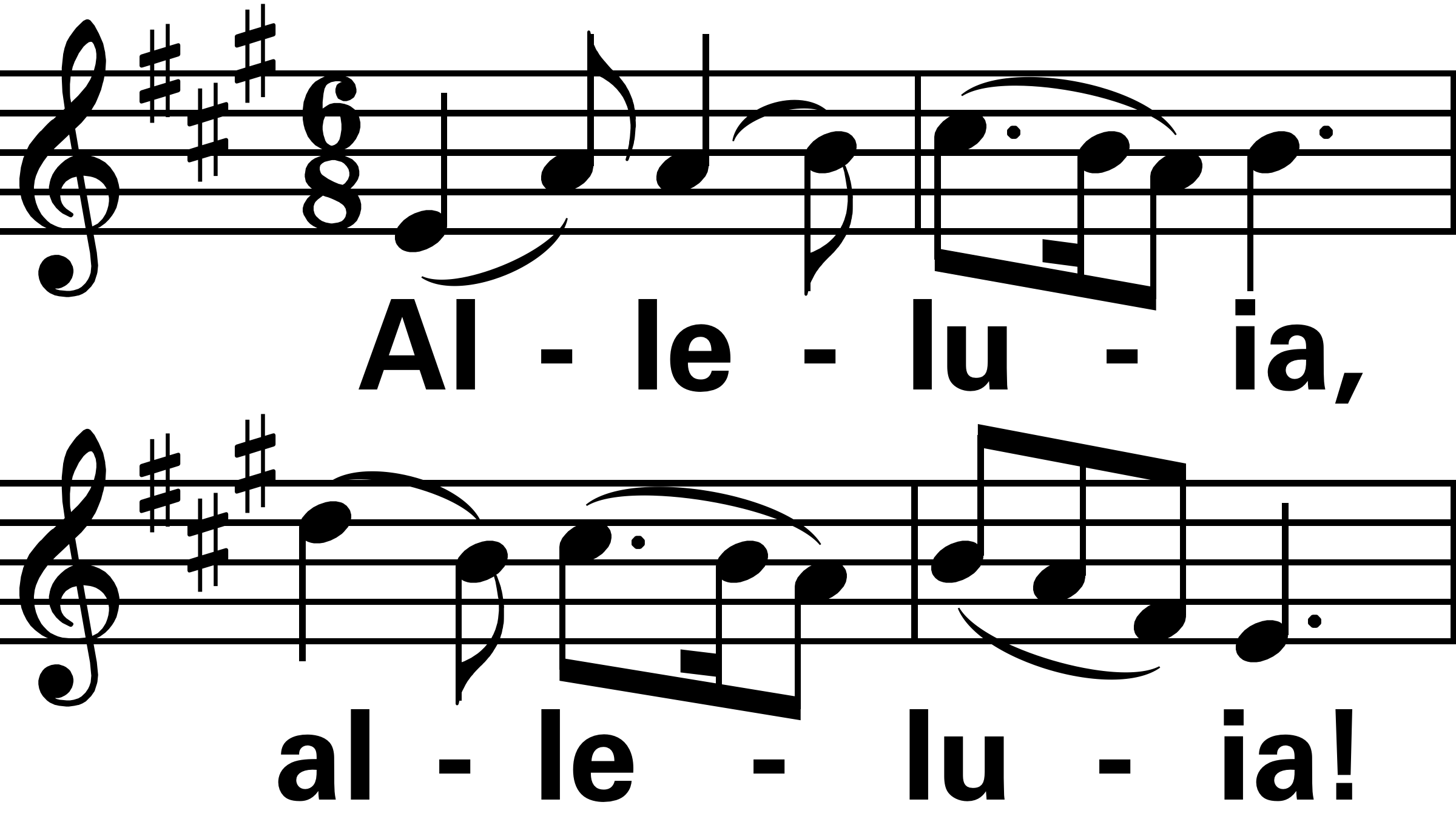
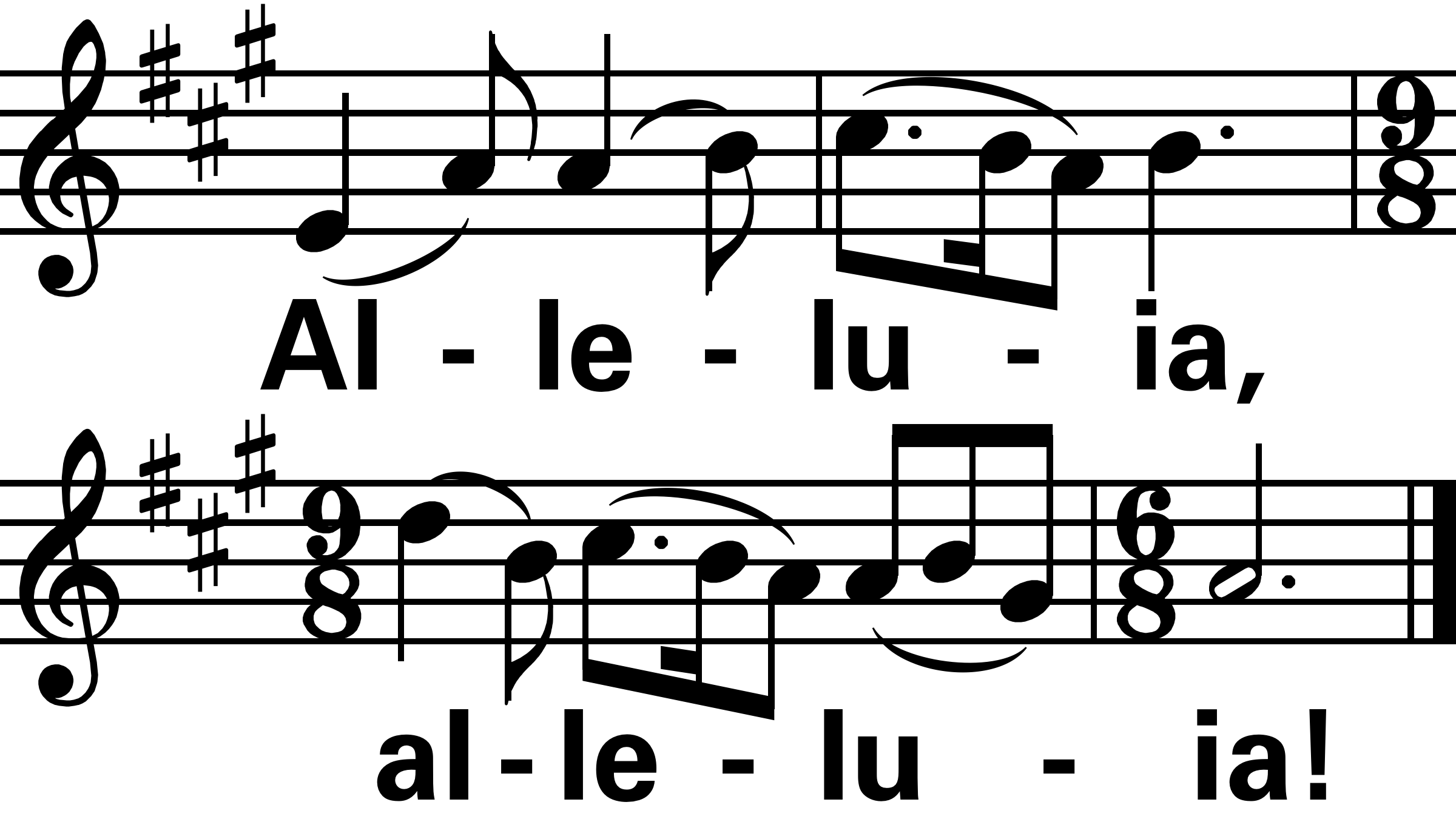
I'm trying to duplicate a Finale file that is seen from a screenshot. I need to know if anyone is able to do this for me and send it to me ASAP. I need the file to be converted to edit-mode that way I am able to create more files from the format shown. 

Screenshots of the music are attached. I need to know which music font was used, as well as all settings that were used to create the music shown. This music was created for format into PowerPoint. 

I need this completed ASAP. Please please please. Thank you....
 

5 comments

Date Votes
Avatar
2

I don't understand. It shouldn't take more than 10 minutes for you to enter that into Finale.

Comment actions Permalink
Avatar
0

i keep looking at this and wonder, "Why?"


If you don't know how to use Finale, this is an easy piece to grasp some of the basics as you learn.


Being out of the country, I am away from my hymnals. Been trying all day to remember the composer's name on this one.


BTW, you are running Finale 25, not 2014.

Comment actions Permalink
Avatar
0

Fintan O'Carroll and Christopher Walker are the composers. 

Both Mikes: I should've mentioned - There are 4 staves shown in the post, but the first 2 shown are one picture together (on one slide), and the last 2 are another picture (go on another slide). 

All I want to know is if there is a way I am able to convert the pictures in the post back into Finale to see if there's a way I am able to edit them....

Comment actions Permalink
Avatar
0

Still, as Mike H. said, it's a pretty easy Finale entry job. If you know how to edit it, you should know how to enter it from scratch.


But, if you insist on doing it the hard way (!) you could convert the slide image to PDF or TIFF, and use one of the SmartScore PRO products, NOT the lite version that was packaged with Finale until 25 came out, and NOT PDFtoFinale, which is another product similar to SmartScore Lite.


I emphasize that this would be the hard way in this case, since direct entry would be so easy for this. The scanning definitely has its uses for longer scores, and I've used it for hundreds of them, but not this one.


Your initial concern seemed to be the fonts and other settings; just go ahead and enter it with Finale defaults, and then see what you might need to change. I see nothing, except for choosing a sans-serif font for the lyrics.


This took about 2 minutes to enter, and maybe 5 to play with the settings. I increased the staff and barlines to 3 EVPU, and the stems to 4. The font is Arial Bold.

Comment actions Permalink
Avatar
0

The direct answer to your question is easy. Buy SmartScore X2 Pro. It will cost you $199 from the MakeMusic store if you are a registered Finale user. There is a learning curve but it will do what you 3ant.


Why anyone one would spend the money and considerable extra time to import such a small amount of music is beyond my imagination for today. 

Comment actions Permalink

Please sign in to leave a comment.