New post
Avatar
0

When I recieve a Finale fie in the current FInale 27 through email (from a student), when I open it, it keeps defaulting to Finale 26 on my computer.  We both have the most current version of Finale and on her laptop she has saved her file as Finale 27, not 26.  Can anyone assist me in what am I doing incorrect or possibly my student.  She originally composed the music on Finale 26 but has since saved as Finale 27 as well as I, but as I said, when I go to open her file, my computer keeps going to Finale 26 and not 27.  HOW can I change this?

Thank you

4 comments

Date Votes
Avatar
0

You haven't told us what operating system you  or your student has. Since you are asking about the default program a file calls for when double-clicked, the OS info would be important.

Comment actions Permalink
Avatar
0

Oops. Sorry. It’s Mac, OS Ventura 13.2.1

Comment actions Permalink
Avatar
0

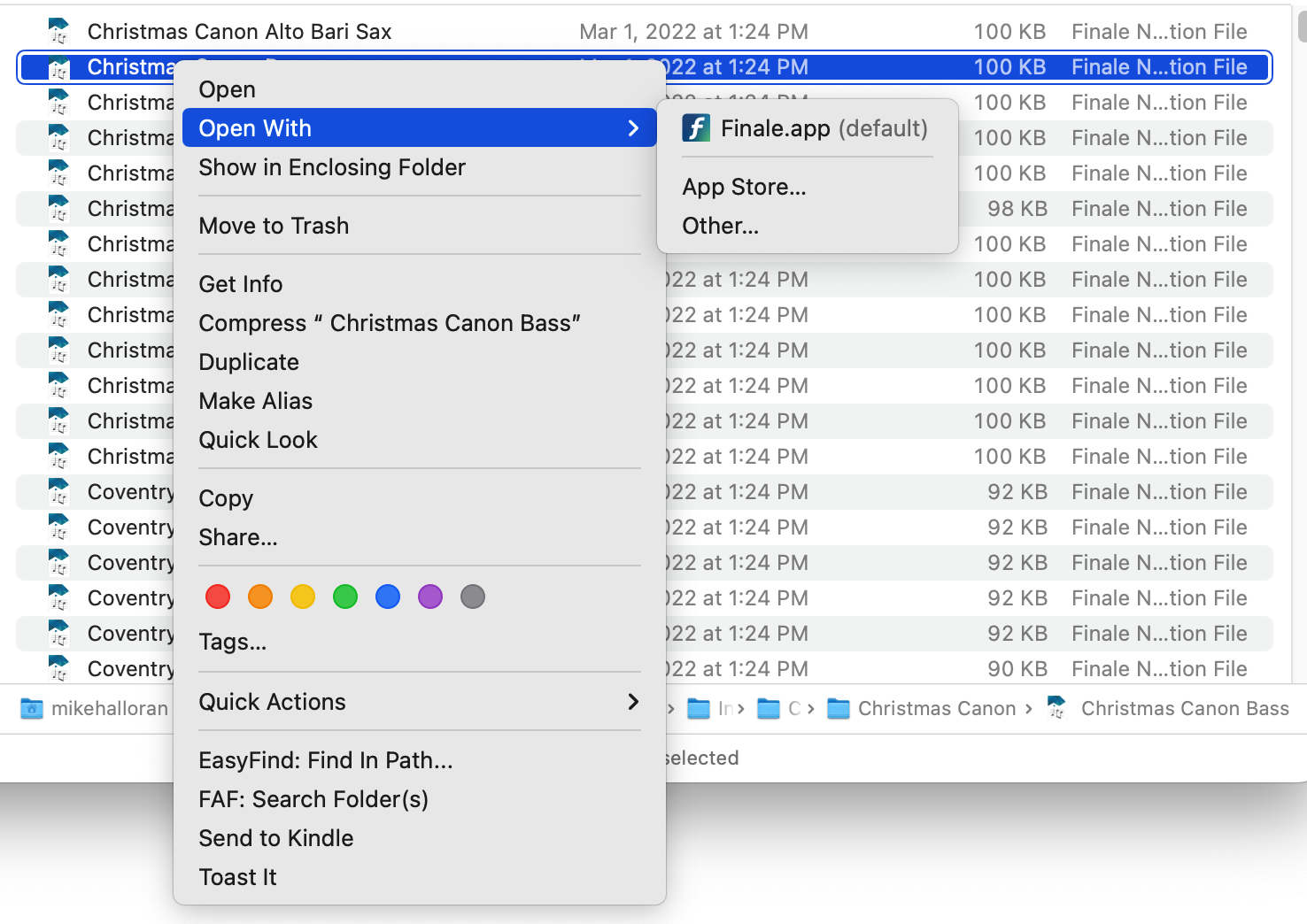
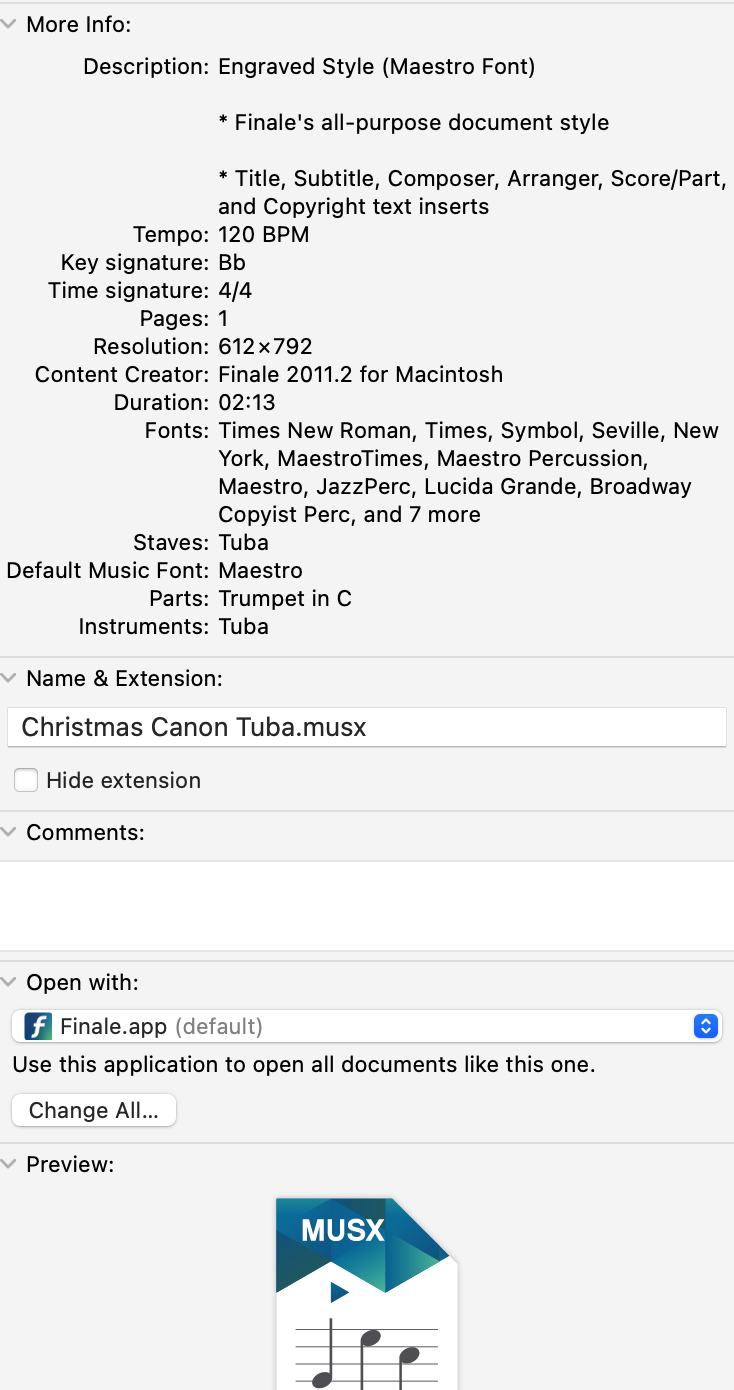
Right-click on a Finale file, and choose Get Info. In the next window, down towards the bottom, you can set F27 to open all files of that type.

Comment actions Permalink
Avatar
0

Two solutions:


Right-click and select Open with, then select Finale.app (should be 27 if you have more than one version installed).


Open Get Info on the file. Under Open with, select Finale.ap . There's usually an option to open all files with the same extension (.musx) in the same app — you can do this or not but it changes the Default if you do. This is one of the basic Stupid Mac Tricks.


Comment actions Permalink

Please sign in to leave a comment.