

Hi Peter,
When merging the files I have used this procedure:
- Select the score merger in the file menu
- Added the required files, in this case four movements for a brass quartet
- Use the facility "Treat as indenpendent movements"
- Use the facility "Keep each file's measure numbering"
- Use the facility "Edit instrument junction between files"
Layer 1 and 2:
All notes in layer 1 are copied correctly into the merged file.
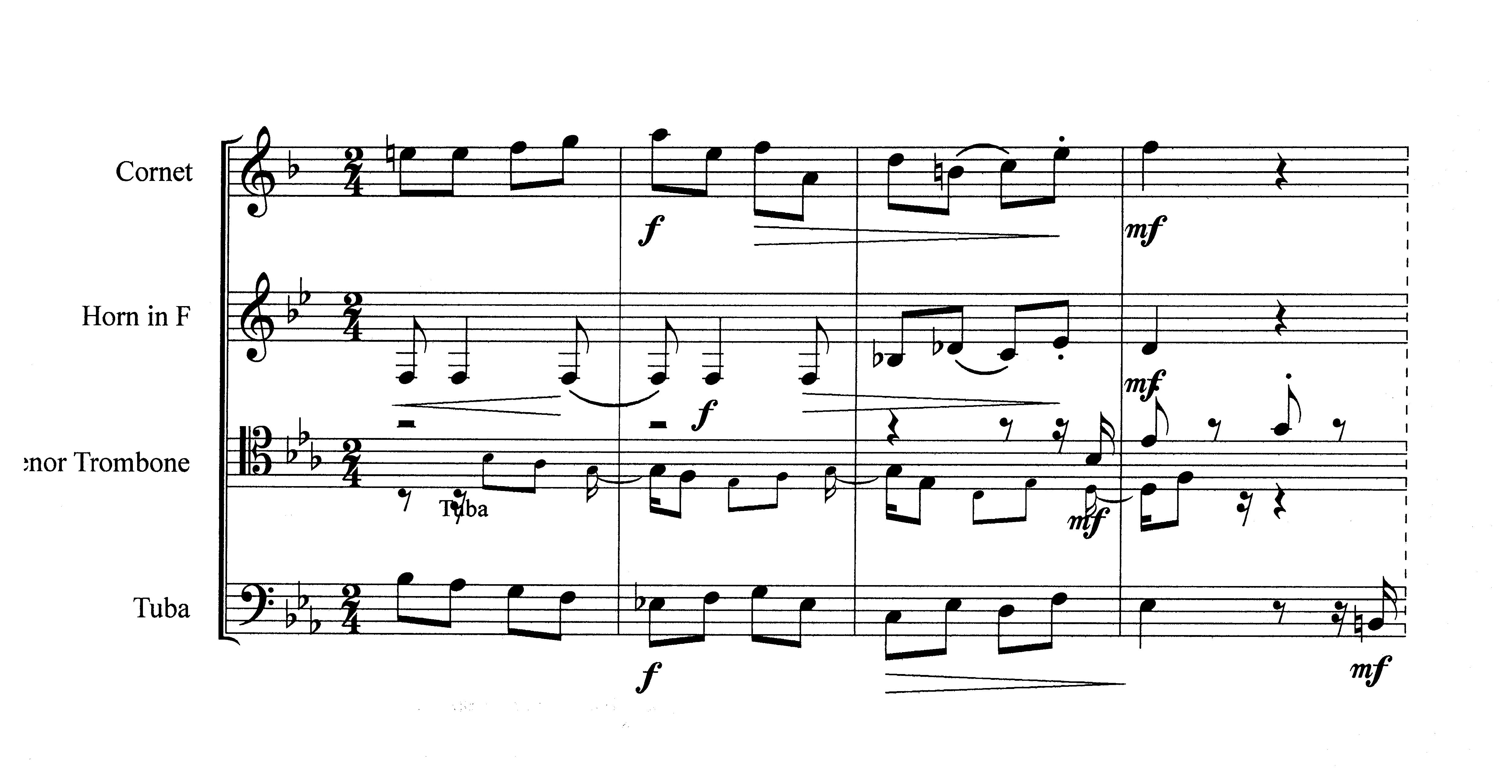
The notes used in layer 2 are in this case cue notes for orientation in general. All notes in layer 2 are copied into the merged file, but they are not positioned correctly; i.e. they are partly placed in the next measure(s), which result in different note values.
As an example you can see in this section from the merged file, the cue notes for tuba in the trombone voice are wrongly copied and placed in the score.
Kind regards
John

1 comment
Date Votes