New post
Avatar
0

Hi Peter,

When merging the files I have used this procedure:

  • Select the score merger in the file menu
  • Added the required files, in this case four movements for a brass quartet
  • Use the facility "Treat as indenpendent movements"
  • Use the facility "Keep each file's measure numbering"
  • Use the facility "Edit instrument junction between files"

Layer 1 and 2:

All notes in layer 1 are copied correctly into the merged file.

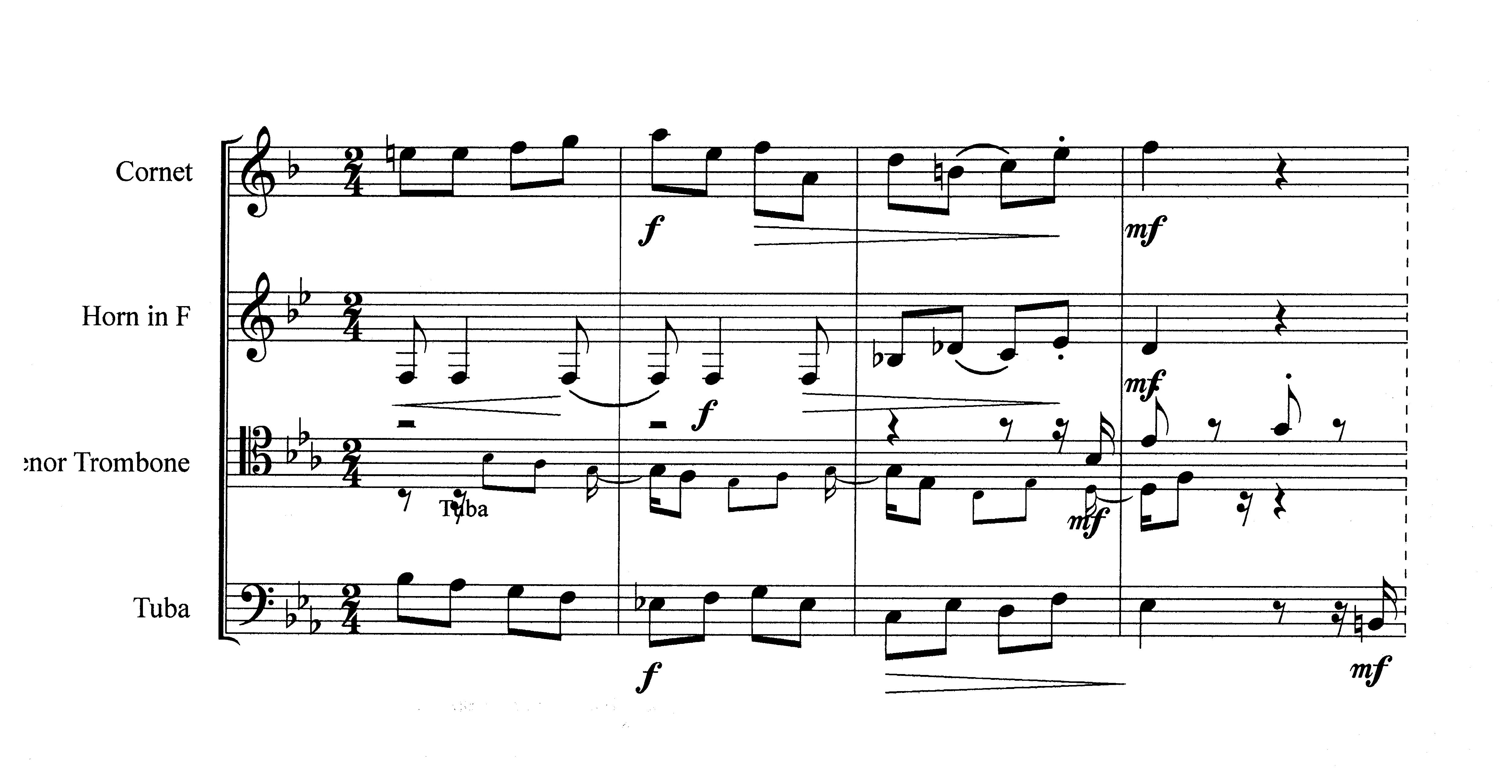
The notes used in layer 2 are in this case cue notes for orientation in general. All notes in layer 2 are copied into the merged file, but they are not positioned correctly; i.e. they are partly placed in the next measure(s), which result in different note values.

As an example you can see in this section from the merged file, the cue notes for tuba in the trombone voice are wrongly copied and placed in the score.

Kind regards

John
1 comment

Date Votes
Avatar
0

Thanks for the info.

Another way to merge Finale documents is the “manual, do-it-yourself” way:

Create a document for the merged movements. Copy the music into this “merge document”.

As a test (not as a solution!) you could try the other, “manual”, way - to see whether you can avoid the problems, you mention.


… the tempo marking does not show up in the merged file for all four movements …


This is not absolutely clear to me. The words “show up” can mean two things.

A tempo marking is an expression.

Are you saying that the expression does not show up in the dialog box Expression Selection?

Or are you saying that the expression shows in the Expression Selection, but does not show up in the layout?


… The notes used in layer 2 are in this case cue notes for orientation in general. All notes in layer 2 are copied into the merged file, but they are not positioned correctly; i.e. they are partly placed in the next measure(s), which result in different note values …


Sounds weird, indeed.

My first thought is that you should check the original (single) movement documents for durations in Layer 2.

Do the check on a backup copy - just in case something goes haywire.

Plug-ins menu > Note, Beam, and Rest Editing > Check Region for Durations…

I suspect that some measures have an incorrect “durations sum” in Layer 2.

Comment actions Permalink

Please sign in to leave a comment.