New post
Avatar
0

MacOS High Sierra.

10.13.6

Finale 26.

I have a very short musical transcription to complete for a research article that must be submitted asap. I even after finding instructions online and trying to follow them, I can not seem to get it to work. Can any assist me with this. I am trying to change a regular note head into the larger diamond shaped note head. Please contact me asap concerning this matter. 

Oliver 

3 comments

Date Votes
Avatar
0

Welcome to the forum!


Since it is only a single notehead, I would use the Special Tools Tool.

Click the sub-tool Note Shape Tool.

When you click on the measure, handles will appear on all noteheads in that measure.

Drag-select the handle on the notehead you need to change.

Hit the Return key, to open the Symbol Selection.

If you are using the Maestro font, the diamond notehead can be found in font slot #180.


If you need to make the diamond notehead larger, context-click on the notehead handle.

In the context menu, choose “Edit…”.

You get to the dialog box Notehead Settings where you can change the size.

Comment actions Permalink
Avatar
0
Thank you very much for the immediate response. I do not think I was clear. Unfortunately, when I mentioned one notehead, I should have said that I would be using one replacement note head (the diamond). Actually, I have fours noteheads to replace in two measures, which means I have 8 note heads to replace in all. I do not mind doing each one manually, however the instructions that you sent are not working on my computer. 
 
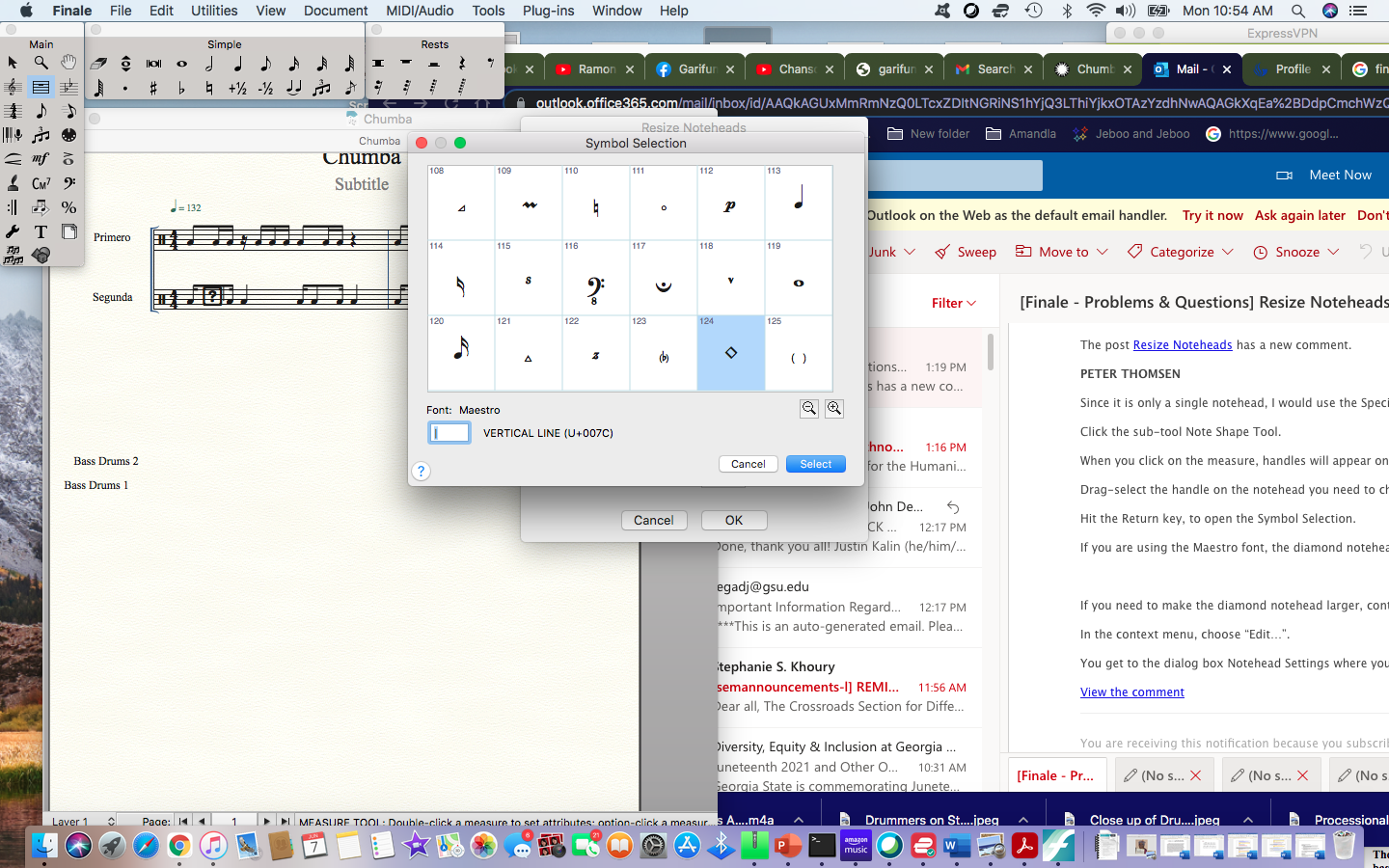
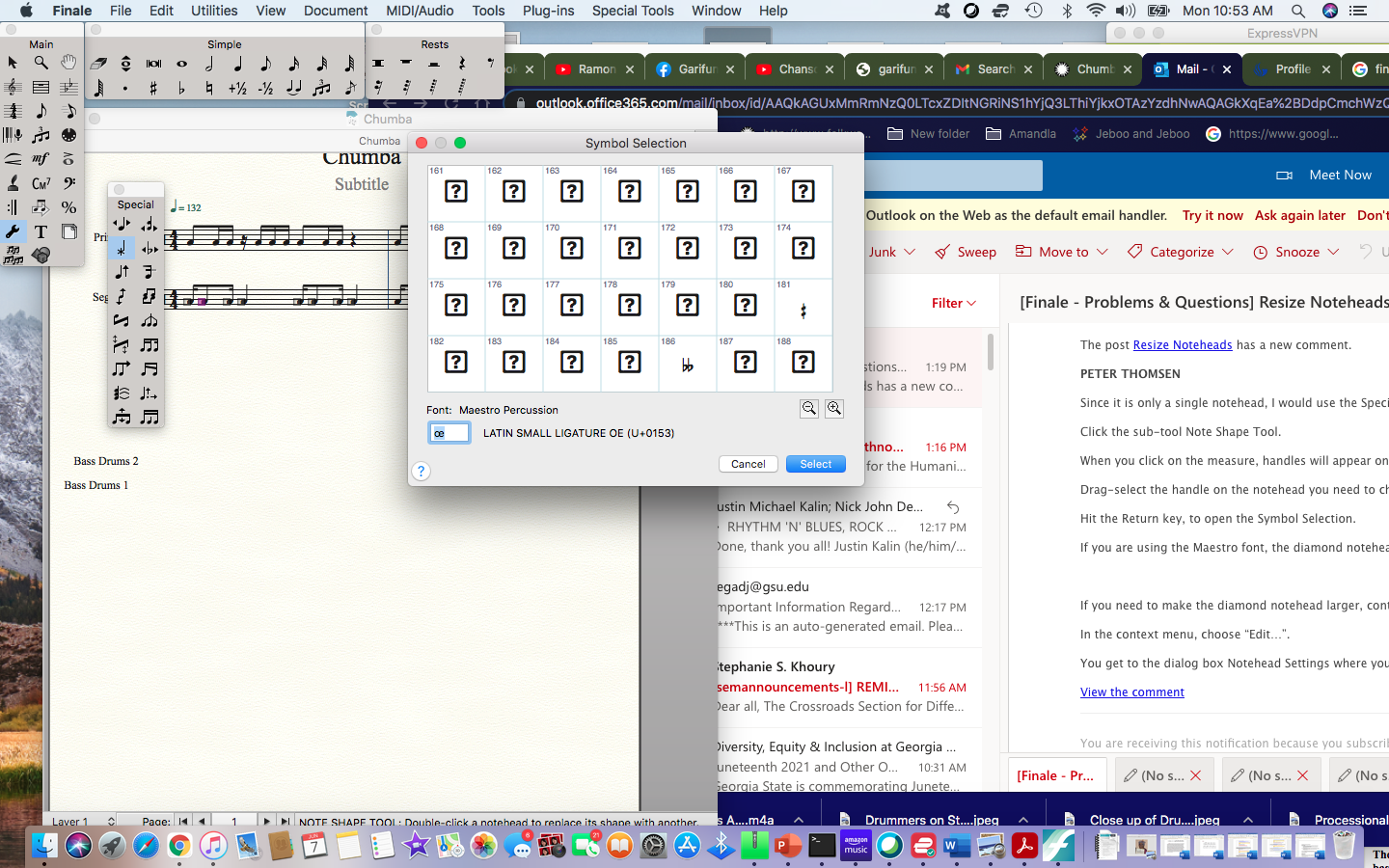
When I followed the instructions box (#180) comes up as a question mark inside and not a diamond; even when I try to insert it. Please see the screen shot attachment. I tried it more than once. 
 
I am only able to see the diamond shape when I highlight the entire rhythm in the "Measure Tool," then click on "Plugs-Ins," "Note, Beam and Rest Editing," "Resize Noteheads" and "Standard Note Heads." The notehead that I prefer is #124. 
 
I just followed your directions again using #124; but it also only comes up as a square box with a question mark inside. 
 
What should I do? Please instruct. If you could call, that would be great. 404-620-0677.
 
Thanks
Oliver
Comment actions Permalink
Avatar
0

Oliver,


Peter lives in Denmark, so he probably won't call you! First thing, remove your phone number so bots don't pick it up. The problem is that you are using a percussion staff, which is a whole different ball of confusion. Changing noteheads actually changes the instrument.


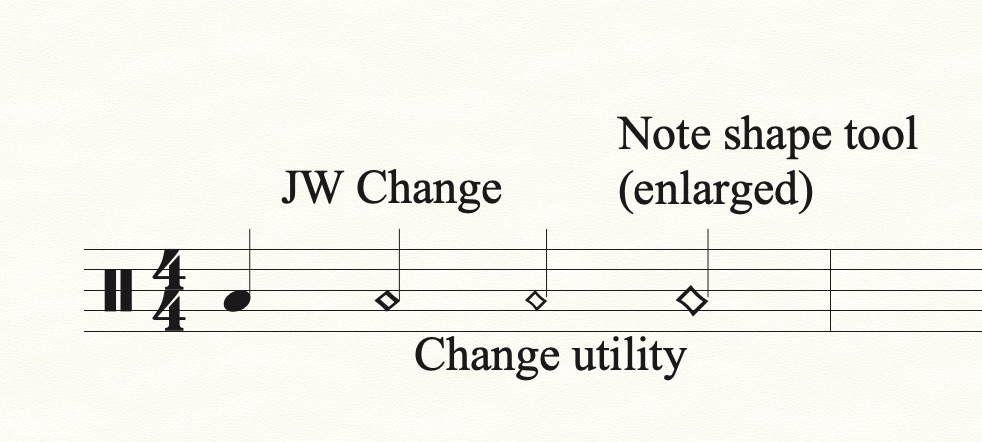
If playback doesn't matter, set your score up as usual. The instrument doesn't matter. Then, you can select the select the note as Peter suggested, and make the change. You can change the clef to the percussion clef, and the notehead should stick. However, if you look at the third and fourth notes in my example, the stem becomes detached from the notehead, even after enlarging it. Making the change in JW Change > Noteheads keeps the stem attached.


I tried to call, but nobody answered. You can reach me at 2 zero 6 523 nine 6 two eight. (See what I did, there?)


Comment actions Permalink

Please sign in to leave a comment.