

Finale 27; Windows 11 with all the latest patches and updates.
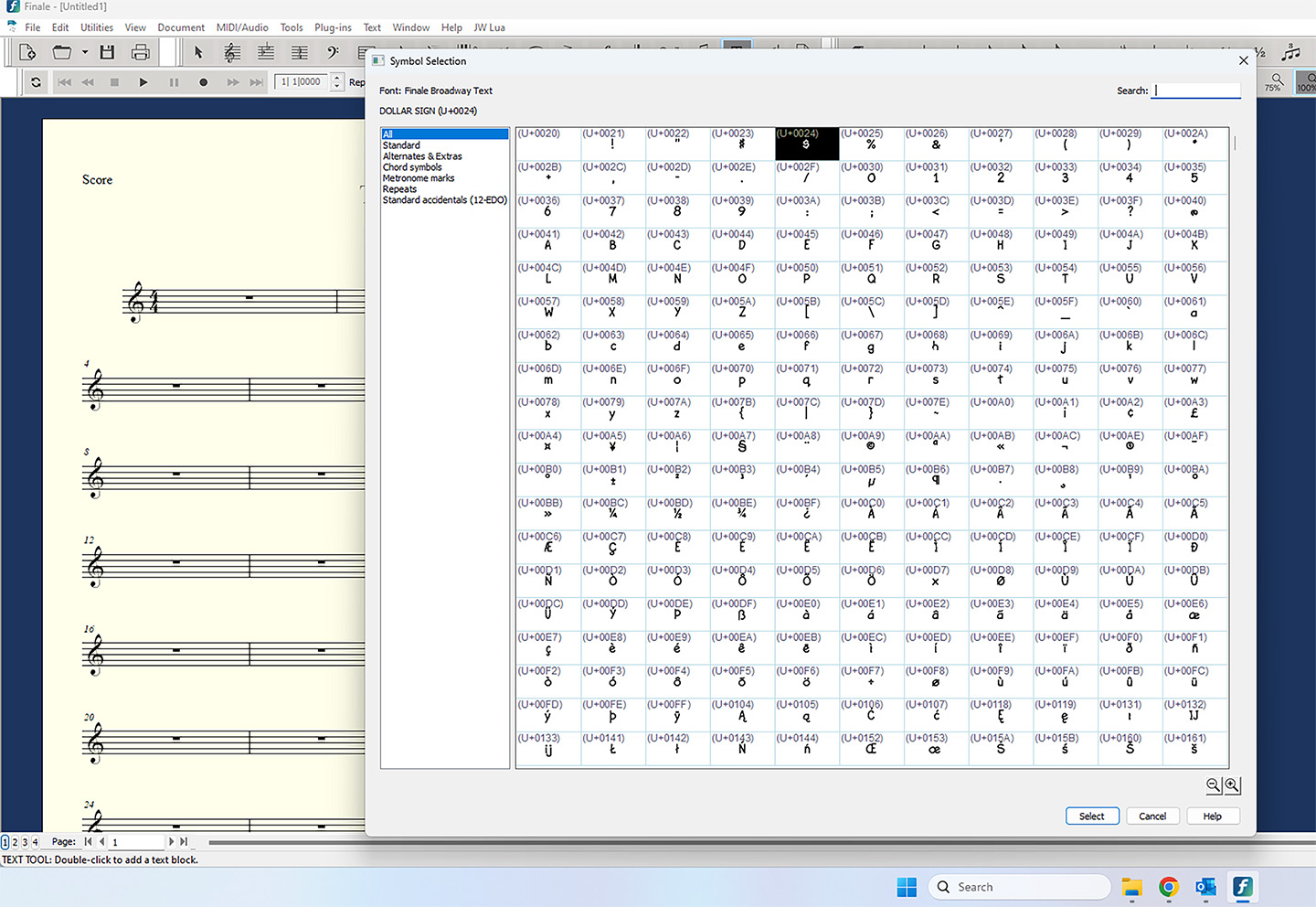
In Finale 27, they changed the fonts…AGAIN…and none of the keys for special symbols work for those symbols any more. Specifically, I’m referring to the brackets that we use to enclose text, and stuff like that. By default, Finale 27 wants me to use the “Finale Broadway Text” font for all text elements that I place in a score or part. When I insert a text object, I can go to the text menu, select “Insert Symbol”, and a dialog pops up with 7 categories:
All
Standard
Alternates & Extras
Chord Symbols
Metronome marks
Repeats
Standard accidentals
It used to be that those brackets had keyboard shortcuts mapped to normal keys, like parentheses, square brackets, curly braces, etc. No more. I see a bunch of UNICODE codes (U+CODE, where CODE is 4 hex characters) attached to these symbols now. How can I invoke a keyboard shortcut to place these UNICODE symbols into my inserted text object? You used to be able to hold the ALT key down (Command on the Mac I suppose), and type in the 3 or 4 digit number code, and you’d get the symbol. That doesn’t work with these funky UNICODE codes. I can’t find any reference to them in the manuals or forums either.
Help!


4 comments
Date Votes