Win 10. My main version of Finale is 27.2. The 27.4 update screwed up pdf-printing, so I have to go back to 27.3. Does anyone know where I can download the 27.3 update separately?


Here's something from another thread (might be helpful, or not ...) -
I found the 27.3 installer on my notebook. I uninstalled Finale 27 using Windows Settings Apps. Then re-installed with the 27.3 file. Everything is back to normal. It restored my screen position at startup, palette layout, Lua scripts, JW Change sequences, TGTools remaps, and FinaleScripts.
I also still had the 27.3 installer and did the same procedure. No problems, now I am back in 27.3 as it was.


Fredrik,
I use doPDF and it works as expected with 27.4 making PDF's. It does ask you twice where you want to save the PDF but otherwise it works. I understand the CutePDF has issues but I don't use it. You might give doPDF a try as it may solve your issues. These are PDF printer utilities and install just like any printer.

It would be prudent for MM to post a download link to 27.3 for Windows users.
Perhaps next time they will let the Beta testers have a look first. Who thinks this would have been caught there? Let’s not see all the same hands.
On the Mac side, I’m finding 27.4 over Sonoma 14.1.2 to be very good. The fix for the true black fix announced in 27.0 is a workaround, sure, but it works. Since this involved Save as PDF, I wonder if this is the source of the Windows problem?
ERNEST BIGGS Most professionals rely on Adobe Acrobat for PDF's. I'm not interested in other halfway solutions.
MIKE HALLORAN It's amateurish at a totally new level not to test this with the industry standard for PDF's.
Perhaps next time they will let the Beta testers have a look first.
I think the problem is (guessing) all their beta testing is done in house. Not like it was with the old group. With the buy out and take over MM got rid of all of us beta testers. When you put it out to a larger group, it is a way more diverse group. You get to see way more combinations and circumstances that an in house group can't in the same time period. More machines and more different machines.
But who knows how they really test it out now? This MM is pretty closed mouth.
ERNEST BIGGS Still: If no single employee thought "Hmmm, maybe we should test this with the industry standard, Adobe Acrobat first?" they are complete amateurs and should be fired every single one.
Beta testers still exist. It was arrogant not to send it out, nothing more — but in this case, that's bad enough.
That 27.4 for Windows doesn't print to CUTE or the Adobe app indicates a problem. No doubt it means it won't print to any 3rd party PSF app for Windows. Hopefully, a hot fix will emerge soon.
Suggesting that MM fire people for not testing it with 3rd party apps that they do not support is absurd. Microsoft has done a terrible job with pdf files over the years but they've finally made Microsoft Print to PDF part of the OS and it works—and MM has showed how to use it with 27.4 and I gave a link to a troubleshooting page. By contrast, Apple has done an excellent job with Preview and the true black workaround has existed in most print drivers for years. Those are the actual industry standards.
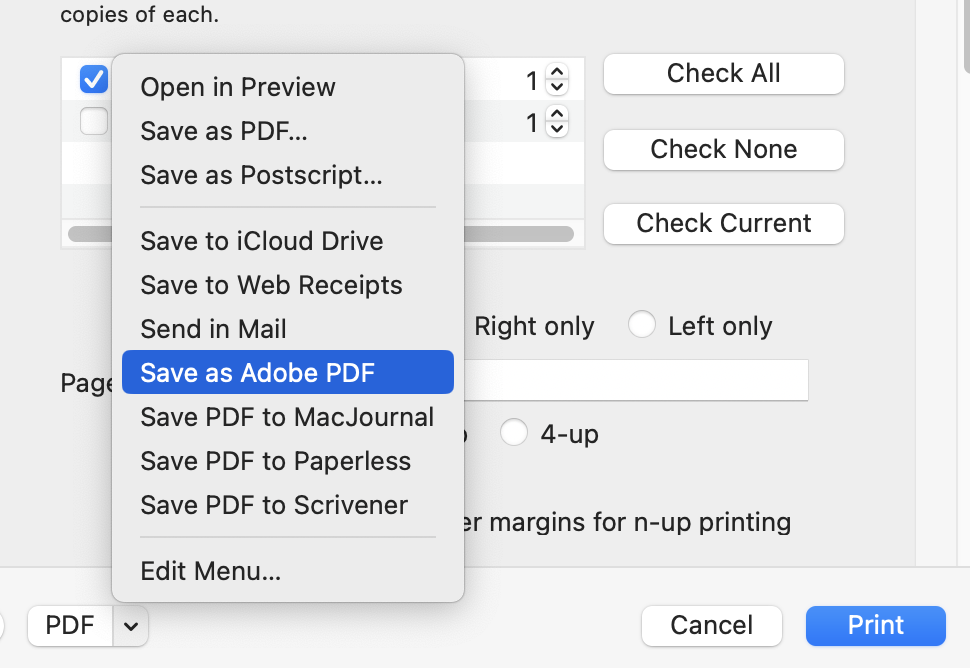
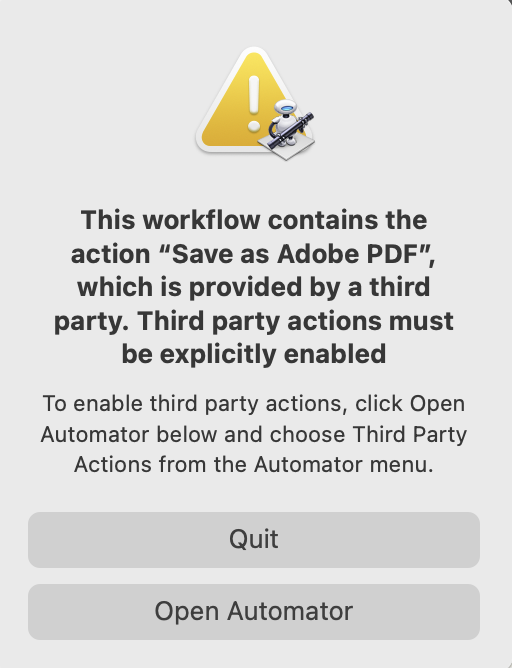
Adobe Print to PDF doesn't exist for Mac Users. Most of us save to PDF and then open the file in Acrobat Pro if we want to use the additional tools. Those of us with Acrobat or any 3rd party pdf app installed do have Save as Adobe PDF in the Print menu but we can only do so through Apple's Automator.app but that's an Apple issue and MM cannot get around that.
Some "industry standard"
Probably time to remind others that I do not work for MakeMusic. I did, however consult to Adobe now and then over the last 41 years, worked in Windows support for many years in between music gigs and helped Apple fix print and scanning issues in OS 8 and macOS 10.5–10.8.2 when it finally worked properly.
Please sign in to leave a comment.
11 comments
Date Votes