New post
Avatar
0

Change Instruments Utility is very good, but...

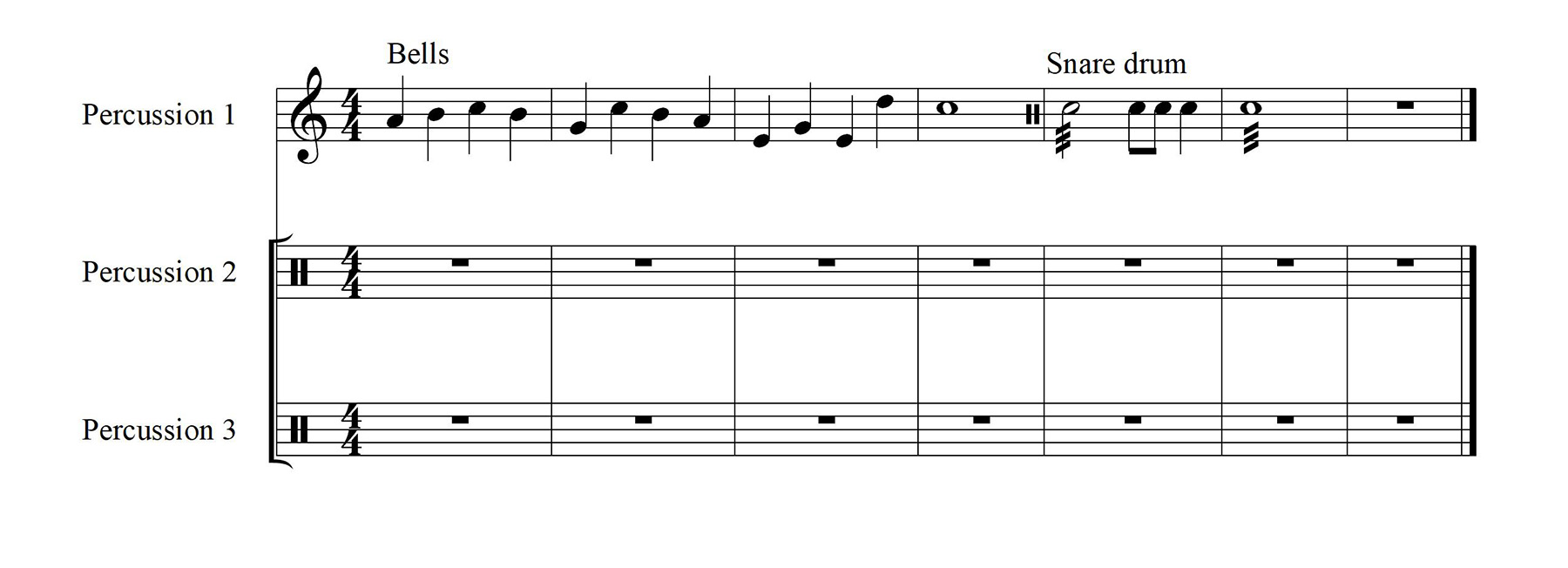
if one has (typical of percussion...) to use an instrument which is not the main staff instrument in the very first bar?

just to be clear: staff name Percussion, but if first bar starts with tubular bells the staff name changes accordingly even if I change instrument (to the default instrument -timpani-) in the second bar...

any idea?

12 comments

Date Votes
Avatar
0

Personally I would not put any pitched percussion instrument on a percussion staff line. However can't you simply edit the staff name to what you want?


Comment actions Permalink
Avatar
0

yes of course, but the sounds are linked to "change instrument"

Comment actions Permalink
Avatar
0

You asked about the staff name. Now are you asking a different question?

Comment actions Permalink
Avatar
0

staff name and staff instrumental sound are linked by Change instrument utility... especially in the first bar

Comment actions Permalink
Avatar
0

When you changed instrument to chimes or bells, afterwards when you want to go back to drum percussion you need to change instrument again. It will playback correctly after that.


Comment actions Permalink
Avatar
0

dear Ernest the first bar Chimes are inserted with Change Instrument Utility?

Comment actions Permalink
Avatar
0

I understand simply use the same change instrument to change it back to percussion. When you no longer need chimes.

Comment actions Permalink
Avatar
0

BTW, Alessandro is a great name. I like it very much.

Comment actions Permalink
Avatar
0

… if one has (typical of percussion...) to use an instrument which is not the main staff instrument in the very first bar?

just to be clear: staff name Percussion, but if first bar starts with …


If I understand you correctly, you need the staff’s Full Name to be Percussion, but you are using the Change Instrument utility to change to another instrument in the first measures - right?

And the Change Instrument utility also changes the staff’s Full Name - right?


What works for me:

Window menu > ScoreManager > Instrument List

Click on the button {Full Name…}, and change the Full Name back to Percussion.

The playback will not change to Percussion when you change the Full Name.

Comment actions Permalink
Avatar
0

thanks Peter, perfect...

but in my experience it changes back to Tubular belles (or whatever..) in the following system;

anyway good!


Comment actions Permalink
Avatar
0

… in my experience it changes back to Tubular belles (or whatever..) in the following system …


This is a misunderstanding.


The so called [Full Name} is [the staff name in the first system}.

You can enter a shorter name (or whatever) as [Full Name}.


The so called {Abbr. Name} is {the staff name in system 2 and all the following systems}.

You can enter a complete, un-abbreviated name (or whatever) as {Abbr. Name}.


In Other Words:

To change the staff name in the systems {2 and onwards}, change the Abbr. Name.

You can change the Abbr. Name to Percussion or whatever - the playback will not be affected.


Comment actions Permalink
Avatar
0

brilliant!

Comment actions Permalink

Please sign in to leave a comment.