New post
Avatar
0
I use a Mac and my Finale software version is Finale v27. I just signed up for the 30-day free trial. I only want to input a vocal part over my piano arrangement. The software only allows to include soprano, alto, tenor, and bass. I don’t need all those four voices. The software won’t allow me to do what I want based on the manual instructions. Is this because the free version has limitations and I need to purchase the software?

3 comments

Date Votes
Avatar
1

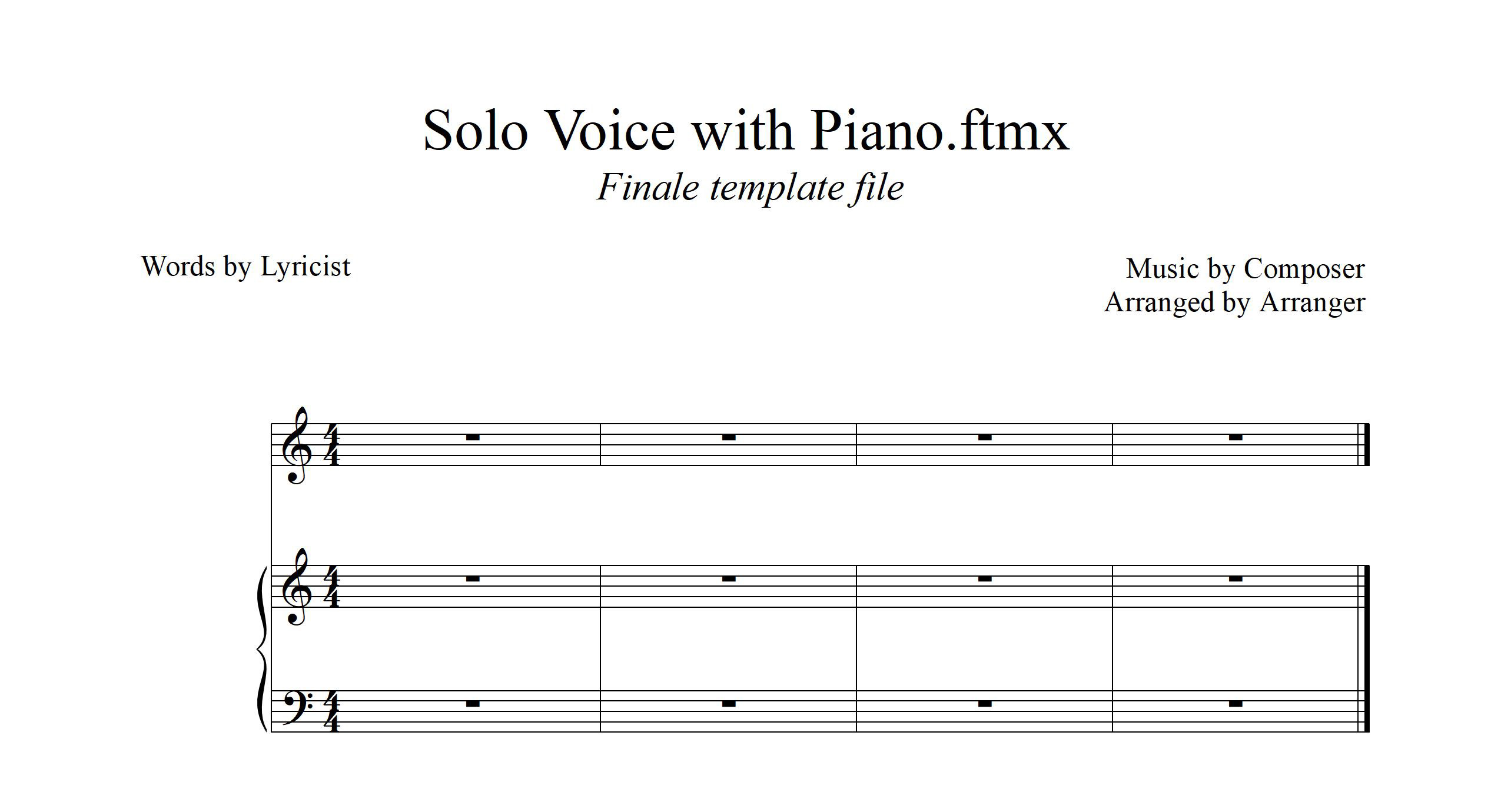
The demo version is fully functional. How are you creating the document? Start with File > New > From Template > General Templates. In that folder, there is a template for Solo Voice with Piano.


Or, you set it up yourself. File > New > Setup Wizard. In the first window, just click Next. Then, you can choose whatever you want from the first two columns, using the Add button to move them to the right hand column. Click Next, and it should be self-explanatory from there.

Comment actions Permalink
Avatar
1

MikeR suggestion will get you this.  It is a Finale template already set up.

 I only want to input a vocal part over my piano arrangement. 

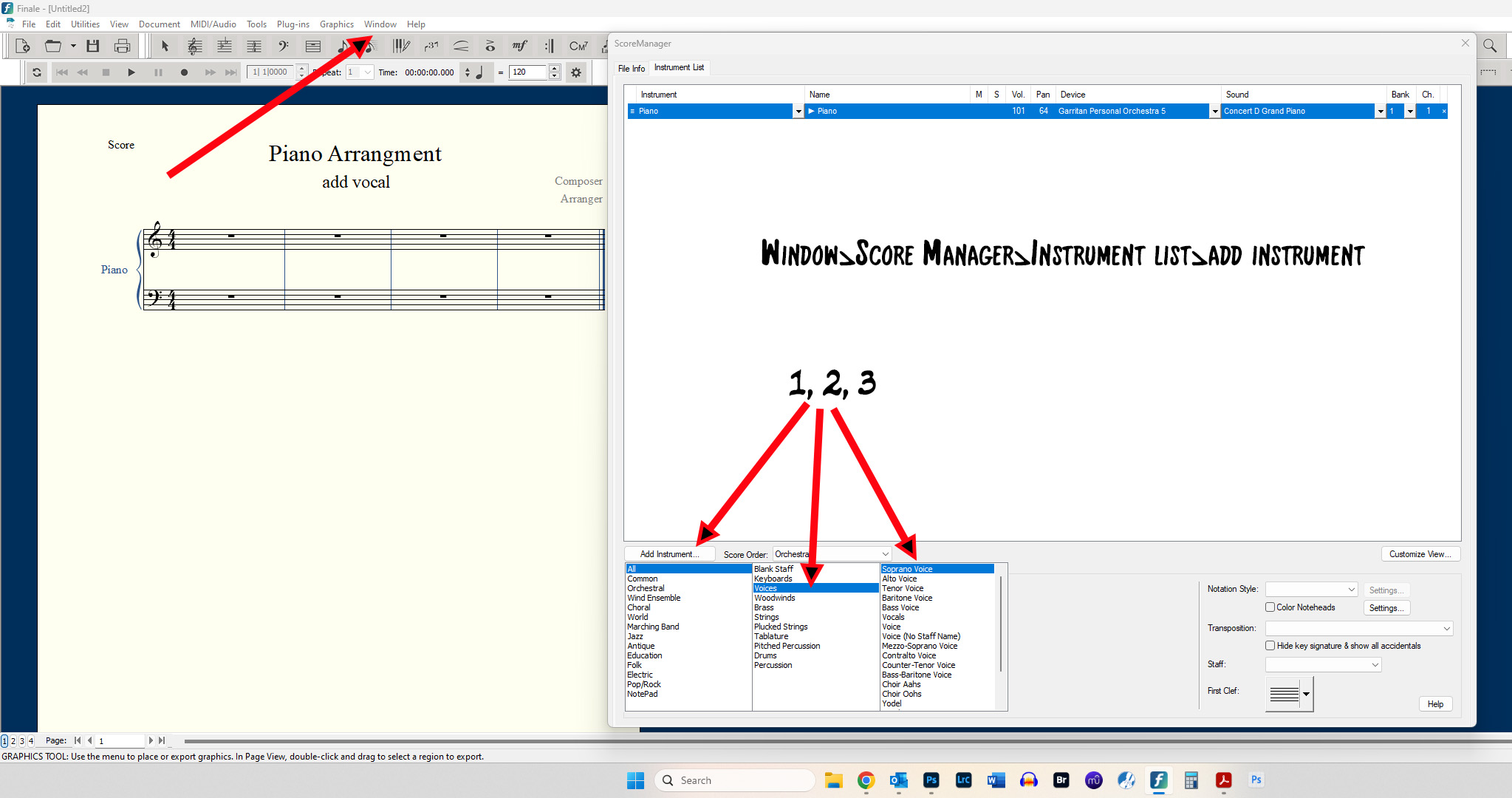
Or do you mean you already have a piano arrangement and want to add a vocal?


Comment actions Permalink
Avatar
0

Hi, 


Finale will do exactly what you want as MikeR and Ernie have shown — if you were clear on exactly what that is (I'm not so sure). You can also add a sung vocal track to the file. Can't print that, of course but you can export the results as an audio file.

Comment actions Permalink

Please sign in to leave a comment.