I have an arrangement where I would like to highlight the melody as it is not always the highest note. Is there a way to use the colored noteheads on only a few notes and not have it change the colors of all notes? Mac Finale 27.4 Thanks.


Coloring noteheads in Finale is very limited (1 color per pitch, or layer colors).
Take a look at this font, which offers more flexibility : WessColorNoteheads (thank you, Wess) https://u.pcloud.link/publink/show?code=XZRSzLVZfwP8hoKNBa80gYbmL25p08q4mEk0#returl=https%3A//u.pcloud.link/publink/show%3Fcode%3DXZRSzLVZfwP8hoKNBa80gYbmL25p08q4mEk0&page=login

Click on this link to this previous post in another Finale user forum. You will need to download and install the font indicated. Scroll down in the post to the entry by "wessmusic"... follow the instructions, etc.
https://www.finaleforum.com/viewtopic.php?t=15361
You will need to do each note head individually - but it does work. The built in Finale options are mostly global, and don't allow the same pitch to have different colors...
Thanks to everyone for chiming in. I can get this far, see attached, but then when I click ok, everything turns to question marks. I had a note that I wanted to change selected but they all changed. And of course I want to be able to choose a color, not question marks! I don't know how to find the colors. Sorry and thanks! 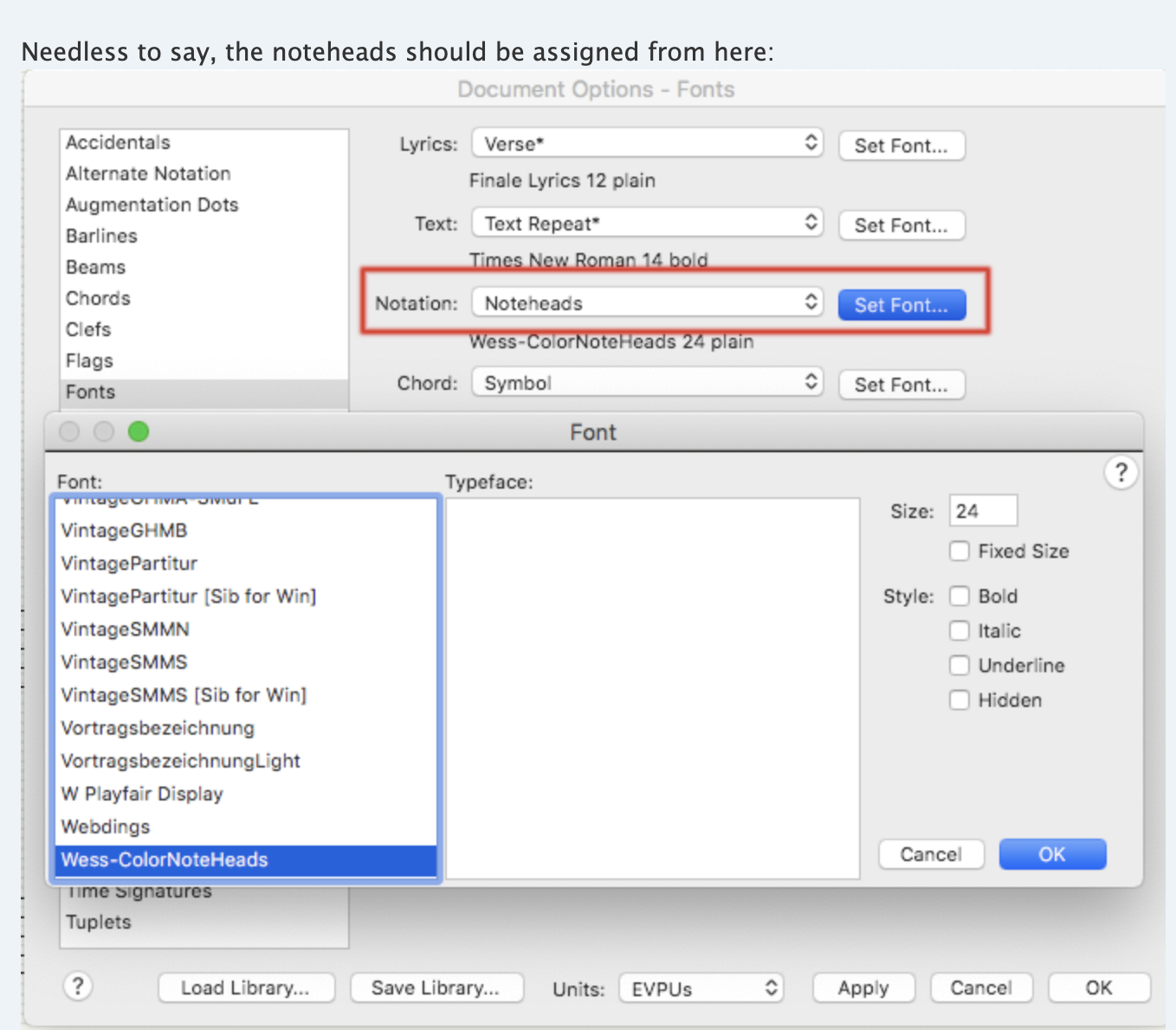
Did you see this remark :
"However, the font must be installed as a music font — i.e. its name should be added to the configuration file MacSymbolFonts.txt as Wess-ColorNoteHeads"
(Mac : Finder, menu Go ► Computer ► Your disk ► Library ► Application Support ► MakeMusic ► Finale 27 ► Configuration Files : open "MacSymbolFonts.txt")
In the case of non-SMuFL fonts, a Fan file is needed : click here
Same path .... Finale 27 ► Font Annotation (place it in that folder)
Relaunch Finale.
To change the noteheads, use the Special Tools -> Notehead tool
Please sign in to leave a comment.
5 comments
Date Votes