New post
Avatar
0

I read "Jumbled Chord Suffixes" from seven years ago. I find it ridiculous after that much time that Make Music hasn't fixed this problem with a patch or something (maybe it's harder than us laymen think).

I have a Windows 10 laptop with Finale v27. I have the "Jazz Font Default" library loaded. 

When I input chords, the default is a boldface "jazz font" chord root with a chord suffix that looks like plain Arial or something similar. So, I increase the font size of the suffix. This works well for chords like Cm7, or G7, but with chords having accidentals in the suffix, like G7(#9) or Cm7(b5), the enlarged # or b is replaced with a rectangle. 

Chord default (suffix font size 11):  

Chord suffix enlarged (suffix font size 14):


The 7 year old solution calls for either creating your own chord library or - and I'm not sure I understand the second solution given the difference in versions, but - putting the chords on a separate layer (? he said "hidden staff") and using the resize tool to enlarge the chords.

Have there been any new solutions in the interim, or is this nonsense what we are left with? Is there a similar, but better font I could use?

4 comments

Date Votes
Avatar
0

We need more info. Your operating system and Finale version are first. It would also help to know what shows in your Fonts preferences for the chords.


You can't post a Finale doc to this forum, but you can upload it to Dropbox or something similar, and post a link here,

Comment actions Permalink
Avatar
0

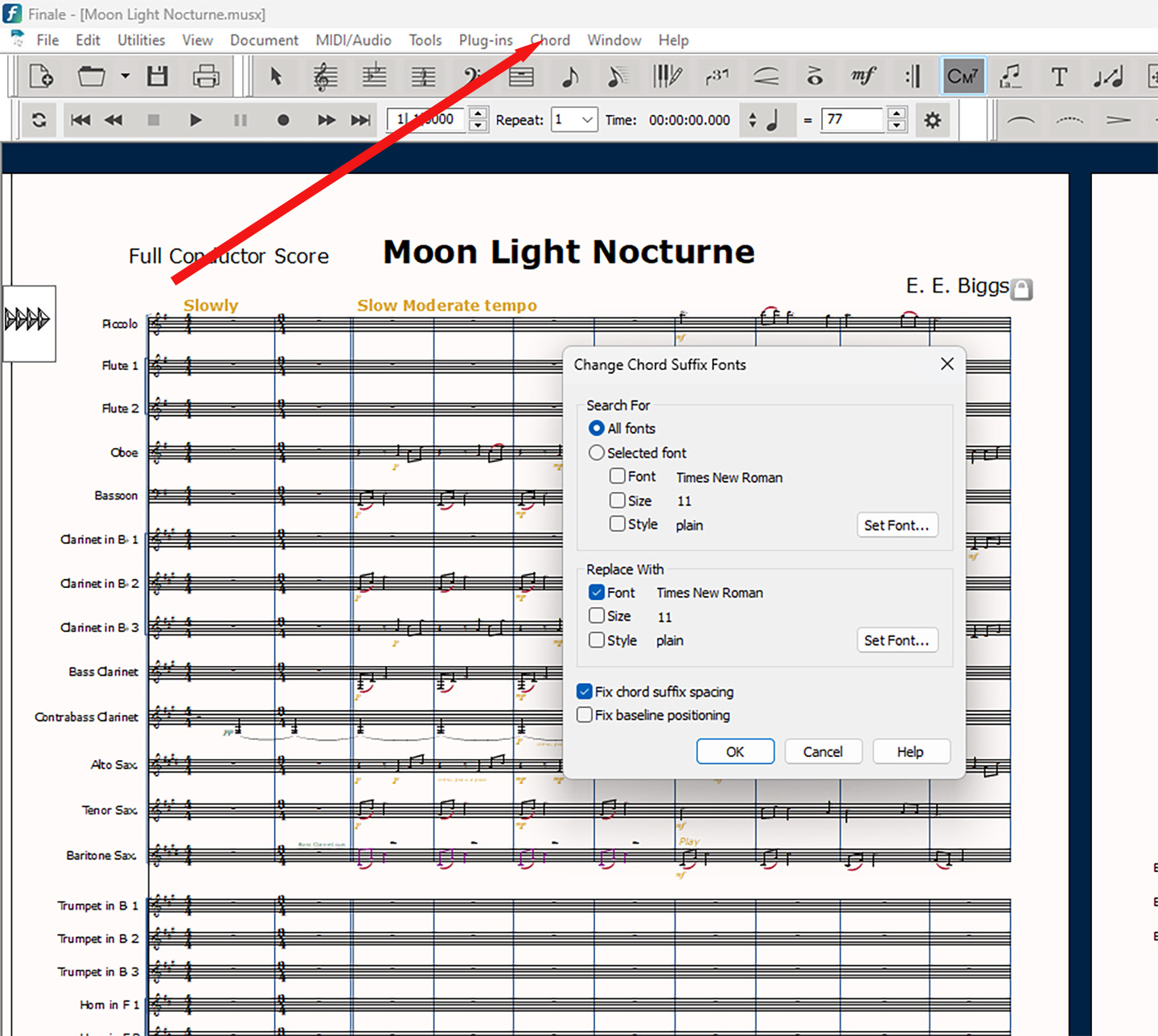
Scott have you messed with the Change Chord Suffix Fonts editor?

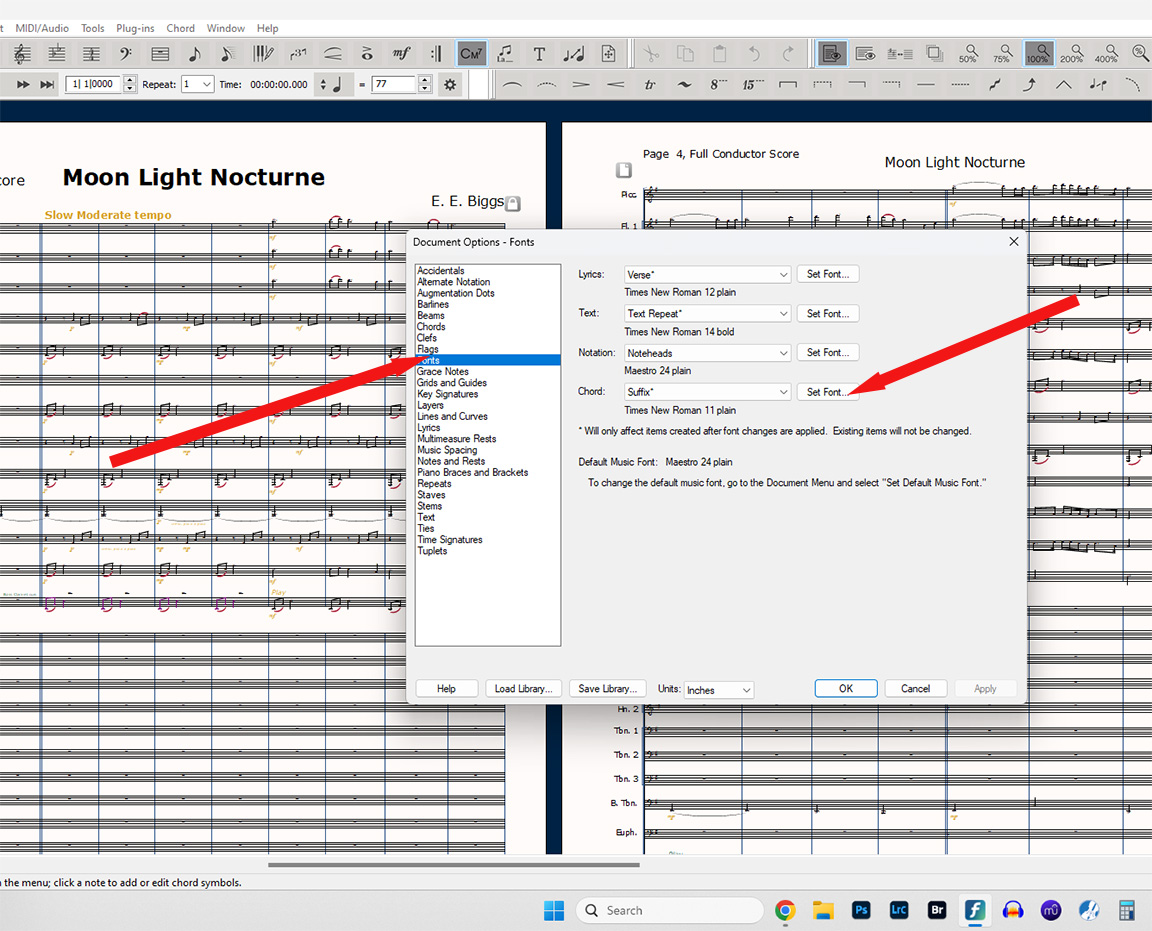
.... or Document>Document Options>Fonts>Suffix

Comment actions Permalink
Avatar
0

MIKE ROSEN The platform I use - Dropbox - is not cooperating. I already mentioned that I am using Windows 10 OS and Finale v27. After I submitted my question, I found a font - Finale Broadway Text - that doesn't have this issue I stated in the OP. EVERY OTHER FONT I tested has the same issue, including the default Times New Roman (of course I have not tested all of them). Are you saying that right now you are able to open a new document, type in a chord such as C7(b9) at the default font level (which is 11, iirc), open the Change Chord Suffix dialog from the Chord menu and increase the font size to, say, 14 and there are no scaling issues? No instance where the "b" of the b9 is replaced by a rectangle or something else?

I'm not sure what you mean by "Fonts Preferences" - are you talking about in Document Options>Fonts? I have created a template that I saved to my Documents folder on my computer that uses the Jazz Font library, and is a "lead sheet" style page (one staff) with 64 bars fixed to 4 bars per line...but the thing is, it doesn't matter if I use that or open a new default document, I still have the same issue (with the above noted exception.) When I open a new default document, the default font seems to be Times New Roman. I have used both the Document Options menu and the Chord menu to change fonts of both text and chords, but I do so on a project by project basis (which is why I established that template). To my knowledge I have not established a universal default font preference of my own choosing which would apply to all documents, unless I fat-fingered it somehow.


ERNEST BIGGS - Yes. That is the whole issue. When I increase the font size of the suffix from the default using that menu, it doesn't seem to recognize how to increase the size of the flat symbol (just in the suffix, the chord root is fine). My MO is to increase the chord root size using the Document Options menu and increase the chord suffix size using the Chord menu (both which you generously pointed out, thank you).

Comment actions Permalink
Avatar
0
Comment actions Permalink

Please sign in to leave a comment.