Is it possible to have a Horn notated in Bass clef in the score and in Treble clef in the part?
same passage...


thanks, very kind, but...
what I try to do is to transpose the part for Bb Piccolo trumpet (in my example lower staff which reads a m7 down...); everything SEEMS to be ok except when it has to deal with chromatic steps (in other words C in this case).
Look at the last two notes (higher staff is C trumpet (sounds as written): instead of transcribe c# and c natural it transposes to c nat and c flat!
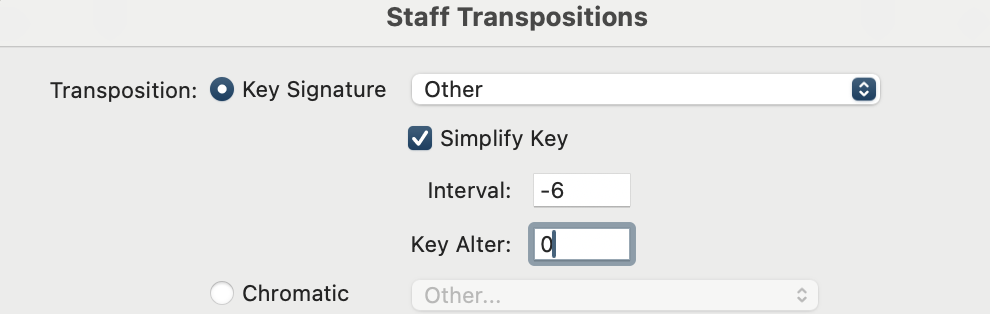
I do use -6 and 0
please have a look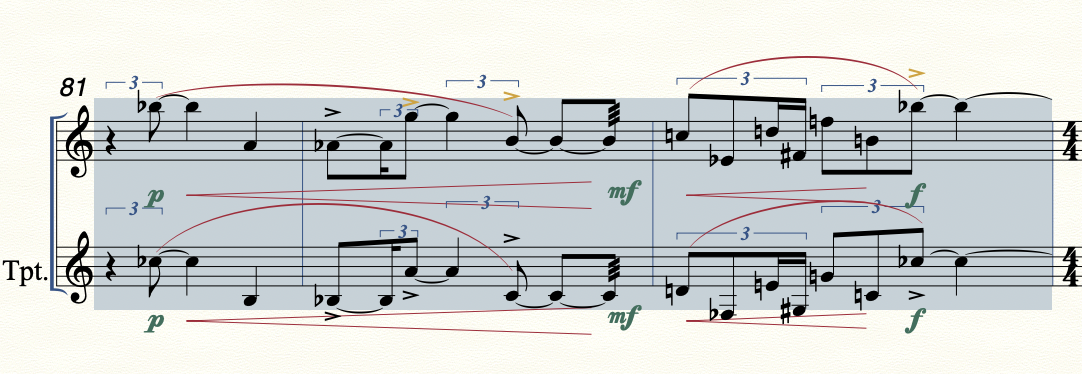

Alessandro Melchiorre,
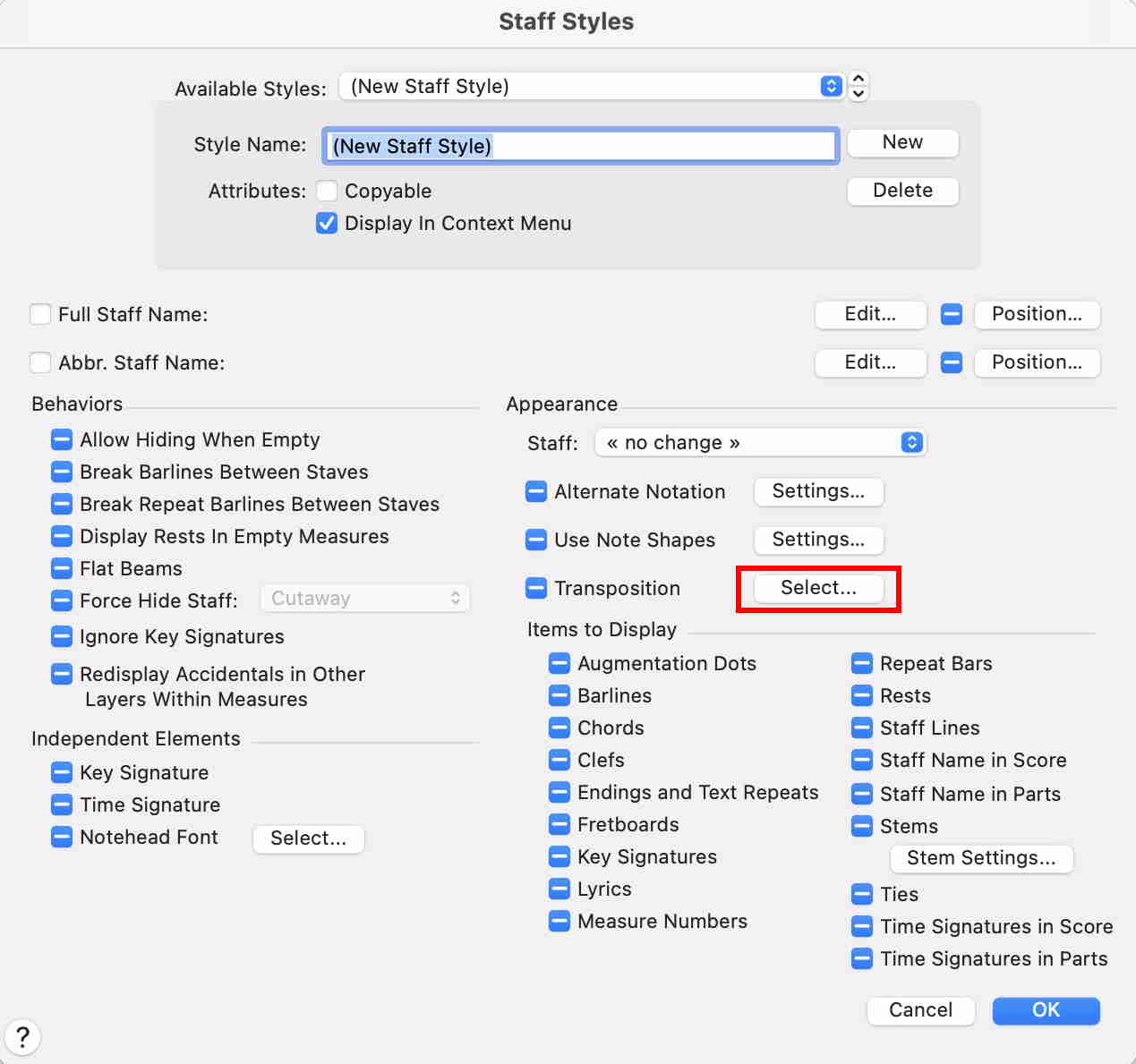
You are in the right dialog box, but the Transposition setting is wrong.
I could be wrong, but I suspect that you need both staves displaying {no key signature} - right?
Instead of setting the Transposition to {Key Signature}, use {Chromatic}:
Interval: -7 (= move notation down by a major 7th)
Alteration: 1 (= raise the notes by 1 chromatic half-step, to get a minor 7th)
Geddit?
… how can one obtain different text block size in score and parts? …
If I understand you correctly, by your words “text block size” you mean “text font size” - right?
And the problem is that the page scaling is different in score and parts - right?
(smaller scaling percentage in the score, bigger scaling percentage in the parts)
As a consequence the same font size appears smaller in the score, bigger in the parts - right?
First idea:
Set the font size to {Fixed Size}.
With {Fixed Size} the font will appear at the same size in score and parts.
Let us know whether {Fixed Size} solves your problem.
If not, we can suggest another solution.
… text font size is still too big in the part …
In that case, use two different text blocks, one for the score, and another for the parts.
To “hide” the unwanted text block, drag it to the right until it is outside the right page margin.
In that way the text block will not print.
To position the {part} text block, drag it in the score until it is positioned as needed in the part.
You can “fine-tune” the positioning by typing numbers:
When the text block handle is selected, hold down Shift, and hit the Return key.
You get to the dialog box Frame Attributes.
Because of the positioning linking the text block will have the same positioning in score and parts.
Then, in the score, hold down the Override Key (in Mac Finale it is the Command key), and drag the text block to the right until it is outside the right score page margin.
Because of the Override Key the positioning linking will be broken; the text block will stay put in the parts.
To position the {score} text block, drag it in the score until it is outside the right page margin in the parts.
Then, in the score, hold down the Override Key, and drag the text block to the needed positioning on the score page.
Because of the Override Key the positioning linking will be broken; in the parts the text block will stay outside the right page margin.
To “fine-tune” the positioning, use the dialog box Frame Attributes, as described above.
Please sign in to leave a comment.
9 comments
Date Votes