New post
Avatar
0

I just set up my old Intel Mac Pro (maxed out at Monterey), because I read that Finale won't run on Sequoia, which is what my main system is running.  So I installed Finale on my old Mac, and when I tried to run it, the Finale icon just bounces in the dock for several minutes, and then eventually it stops bouncing, but it never actually starts -- it just becomes unresponsive, and I have to force quit it.  This is exactly what happened when I tried to run Finale on my new M4 Mac, running Sequoia!!

I see that a couple other people have reported this issue in the forums, but it's not clear if they ever found a solution.  People suggested deleting old Finale prefs, which I did, and checking to see if Mac Security and Privacy was blocking it from running, which it wasn't.

This is so frustrating.  I bought this Finale update right before the big announcement, and I never even got a chance to use it.  And Dorico is of no use to me because my main reason for buying it was to open the old Finale files I made back in college.

MacPro6,1, 6-Core Intel Xeon E5, 3.5 GHz, macOS 12.7.6, Finale 27.4.1.146

7 comments

Date Votes
Avatar
0

I just tried installing Finale on the BootCamp partition on my old Intel Mac, and it worked, but this is far from ideal.  I have a system of tagging for all my musical ideas, and the tags won't carry over between Mac and Windows.  Anyway, I haven't actually authorized it yet because I'm not sure how many auths I get, and also I'm really hoping I won't have to resort to using Windows.

Comment actions Permalink
Avatar
0

Finale 27.4 works perfectly well on Sequoia, by all accounts. MM are just refusing to support any issues on it.


There must be some other issue.  Delete the Finale preference files from the user Library?

Comment actions Permalink
Avatar
0

Finale is scanning and verifying your plug-ins. Depending on your Mac and plugs, this can take a long time. If it crashes, try again and if it freezes, Quit, reboot and repeat. DO NOT UNINSTALL DURING THIS PROCESS OR EVERYTHING WILL BEGIN AGAIN. Once everything is scanned and verified, you're good to go unless...


Apps are supposed to only scan new plug-ins and updates once the above has completed. Normally Finale behaves like any other but there's a major exception to this: If you have NotePerformer, every update will begin the process all over again. Arne Wallander helped me figure this out during/after Finale 26 was released and we forwarded all the data and reports to MakeMusic. They did not fix this for 27 and never will.


I have around 600 plug-ins that load into Finale including NotePerformer. My 18 Core iMac Pto took around 50 minutes and Finale crashed 4-5 times after every NP update. My 2023 Mac Studio Ultra takes around 8 minutes and Finale may crash once, sometimes not at all.

Comment actions Permalink
Avatar
0

Thanks Mike, it looks like your message came in about 15 minutes after I solved it! 😆 You are correct -- all my audio units were the problem.  I moved them all to a different folder (except for the MakeMusic specific ones) and Finale launched without issue.

I'm still not sure if the AUs were crashing Finale or if the scan was just taking a really long time.  I've seen my share of long plugin scans, but generally there's a splash screen, or something to indicate that it's scanning the plugins.  But here, the Finale icon just bounced and bounced in the dock, and that little dot never appeared under it to indicate that it was running, so it was not at all clear if the app had actually launched at all!  At any rate, all's well that ends well.  I'm up and running on my old Big Sur system, and also, Ben was right -- it runs fine on Sequoia, too.  Very glad that I don't have to switch systems to use Finale (at least not until the next macOS update..)

Comment actions Permalink
Avatar
0

I moved them all to a different folder (except for the MakeMusic specific ones) and Finale launched without issue.

For your other audio apps to use them, you will have to move them back—that's the way the macOS works. Finale will then scan them but not the ones that have already passed verification — unless one of them is NotePerformer, then it will rescan everything. Since Finale cannot use VST/VST3, those will have no effect.

I'm still not sure if the AUs were crashing Finale or if the scan was just taking a really long time.

I've already explained that the scan was taking a long time. You may notice that I didn't ask you any questions. This is a well-known issue and I have posted this a few times over the years.

I've seen my share of long plugin scans, but generally there's a splash screen, or something to indicate that it's scanning the plugins.

As you could see — or couldn't — Finale does not use a splash screen.

it runs fine on Sequoia, too.

It had problems with the Sequoia beta that were solved by the October release date. Although MM could have changed their decision not to support macOS 15, they didn't. Oh well..

Comment actions Permalink
Avatar
1

This isn't the right thread, but I just wanted to thank you, Mike, for clarifying the "copying" issue for me.  As usual, you were absolutely correct.  Now I want to figure out if there is a way to download the entire on-line user manual for Finale.  I'm guessing that there is a copy in the Internet Archive, but that's not always the case.


Comment actions Permalink
Avatar
0

You're welcome.

Now I want to figure out if there is a way to download the entire on-line user manual for Finale.  I'm guessing that there is a copy in the Internet Archive, but that's not always the case.

If you ever find it, let me know. The manuals after 2014 (or was it 2012?) never existed as .pdf files.


Unfortunately, the only way I know is to archive the current the current .html manual (forgetting how at the moment but MM has instructions somewhere), open every page & save as .pdf, then use something like Acrobat Pro to combine the pages. This would create  a large pdf file but it would be searchable. It would be no better organized than the online .html manual that we have now which is also searchable so I am not seeing the point.


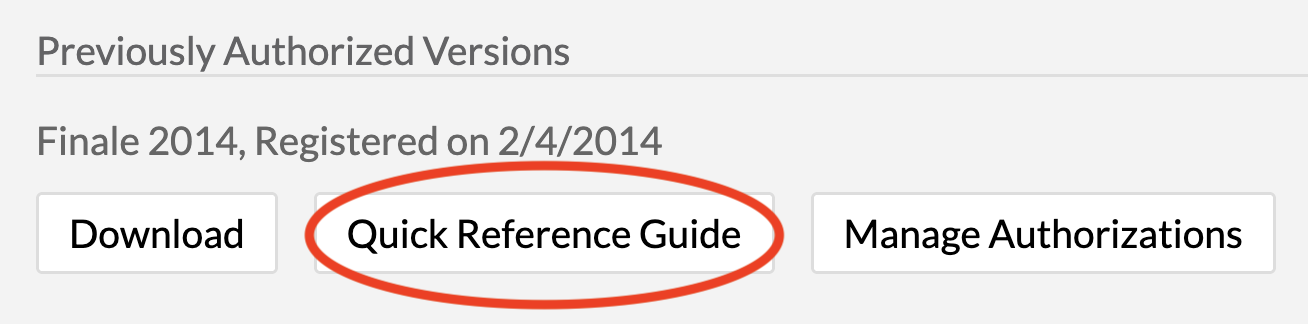
Other than that, Finale 2014 had a 40 page Quick Reference Guide that can still be downloaded from your User Account if you had 2014/2014.5. 


I don't remember if the 2014 download had a .pdf manual in addition to the QRG. I'll have to check the Mac where I have it installed to find it if it exists.  

Comment actions Permalink

Please sign in to leave a comment.