

Hello,
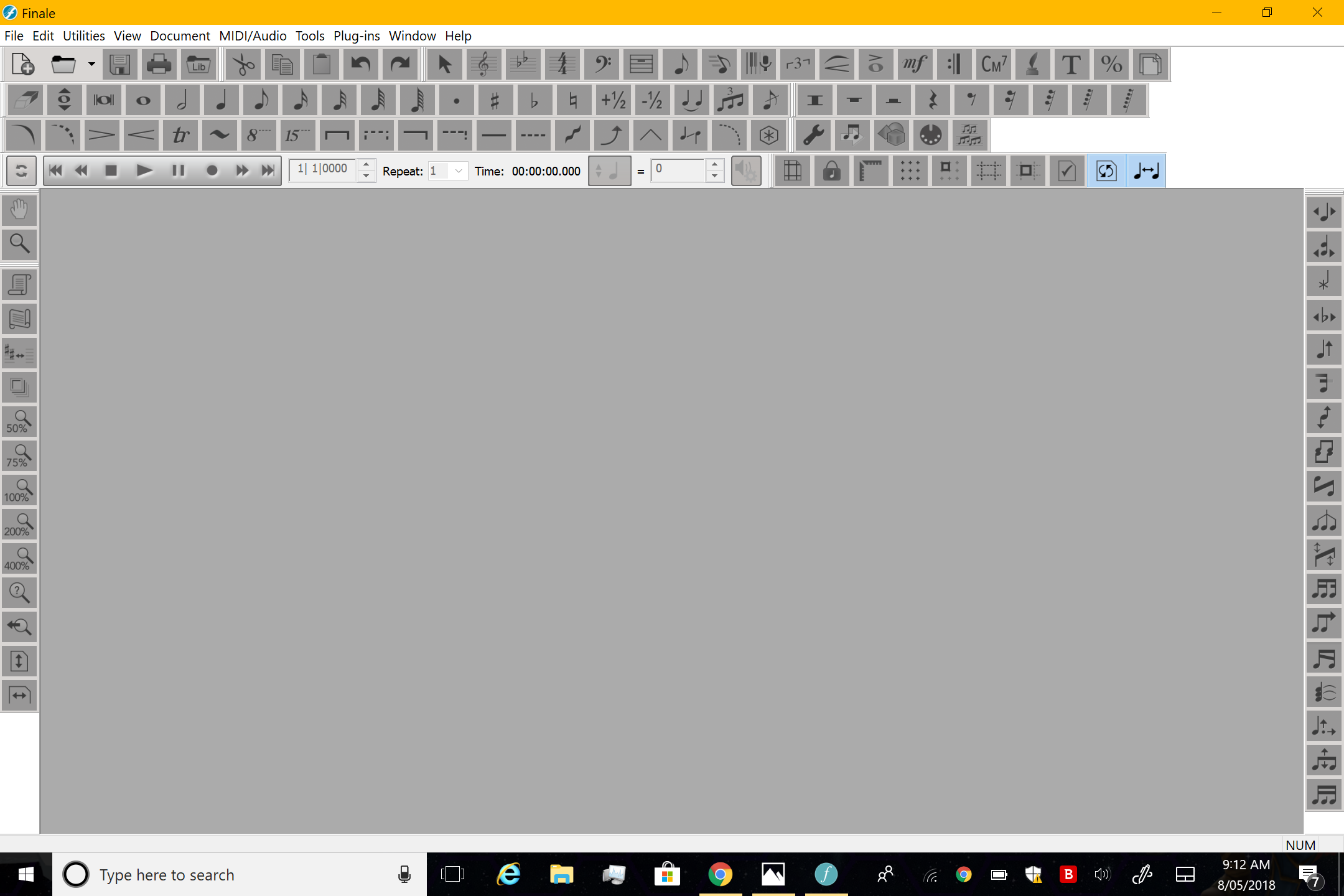
I use Finale v25 on my Surface Pro 3 (native resolution 2160x1440). When I check the "Large Tool" icons in Preferences, "the images" in the palettes are slightly uneven (as shown here: https://i.imgur.com/aZHjzee.png) whereas when I don't check Large Tool icons, the whole thing is fine. However, I really want to use large tool icons.
Can this be fixed in the next update?
I use Finale v25 on my Surface Pro 3 (native resolution 2160x1440). When I check the "Large Tool" icons in Preferences, "the images" in the palettes are slightly uneven (as shown here: https://i.imgur.com/aZHjzee.png) whereas when I don't check Large Tool icons, the whole thing is fine. However, I really want to use large tool icons.
Can this be fixed in the next update?
With Large Tools icons selected:
https://i.imgur.com/JIRp7hf.png
You'll see that the icon images are slightly cut off and uneven
Without Large Tools selected:
https://i.imgur.com/nLxMcla.png
You'll see that the icon images are completely fine
https://i.imgur.com/JIRp7hf.png
You'll see that the icon images are slightly cut off and uneven
Without Large Tools selected:
https://i.imgur.com/nLxMcla.png
You'll see that the icon images are completely fine
I circled them for better clarity. You can see that it starts off fine, then gradually, the subsequent icons are not in the middle of the "tiles"
https://i.imgur.com/IQCcHcU.png
https://i.imgur.com/IQCcHcU.png
On the Finale main website, it says in system requirements "high resolution displays are currently not supported"
I hope in the next update that this palette issue will be fixed and the next version of Finale will be optimised to be more "tablet friendly."
Cheers,
Liam
I hope in the next update that this palette issue will be fixed and the next version of Finale will be optimised to be more "tablet friendly."
Cheers,
Liam



2 comments
Date Votes