New post
Avatar
0

At the end of my marching band score, I want the entire band to sing in unison. How would I show

concert pitch for all instruments in the score for one measure?  

Also...….how would I change the percussion notation to show regular notation in their parts for one measure?


Windows 10.5

Finale 2014

7 comments

Date Votes
Avatar
0

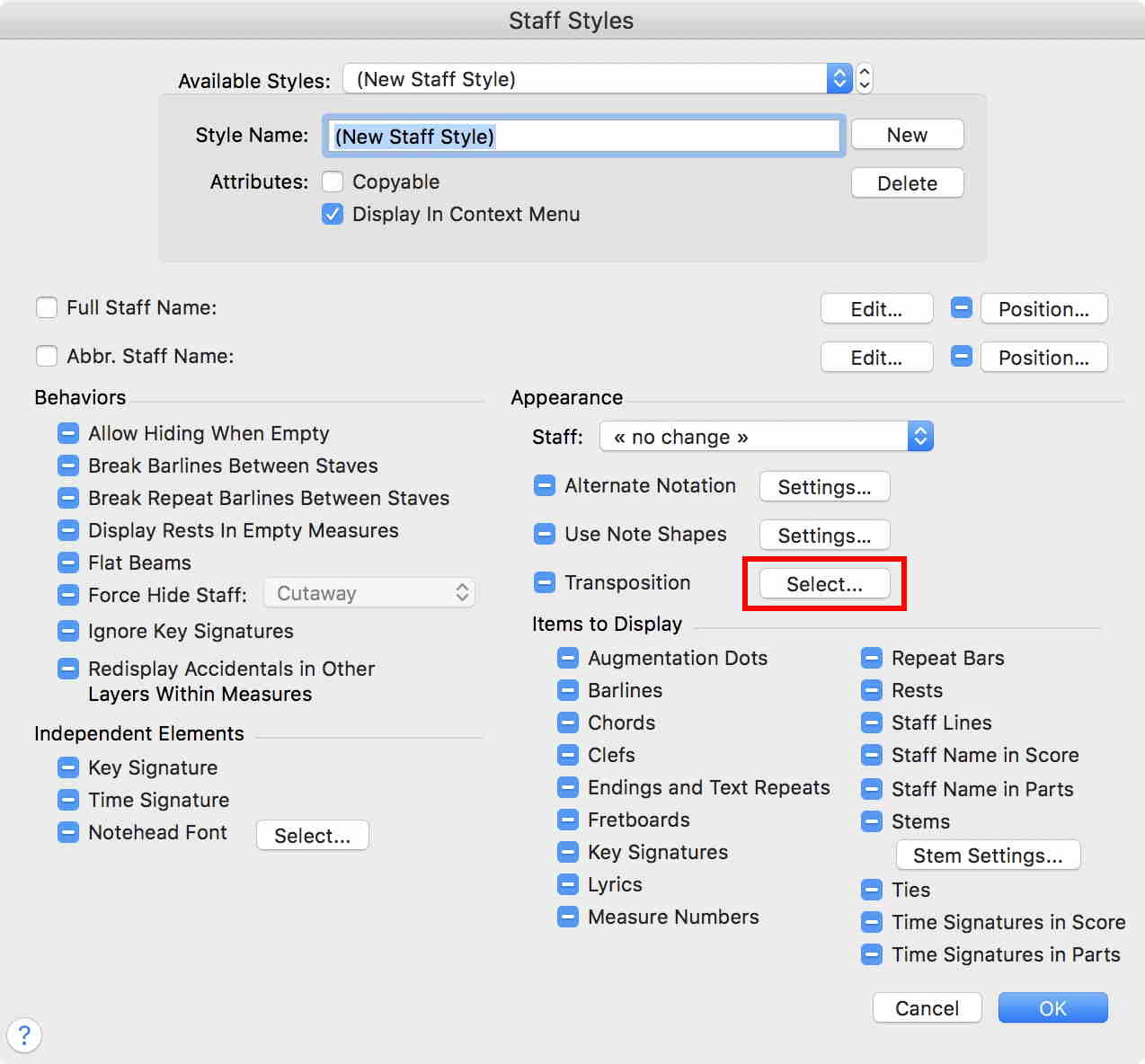
Have you considered using a Staff style to transpose just that measure?

Comment actions Permalink
Avatar
0

Not sure how I would do that. I don't see anything about transposition under Staff styles. 


Comment actions Permalink
Avatar
0

FWIW, Depending on the age of the musicians, I might recommend keeping the transposition intact in their parts for all members of the band. It will be very confusing if they switch to concert pitch with younger players.

Comment actions Permalink
Avatar
0

… Not sure how I would do that. I don't see anything about transposition under Staff styles …

Staff Tool.

Staff menu > Define Staff Styles…


Comment actions Permalink
Avatar
0

Come to think about it:

Since each transposition would require a separate staff style, you can not use a single “Staff style to transpose just that measure” (quoting J Adrian Verkouteren).


Instead of using multiple transposing staff styles, consider using a single staff style that selects “Ignore key Signatures” (in the pane Behaviors, see my screen shot above).

This step will move the measure to the key of C major.

Copying music to and from the other measures will be a little tricky, since the music will be transposed during the copying.

You can use the utility to transpose the music (back) after the copying.

Comment actions Permalink
Avatar
0

Peter is correct that one would have to set separate Staff Styles for each class of transpositions. (One style for major-second Bb instruments could be used on Trumpets, Clarinets, etc.)


Also realize that showing notes in concert pitch will not necessarily make them sound in concert pitch, so you may want to write those notes in a separate Layer that you keep muted in the Score Manager. (I habitually use Layer 4 for muted notes.)

Comment actions Permalink
Avatar
0

Thank you very much for your helpful suggestions! I did manage to make it work!

Comment actions Permalink

Please sign in to leave a comment.