

I am using Finale 2014.5.7098 on a 2016 MacBook Pro with Sierra 10.12.6
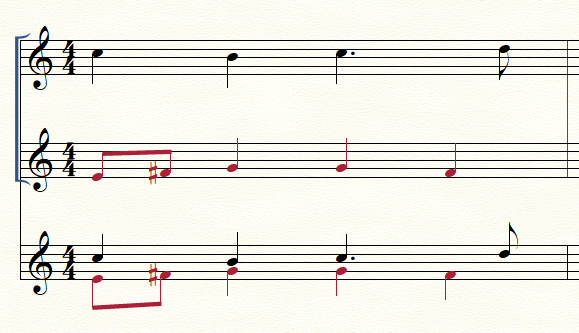
Suddenly, the selection tool does not highlight the bars I click on. I can still edit the bars, but have to just imagine that they are highlighted. Also, changes that I make, whether with the selection tool, expression editor, or smart shapes, do not appear until I have scrolled away from the spot and scrolled back. This also happened suddenly, shortly after the selection tool stopped highlighting.
I have reopened the file, restarted Finale, restarted the computer, and reset my preferences. Nothing works. I had been working on this project for days without incident until last night.
FWIW, I am doing a lot of "imploding" music to create a usable conductor's score. I'm having issues trouble with that function as well, even after changing the quant settings. Beams that were broken are joined and vice versa, rests are broken in half, and it has no idea what to do with double dots.


2 comments
Date Votes