New post
Avatar
0

Working with Finale 2012.r3 on Windows 7, I composed a short piece without selecting a specific tempo in the document setup wizard. I adjusted the tempo several times in the playback control and it worked fine for a while, but then it refused to change the playing speed, no matter what I set it to.

I had to copy the piece, open the setup wizard and this time I selected the speed I wanted and it worked, that time, but the original document still won't. I've closed and re-opened it several times with no luck. I looked in the knowledge base and found some steps I can't follow because they tell me to select an option that isn't there.

I usually have issues with tempo adjustments when selecting one in the setup wizard, which is why I don't as a rule, but this is the first time it's happened without selecting the tempo on setup.

What is going on with this feature?


3 comments

Date Votes
Avatar
0

Three things control the tempo in Finale:


MIDI Tool (= the recorded tempo changes)

Expression Tool (= the expression tempo changes)

Playback Controls


And they work in a hierarchical fashion.


The tempo in the Playback Controls is overridden by an Expression that sets a tempo.

This is overridden by the MIDI Tool, which is at the top of the "Tempo Hierarchy".


In Other Words:

Since you want to use the Playback Controls to set the playback tempo, you must delete “the other two things”:

Selection Tool.

Select All.

Edit menu > Clear Selected Items…

In the dialog box Clear Selected Items, de-select everything except

Expressions: Tempo Marks, Tempo Alterations & Rehearsal Marks (Stack Selection Only)

and

Tempo Changes

Then, click OK.

Comment actions Permalink
Avatar
0

Thank you for your prompt response.

It's not that I want to use the playback controls to set the tempo, I'd be perfectly happy to use whatever tool is at the top of the food chain if it lets me adjust it where I want if I decided a different tempo is better. I haven't been so lucky in the past.

That said, I assume you're giving me a path to follow in order to delete the "other two things".

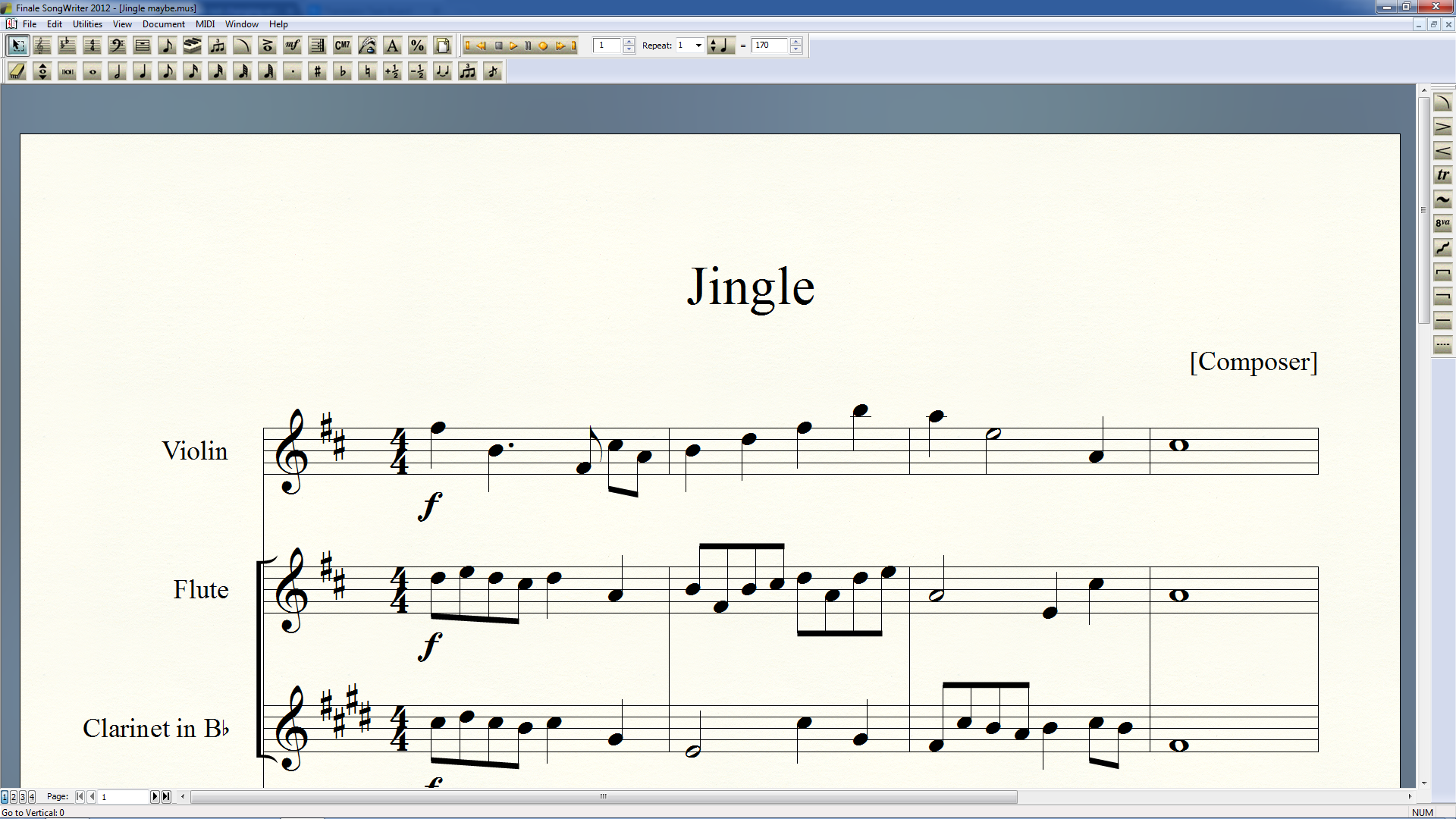
The problem with that is that I have no idea what you mean by Selection Tool. If you mean select Tool in the menu, I can't do that because I don't have a Tool option in the menu. Here's a screenshot of my options:

I'll not subject you to a series of screenshots to show you the drop-down menus, suffice it to say that there is no Tool option in any of them.

I see you're a user of Mac Finale v25. I don't know if you're referring to that version, but again, I'm using Finale 2012 on Windows 7, so my options are obviously different than yours. 

Do you have any other suggestions? I've looked for software updates but it doesn't seem there are any. 

Catherine

Comment actions Permalink
Avatar
0

Actually, given the screen shot of your program, you are using Finale Songwriter 2012, a much more limited version of Finale than the full program, whether 2012 or today's version (v25). This probably explains why you are confused by the description of menu options above.

Comment actions Permalink

Please sign in to leave a comment.