New post
Avatar
0

Mac High Sierra - Finale 2014.5

Long shot question. I have some Finale Files from 15 years ago. I tried opening them in my current version of Finale and, for some reason, two of them opened fine and are easily edited. The expected dialog box came up saying that they were created in an earlier version but no problem.

There are 4 more files that I need but for some reason they won't open in the same way.

I read in the forum that adding the .mus to the file name may cause them to open, and indeed it does, but they are so out of whack that I can't use them.

Does someone have a hack or a method that might help?

Thanks!!

17 comments

Date Votes
Avatar
0

>but for some reason<


No, we need more info than that. I can guess that it's font related but it's just a guess. You can post screen shots in .jpg and .png by clicking on the picture icon in the bar at the top of each post.

Comment actions Permalink
Avatar
0

Thanks for this, Mike. I'll try to do better. Part 1 of the confusion is that my Finale opened and converted the first two files from a batch made in 2002 with minimal problem. I didn't add a suffix to those files. The normal dialog came up before opening asking if I wanted to open in new format.

After that point, Finale wouldn't open any of the files in the same batch made at the same time. I read then that if I added .mus to the older file it would open, and it did. It is clearly at least a font problem as you said. Here is a shot of the file to which I added .mus.

For what it's worth, here is a snap of the file that did open correctly.

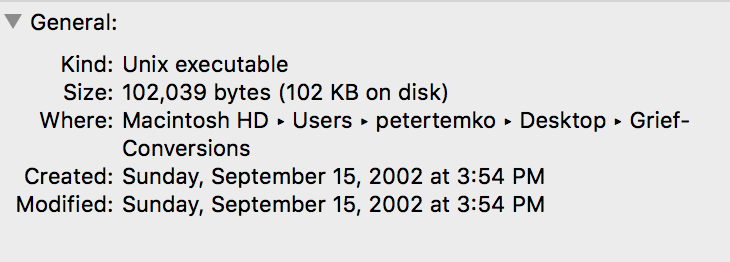
Also here is the info for the file itself.

Thanks so much for any help that you can be. 


Comment actions Permalink
Avatar
0

If you can dispense with the page formatting, here's what I often do with very old files that show this kind of mess. I copy the contents to a fresh default file. Most of the font issues get converted automatically to the new default fonts, but I lose all the page formatting, including titles. If the file you copy to was set up with the Setup Wizard to have all the right staves and instruments in advance, this will save a lot of time and allow you copy double bars, time signature changes and the like by copying EVERYTHING at once.

Comment actions Permalink
Avatar
0

Thanks so much. I copied and pasted into a document with the appropriate number of staves and time signature. It is improved. The clefs are now good, but the dynamics are still giant. I can convert them one at a time I find. The note fonts and dynamics were always fine. I think I can work with that.

I just wish I knew why two files opened perfectly.

Arg.

Thanks so much for your help.

Comment actions Permalink
Avatar
0

New installs of Finale do not have this (and many other) font problems. They occur with those of us who have had older versions installed at one point. Even if a new Mac or PC, migrating old systems over brings in old crap.


I expect that you are going to find old Finale fonts residing in Users/(user)/Library/Fonts. Remove them and reboot if on High Sierra. Since Lion, the correct location is (boot drive)/Library/Fonts. The Finale installer doesn't know to clean out the other directory.


Only if you are not an Administrator should any fonts be in Users/(user)/Library/Fonts. If that's the case or if removing those fonts doesn't do it, let us know. There's a long way to do it.


BTW, you cannot reinstall 2014.5 over High Sierra but you can reinstall the fonts if necessary. Let's see if clearing out the old directory works first.

Comment actions Permalink
Avatar
0

You can replace the giant dynamics with the default dynamics. I do this a lot. Open up the Expression Selection dialogue box, find a giant dynamic (probably in Misc. category) and delete it. You will get a message "This is in use. Replace?" Hit yes and choose the normal-sized version. Repeat as necessary. I would love to report that you could do this in one shot by deleting all of them at once, but then you lose the "replace?" dialogue, which is essential.

Since early dynamics didn't have proper default placements, they had to be manually positioned. Your newly chosen dynamics will all be offset. You can clear this in a number of different ways, including the Change>Expressions function and add 0 to the default placement (which will change ALL expressions, so watch out!), or you can drag around all the ones you want to change and hit Clear (on the numeric keypad on a Mac) or right click and select Remove Manual Adjustments.

Or just change the font of all the dynamics in one go, after moving them to their own category. There are a lot of ways to skin this cat.

Comment actions Permalink
Avatar
0

I have been able to go through the expressions and articulations that are out of proportion and change them to normal size. Pasting in the document took care of the clef size. It appears that the expressions are offset but I can move them where they need to be.

It's tedious but doable.

Thanks!!

Comment actions Permalink
Avatar
0

Mike: I am on High Sierra. 

Interestingly, I have no Library folder in my user folder at all. In the Library folder on the same level as Users there is a Library folder. In the Font folder in the library folder there are 7 Maestro fonts and Petrucci.suit. This doesn't comport with your advice, but maybe you can tell me what to do from here.

Thanks!

Comment actions Permalink
Avatar
0

… I am on High Sierra. 

Interestingly, I have no Library folder in my user folder at all …

My first guess would be that your user account’s Library folder is hidden.

Try this:

From the Finder, hold down the Option key, and pull down the Go menu.

Because of the Option key you might find the Library folder listed in the Go menu.

This is the hidden Library folder in your user account.

Comment actions Permalink
Avatar
0

Thanks, Peter. I found that I can view hidden folders by pressing "command, shift, ." That did reveal the library folder in my user folder. The font folder there has nothing in it at all.

I wonder if I should have a Petrucci font at all, though.

Comment actions Permalink
Avatar
0

Thanks, all. All of this works. Nothing in the fonts folder. Anyone know if I should have a Petrucci font anywhere on the computer?

Comment actions Permalink
Avatar
0

Petrucci was the default Finale music font many years ago.

Old Finale documents from back then use the Petrucci font.

Later the Maestro font became the Finale default music font.

By default, the Petrucci font is installed with Finale - to make sure you can open, view, and print old Finale documents that use the Petrucci font.


In Other Words:

You may never need the Petrucci font.

I would not worry.

Comment actions Permalink
Avatar
0

Thanks, Peter. Believe it or not, I've been a Finale user since version 1.0 in the 80's. I am familiar with Petrucci, of course..good to know it isn't interfering with the translation of the old files. I'll leave it alone. I've redone all the fonts and sizes for expressions and articulations so they are the correct size and saved the library. I'll deal with other old files.

I'm still confused (I'm now pretty old as you can imagine) about why my present version of finale opened and converted 2 files of the same age perfectly and then, starting with the 3rd, wouldn't even start until I added the .mus. It then opened with the weird font sizes.

In any case, that answer isn't important now and I'll proceed as I can. 

Thanks to you and everyone else who helped.

Best...P

Comment actions Permalink
Avatar
0

As I mentioned earlier, this only happens to Finale users with legacy versions (better than saying old crap). The later installers do not always deal with old fonts correctly. This is true with many apps, BTW — I learned these tips on other programs before dealing with Finale.


You have Petrucci on your system — I am absolutely certain. It might not be installed correctly; your system may not be reading it properly; the version you have installed may be too old but you have it.


Go to (boot drive)/Library/Fonts or open FontBook.app. If you find Petrucci either place, send it to the Trash (but don't empty at this time).


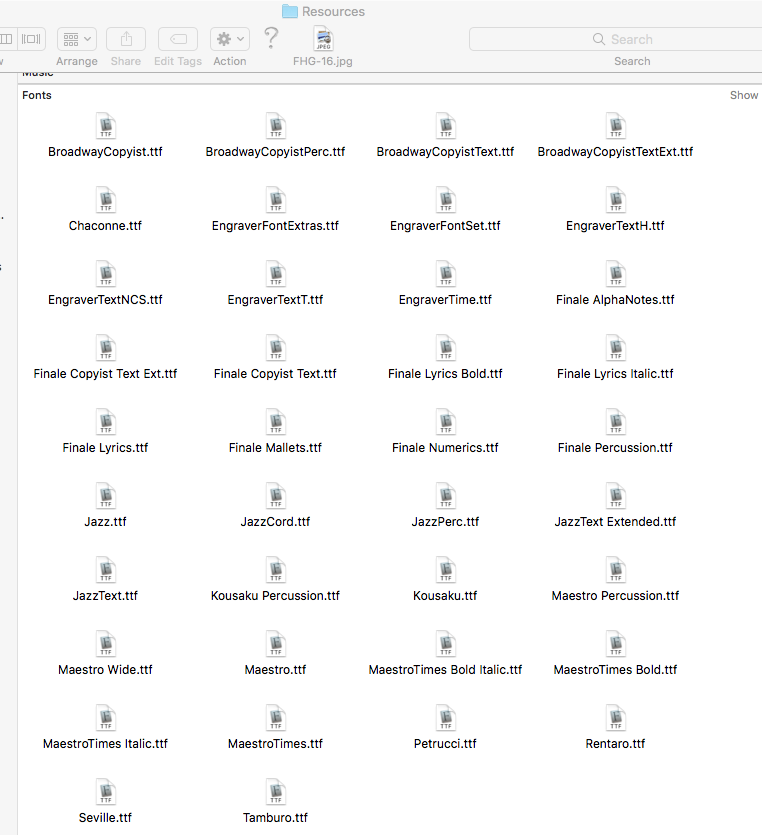
Find Finale in the Applications Folder. Right-click to Show Package Contents, then open Resources

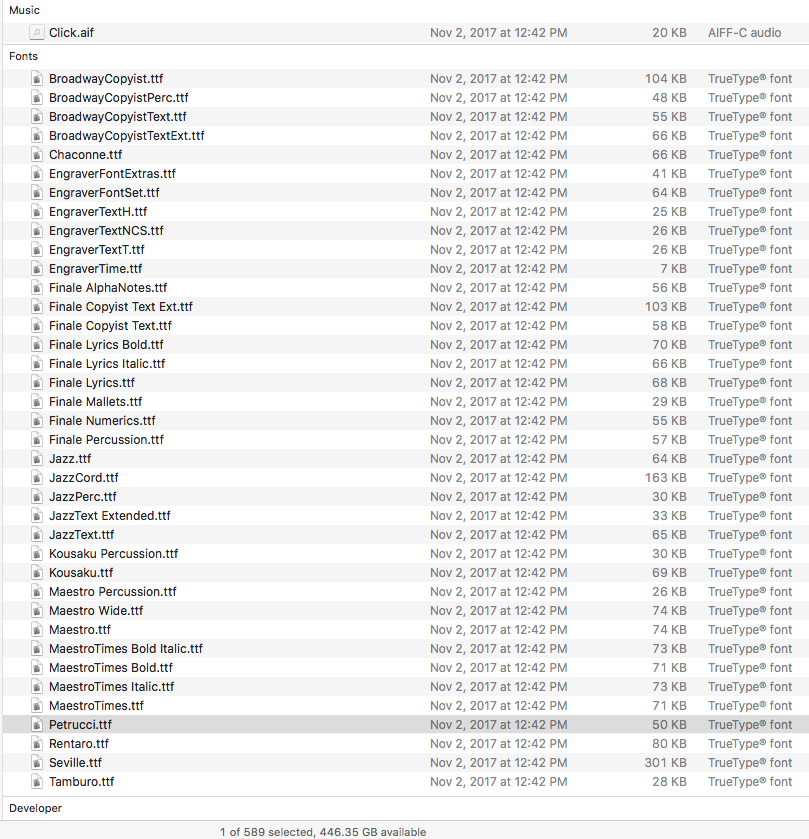
Next, go to the Finder menu at the top and open View. Scroll down to Sort by and select Kind, then Select All. You will now see a copy of all the TrueType fonts that 25 has (they are not available to the app, though). It will look like this.


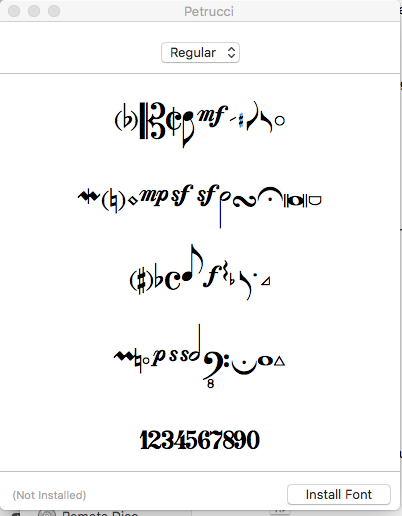
To install any, double-click to open, then click on Install Font


You will probably be asked for your Admin password. Give it.

Most Finale fonts will also pop an error code because they don't have upper/lower case and numericals. Ignore the error and tell it to install anyway.

Note: This installs a copy of the font into ~/Library/Fonts (it will show up in Font Book when you close and reopen). The one in Resources remains in place.


Reboot. See if the problem went away. Empty the Trash.


I recommend replacing all the old versions of the current Finale fonts: Open Font Book, delete every font you see on the Finale/Resources list. Now select all 38 of the fonts in Resources folder at once and double-click. All will open. Click on Install Font, one at a time, enter your Admin password if asked (not all will) and click through error codes as they appear—even those in red. The font icons will disappear as they install. Done this way, you won't miss any. Reboot.


A lot of little annoyances and occasional crashes went away when I did this a few years ago in 2014 (I had some fonts with dates from the Stone Age). When I noticed by the date and version codes that some of the Finale fonts were updated in 25.3 — but mine weren't — I did it again... and again just now to verify that High Sierra wasn't going to be a problem.


Comment actions Permalink
Avatar
0

It might look like this, of course:


Comment actions Permalink
Avatar
0

Hi Mike...sorry it took so long to get to this...been out of town for several weeks away from the computer that has all this stuff. I can't tell you how grateful I am for your detailed response.

I followed your instructions precisely. What I found in FontBook was Petrucci.suit, which I put in the trash. That then disappeared from the font library as it should.

Then went to Finale 14.5, got package contents, opened Resources, sorted (it said "arrange by") by Kind. I guess I'm not surprised that the fonts didn't show, because I now realize you are referring to 25.

I did reinstall Petrucci.suit in Font Book. Or dragged it in there anyway. Haven't tried to open any Finale files yet so don't know where I am there.

I'll see what happens from here. Again I so much appreciate your help. If you have any ideas re: 14.5 let me know. I guess I need to upgrade.

Comment actions Permalink
Avatar
0

I restarted. Now what's in FontBook.app is Petrucci with a dropdown that says "Regular." The new Finale files seem to open fine..Petrucci doesn't have to do with those, I guess. There is no change in the way the ancient files look when opened with a .mus or .musx suffix attached. 

Not sure why the resources in the app package contents doesn't show any fonts.

Oh well.

Comment actions Permalink

Please sign in to leave a comment.