can you STOP Finale Notepad from Auto inserting Measures into your bars ? I don't want 5 or 6 measures per bar. I want to specify 3 first bar, 4 there after.
I think the term measures per bar" will confuse many of those who may want to help you.Can you post a screenshot of what is happening that you do not want? Are you talking about the number of quarter notes per measure (bar)?
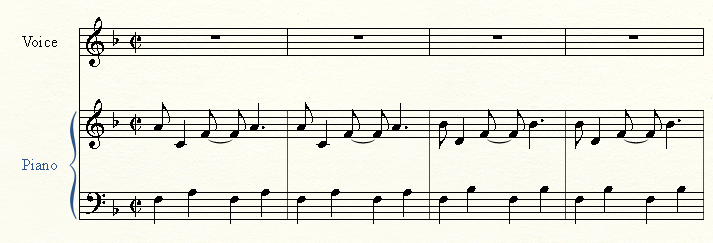
This is the intro, I only want 3 measures (bars) in the starting line. If i delete one, it removes it from my total number of bars and not the starting line. Is that more clear?
So what you want is three measures in the first System (i.e. line of music). I'm not sure Notepad can do that. Probably Mike R or another helper here who has used Notepad more recently than I can verify that.




6 comments
Date Votes