New post
Avatar
0

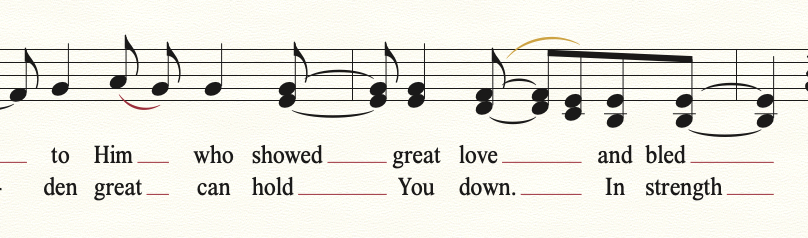
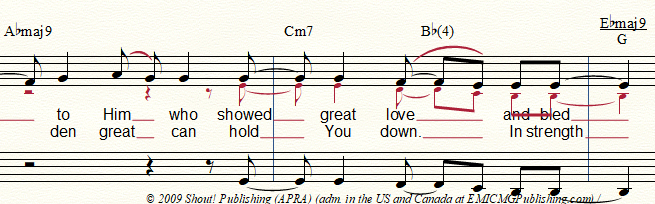
So basically what I'm trying to do is add alto harmony to a lead sheet so that the alto harmony is differently stemmed, cue sized, and does not overlap with the lyrics. I also want to hide the cue rests. I've been unable to find the best way to do this; how can I do this?
3 comments

Date Votes
Avatar
2

1. Use layers.

Enter the soprano in Layer 1, and the alto in Layer 2.

To hide a rest, use the letter H key.


2. To resize the Layer 2 notes:

Document menu > Show Active Layer Only

When only Layer 2 is shown, use the Selection Tool to select the region, and go to

Utilities menu > Change > Note Size…

When you are done, you can de-select Show Active Layer Only.

Comment actions Permalink
Avatar
0

Thank you so much! Is there a way for it to automatically move the lyrics down and out of the way of the notes?

Comment actions Permalink
Avatar
1

Use the triangles at the left side of the screen to move the lyrics. The help files will explain how they work.


Do the altos not come in until that point, or are they singing unison with the sopranos? If they are singing along, you might consider this solution, common in hymnals.


Comment actions Permalink

Please sign in to leave a comment.