New post
Avatar
0

Hi there,

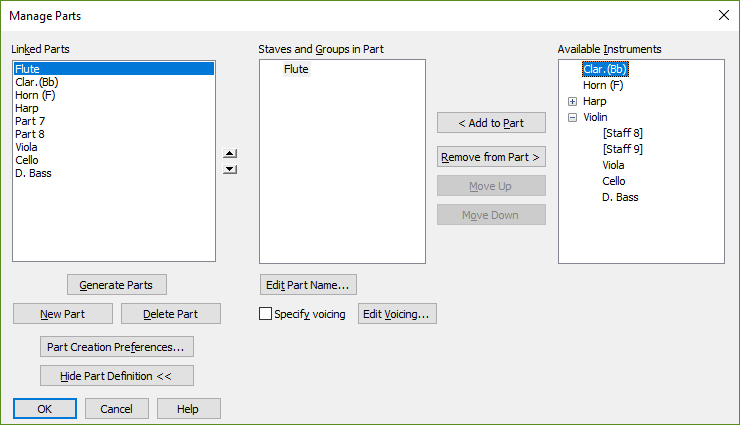
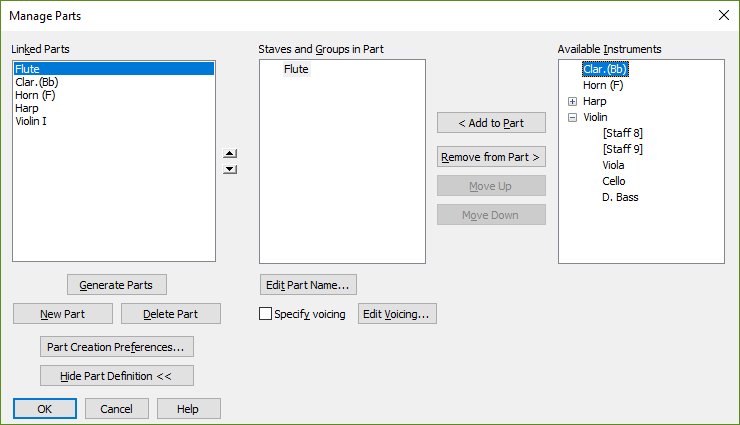
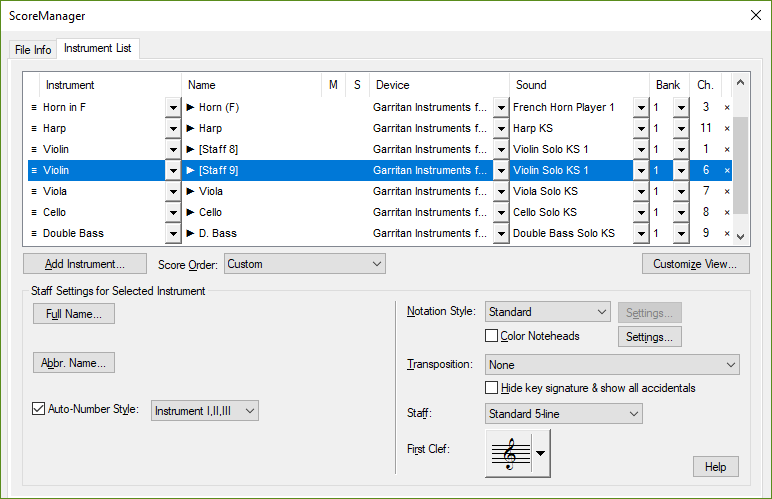
Something went wrong in my Parts Management but I can't figure out what. The parts for violin 2, viola, cello and d.bass are gone as separate parts and these now somehow became violin parts which causes to show all string parts together in the violin part. Image of 'Manage Parts' and of Score Manager are attached. Note: score looks all normal.

Any help is appreciated!

Thanks, Michel

9 comments

Date Votes
Avatar
0

I'd check how these parts are assigned to groups in the full score. What is the group name controlling the opening brace and barline joins?

Comment actions Permalink
Avatar
0

Hi Adrian,

Thanks for your reply. I checked group assignment and these are all fine, also equal to my other scores.I found out that after closing and opening the score again, all linked parts seem to be there and also Viola, Cello and D.Bass are single parts now (via menu 'Document' - 'Edit Part'). But the list on the right side of the 'Manage Parts' window still seems wrong (see image). Well, at least I can work now....!

Comment actions Permalink
Avatar
0

You should send these images to MM Support using the "Submit a request" link at the top of the page. It certainly seems a bizarre situation they would want to look at.

Comment actions Permalink
Avatar
0

Just did that, thanks for your advice!

Comment actions Permalink
Avatar
0

@Adrian V., for your information:

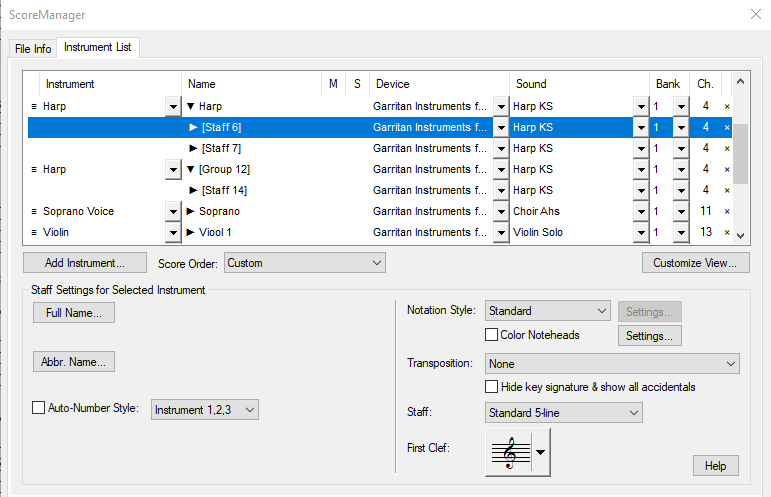
I might have I found out what causes the problem above: If there are no full or abbreviated names filled out in the Score Manager, the parts below those 'blanc' parts are inserted in the 'blanc' part in the Parts Manager.

In my case there were no full nor abbreviated names for both Violin parts and therefore the Viola, Cello and Double Bass parts were inserted in the Violin part.

N.b.: The Automatic Numbering (I, II) in Score Manager does not work if no names are filled out. Automatic Numbering only works after a part name is filled out first and then deleted. After that everything in Parts Manager works as it should.

Best, Michel

Comment actions Permalink
Avatar
0

Thank you for "completing the circle" and reporting back.

Comment actions Permalink
Avatar
0

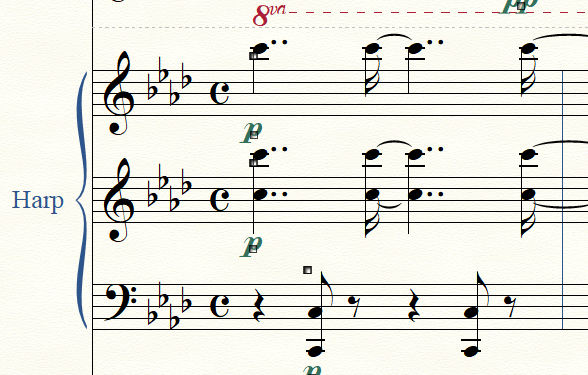
I'm afraid I have to get back to the above issue but in a somewhat different version: I have a three staff harp part in my score looking like this:

Score Manager settings are:

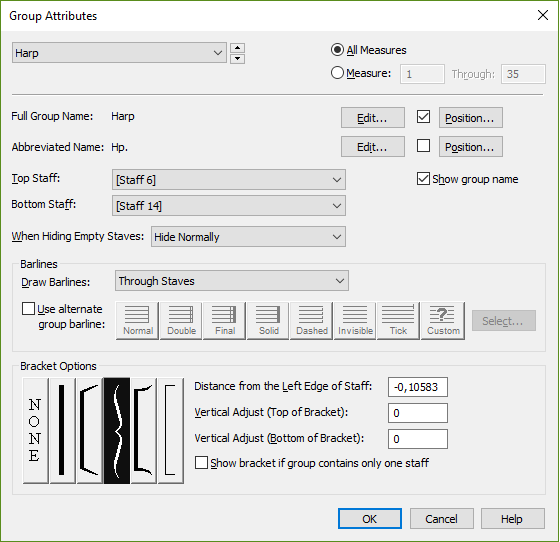
and the Harp Group Attributes look like this:

However, 'Document - Edit Parts' only shows separate Harp parts, not three together. How can I make this possible?

Thanks for any help!


Comment actions Permalink
Avatar
0

Using the window Manage Parts, create a new part.

Add to the new part the three harp staves.


Part layout is independent from the score layout.

While viewing the new part, add a staff group that includes all the three harp staves.

This staff group (in the part) is independent from the score layout.


If you - in 'Document - Edit Parts' - only need the new Harp part that combines 3 staves, then delete the other (separate staff) Harp parts.

Comment actions Permalink
Avatar
0

Thanks for your reply, Peter. After a lot of trials and errors I already found out how to do it. I must say however that I find the Finale procedure for this (and other procedures!) quite cumbersome. In my opinion this should be possible in an easier way.

Comment actions Permalink

Please sign in to leave a comment.