New post
Avatar
0

Finale 2011

Microsoft windows


A linked part is showing up with wrong instrument name and I don't know how to change it. If I change it on the part (trying to change Trumpet in B flat to Trumpet in C) it changes the word "Score" on the score to "Trumpet in C", and then makes that the name of each part.  The name of the instrument is correct on the score.

2 comments

Date Votes
Avatar
0

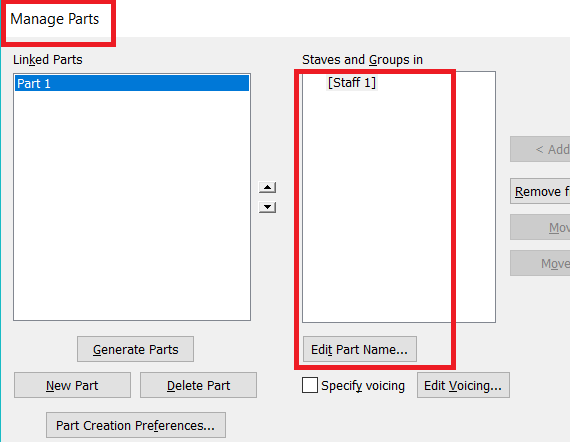
Under Document > Manage Parts you can create new linked parts, assign instruments to them, and rename the part. For example, I frequently combine a keyboard instrument with vocal parts to create a Piano vocal part.


Comment actions Permalink
Avatar
1

The usual procedure for these score and parts names is as follows : in the score, create a text block using the Text menu -> Inserts -> Part/Score Name.

Then in the Score, you 'll get "Score" (or whatever is entered in File Info) and in the parts, the Instrument name.

Comment actions Permalink

Please sign in to leave a comment.