

Windows 10
Finale 26.0.1.655
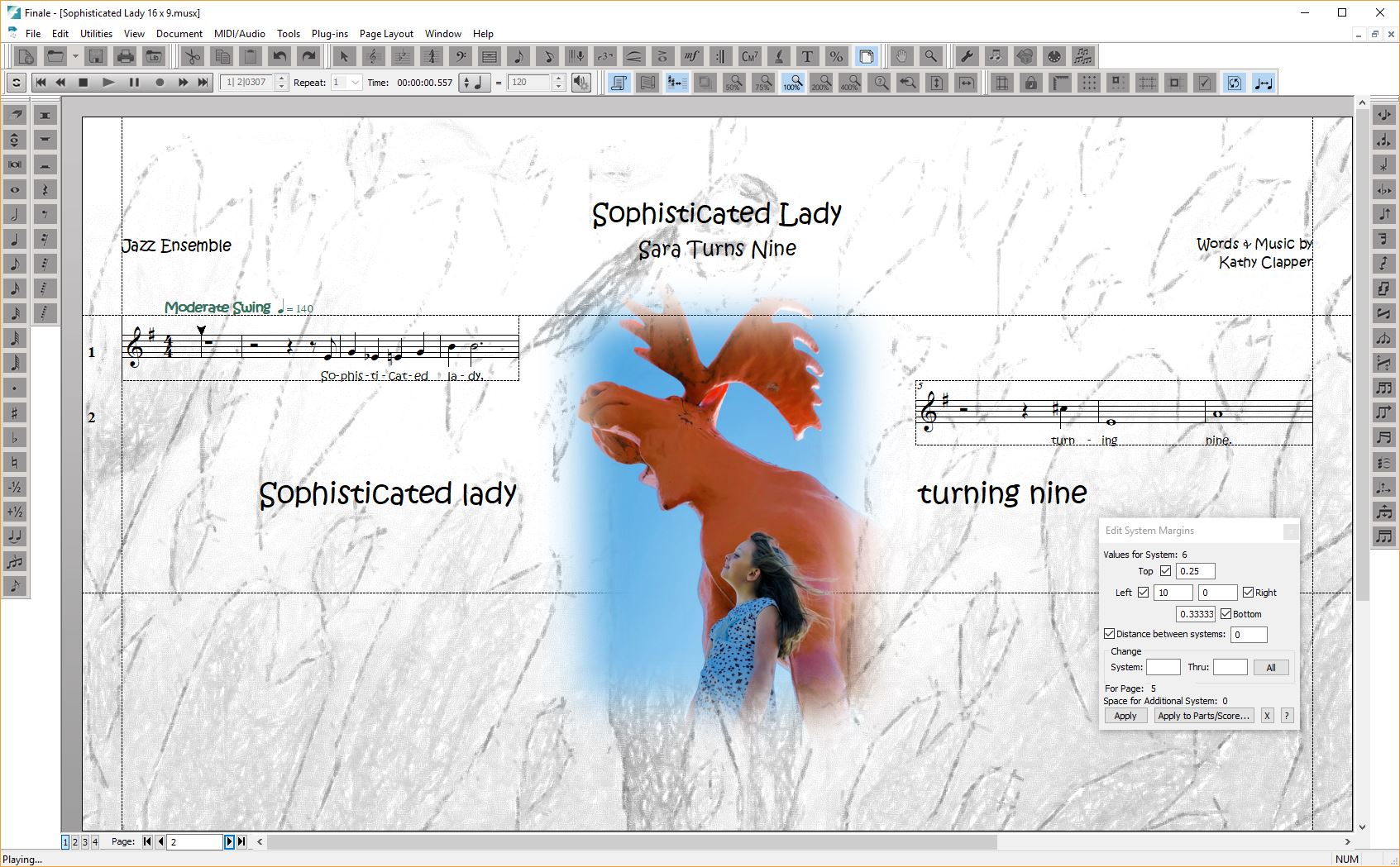
I have two systems on several pages. Both are aligned with the graphic and the side page margins as I want them. (See JPEGs.) But I am unable to align the system on the right with the top page margin.
I’m so frustrated. No matter how I edit the system margins, I can’t get the system on the right to align with the top page margin. (JPEGs have system margins.) Even if I delete the graphic, I still can’t get it to align. Trying to grab the system and drag it up doesn’t work either.
I’d like to finish this in time for my granddaughter’s birthday on March 17th. I’m hoping there is a guru who can show me what I’m doing wrong. And tell me how to fix this.
Thanks, Kathy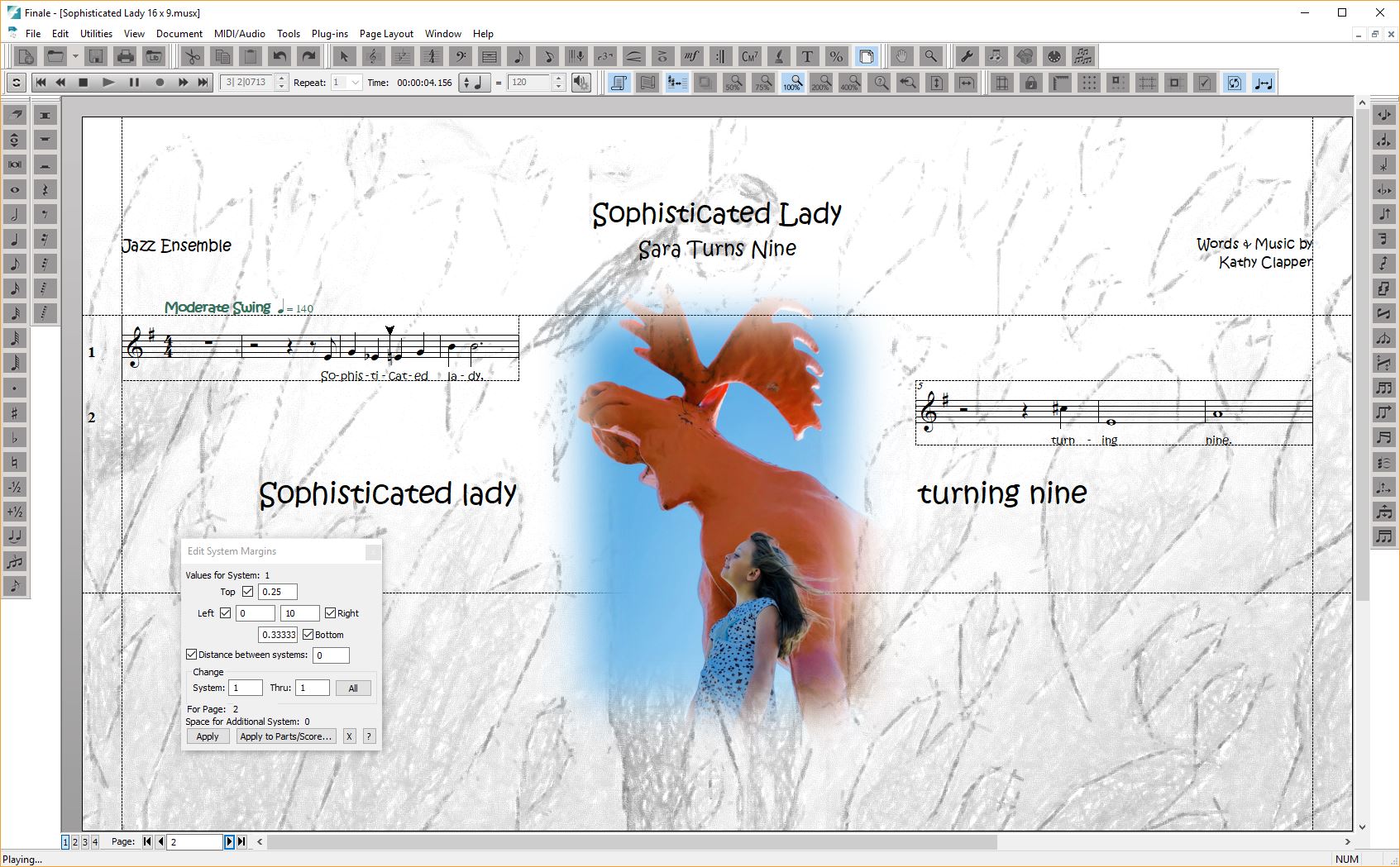


3 comments
Date Votes