New post
Avatar
0

Finale 26 (OSX Sierra) here, I'm trying to enter unbeamed single hit 32nd notes but they look awful. The flags are squished so it looks like a 16th note. Coincidentally, 64th notes look like 32nds. I cannot seem to find a tool, setting, plugin, etc, that fixes the flag spacing of a 32nd (and 64th) when it is unbeamed and alone.

This is using the jazz font, for what it's worth. This problem doesn't occur in a new document with the Maestro font.

Does anyone have any ideas?

6 comments

Date Votes
Avatar
0

If I understand you correctly, you are talking about the flagging of a single 32nd note, like in the rhythm

triple-dotted quarter - 32nd

- right?


Unfortunately I am unable to reproduce your problem.

When I tried to reproduce the problem, I used the default file Jazz Font Default.


Can you provide steps to reproduce the problem?

I suspect that the culprit could be the template used to create the document.

Comment actions Permalink
Avatar
0

Yes, a single 32nd note not connected to anything else. Triple-dotted quarter to 32nd is a perfect example.

My template is ancient, going back to at least Finale 2006, maybe earlier. I just keep adding minor adjustments year after year. So that could have something to do with it.

There must be a setting somewhere that lets you adjust flag spacing, no?

Comment actions Permalink
Avatar
0

… There must be a setting somewhere that lets you adjust flag spacing, no? …


Document menu > Document Options - Flags


I suggest that you examine the flags settings in Finale v26’s default file Jazz Font Default, and compare to the flag settings in your old template.

Comment actions Permalink
Avatar
0

Ah, that was it. The numbers were slightly off in my super old template - I swapped them with the numbers in a fresh jazz font file and viola, problem fixed. Thanks Peter!

Comment actions Permalink
Avatar
0

With a template that old it might be wiser to “start all over again”:


From Finale v26, create a fresh, new “Document Without Libraries”.


Then, modify that Document Without Libraries with all the settings from your old template.


As a first step I would go to

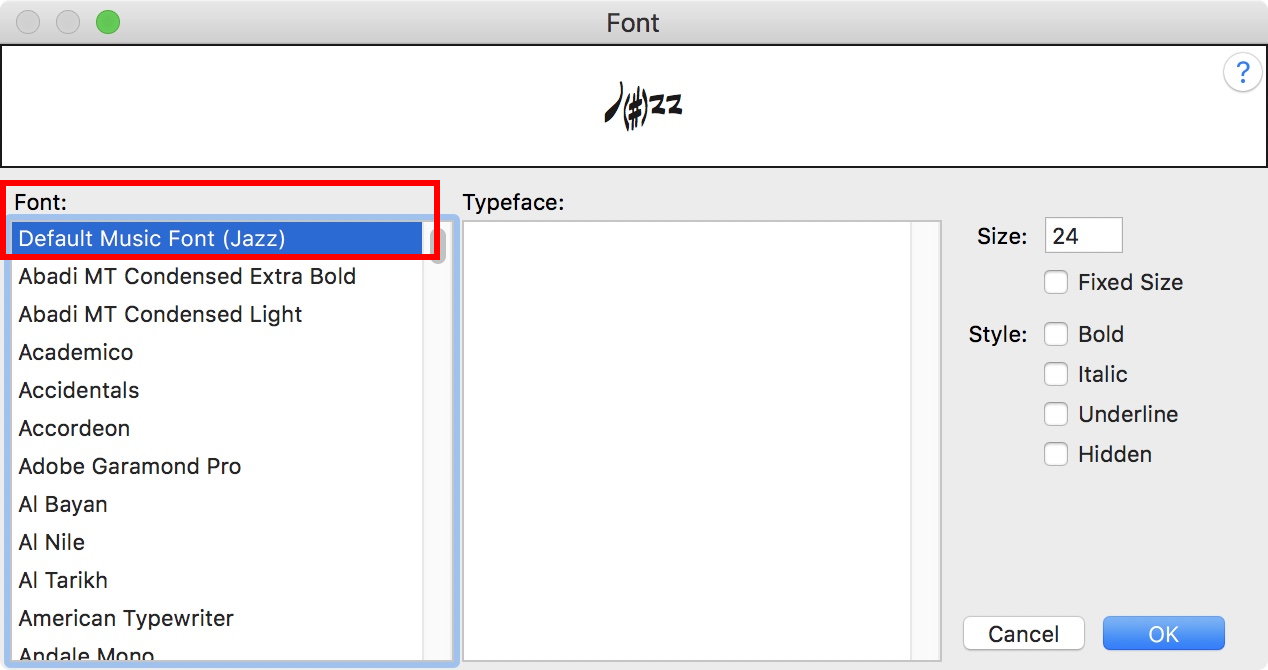
Document menu > Set Default Music Font…

and change the Default Music Font to the Jazz Font.

Then, save the document, close, and open again, and check that the Default Music Font is set to the Jazz Font:


Comment actions Permalink
Avatar
0

Is there a guide out there somewhere for a longtime user for doing a template rebuild? Like a checklist, maybe some new details/features to take advantage of in the newest version of Finale?

I just jumped from 2014 to v26 last month. v26 has to be the best version I've ever used, though I'm probably missing all kinds of tiny upgrades. I think my main templates honestly date to around 2003, though I've been using the program since around 2000, so a refresh seems like a great idea, the thought of it just overwhelms me though, especially thinking about what would happen if I missed a detail here or there or did something inefficiently (having to, say, rebuild my chord library from scratch is pure nightmare fuel).

Comment actions Permalink

Please sign in to leave a comment.