New post
Avatar
0

Hi, I have several ___________ smart shape dashed lines along the top staff of my score. Sometimes they appear in the part sometimes they do not. I've tried selecting them in the score and choosing relink in parts, but the problem continues. Any suggestions? 

8 comments

Date Votes
Avatar
1

My first guess would be that the smart shape is attached to the wrong staff.

Be careful that you click at the right vertical position, when you add the smart shape.

To play it safe, first add the smart shape inside the staff, then move it vertically to the desired vertical position.

Comment actions Permalink
Avatar
0

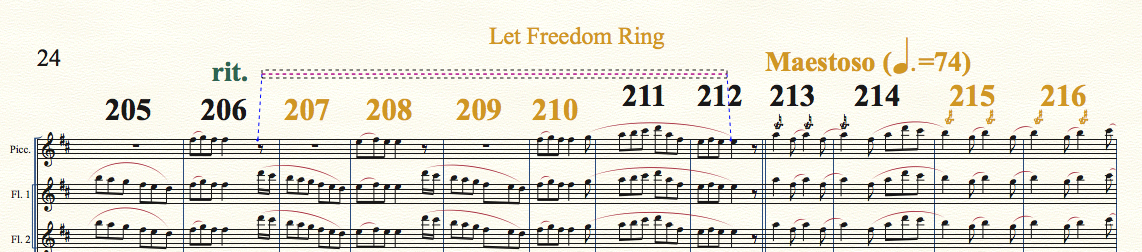
HI Peter, Thank you for that suggestion. As I mentioned, the dashed lines are only along the top line of the score, not in individual staves within the score:


Above we see the line is attached to the top staff. 

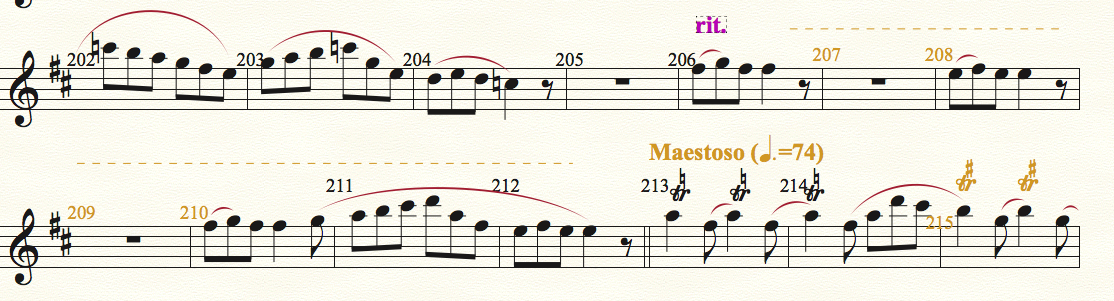
In the piccolo part we see the line:


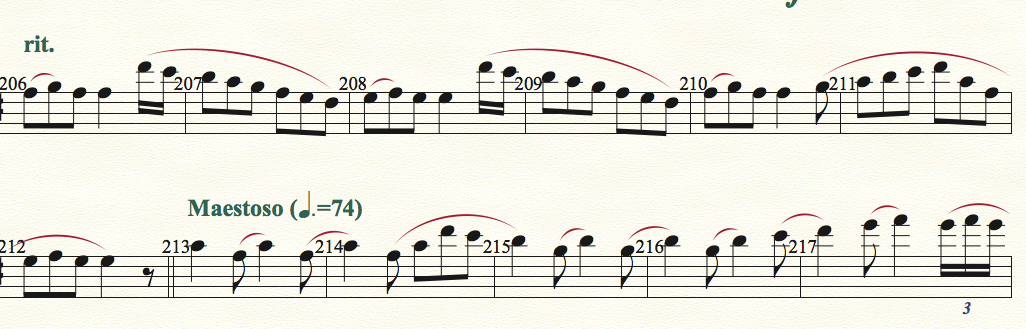
In the Flute 1 part we do not:

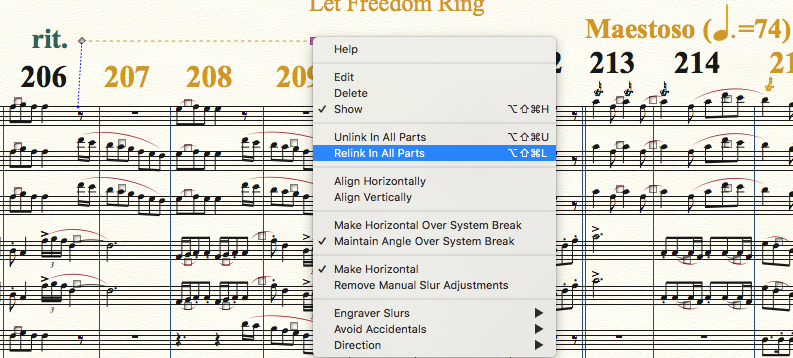
I tried "Relink in parts:

but the line still doesn't appear in the other parts of the score.

Perhaps the line is attached to the Picc part in such a way as it is not assigned to all the staves?

Comment actions Permalink
Avatar
0

Peter, I also tried deleting the dashed line and re-adding it using your method, but the line still appears in the Picc part only.

Comment actions Permalink
Avatar
1

… the dashed lines are only along the top line of the score, not in individual staves within the score …


The line appears in the Piccolo staff because it is attached to the Piccolo staff.

This is true in the score as well as in the parts.


The line does not appear in the other staves because it is not attached to the other staves.

This is true in the score as well as in the parts.


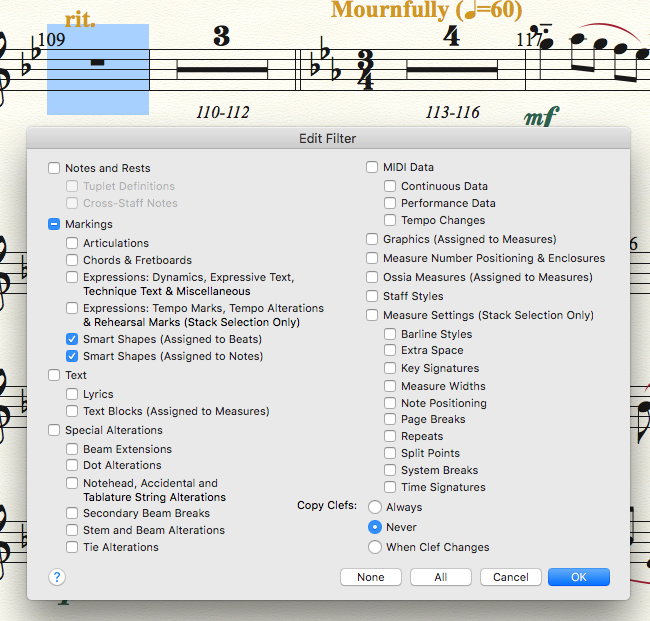
To make the line appear in the other staves, use the Copy Filter to copy only the line to the other staves.

You can make the line show, only in the part (and not in the score).

Comment actions Permalink
Avatar
0

Hi Peter,

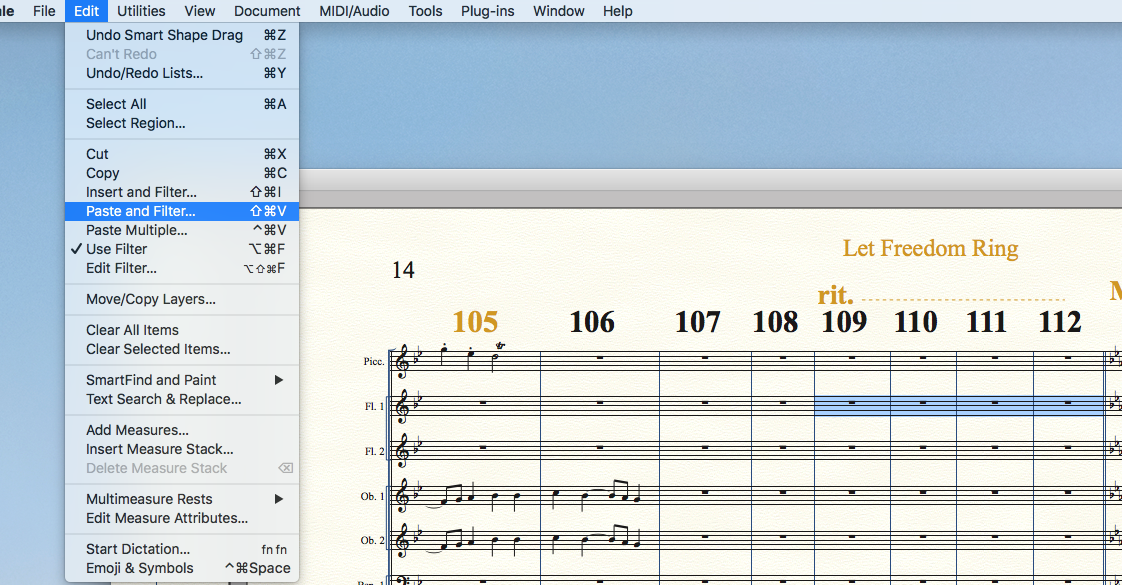
I tried your suggestion, but the line did not appear in the other parts. 'Using the above filter, I copied the four bars of the Picc part, and pasted them into the Flute 1 part:
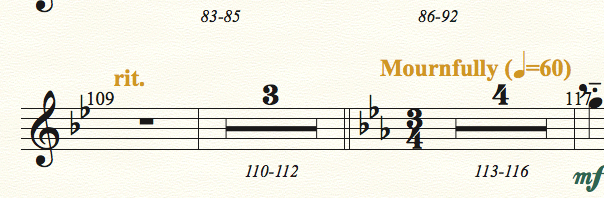
The line does not appear in the Flute part:


Comment actions Permalink
Avatar
0

Peter,


After I closed and opened Finale, I saw the line I copied appear on the score attached to the Flute staff, however it still did not appear in the part.

Comment actions Permalink
Avatar
0

… After I closed and opened Finale, I saw the line I copied appear on the score attached to the Flute staff, however it still did not appear in the part …


1) All your screen shots show Page View.

What if you view the part in Scroll View?

Does the line appear in Scroll View?


2) In the Flute part there is a multimeasure rest of the measures 110–112.

What if you break that multimeasure rest?

Does that make the line appear?


3) What happens if you try to add the line in the part (= not in the score)?

Comment actions Permalink
Avatar
0

Hi Peter,


Yes it seems multi-measure rests interfere with the parts having items show up, even though they show up in the score.

Comment actions Permalink

Please sign in to leave a comment.