New post
Avatar
0

Windows 10 - Finale 25


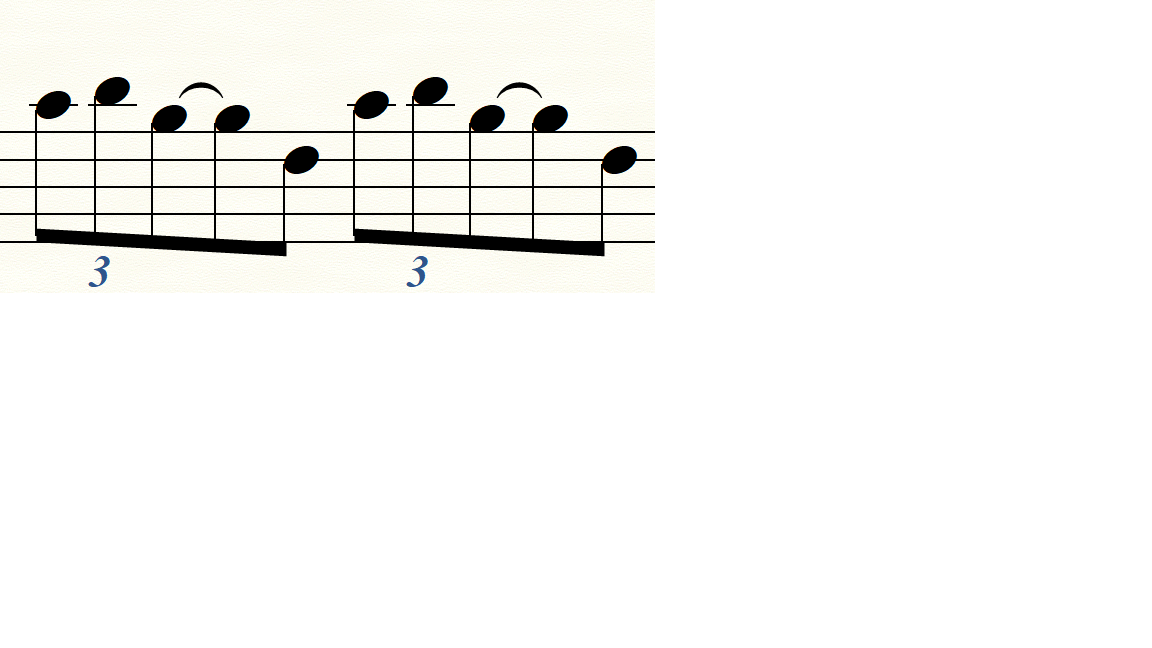
I dislike this presentation (I want a cut between tuplet and following notes). Not found a way... Thanks
3 comments

Date Votes
Avatar
0

In Speedy Entry put your cursor on the second tied note in each case and press the slash key.


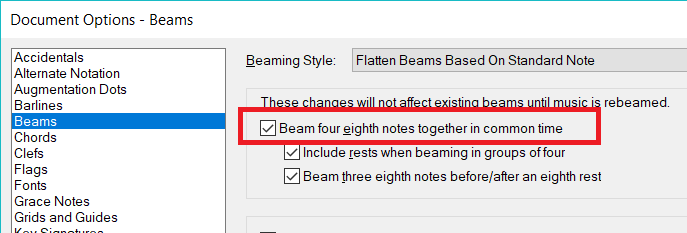
You could also change the Document options for beaming, but this would affect all measures, not just those with triplets.


Comment actions Permalink
Avatar
0

Works fine. Sorry, but my language is French and the Help is in English (and sometimes the words are very differents) !

Thank you

Comment actions Permalink
Avatar
0

Bonjour Jean-Paul,

Besides this forum in English, are you aware that you also could get some help in French on this  forum : https://finale-logiciel-aide-gravure-musicale.eu 

There are many tutorials and ressources that you may find useful.

Comment actions Permalink

Please sign in to leave a comment.