New post
Avatar
0

Hi. My 2011 MacBook Pro 17" laptop totally crashed yesterday. I just bought a 2019 MacBook Pro 15", 10.14.5 Mojave, Memory 16 GB 2400 MHz DDR4, Processor 2.6 GHz Intel Core i7.

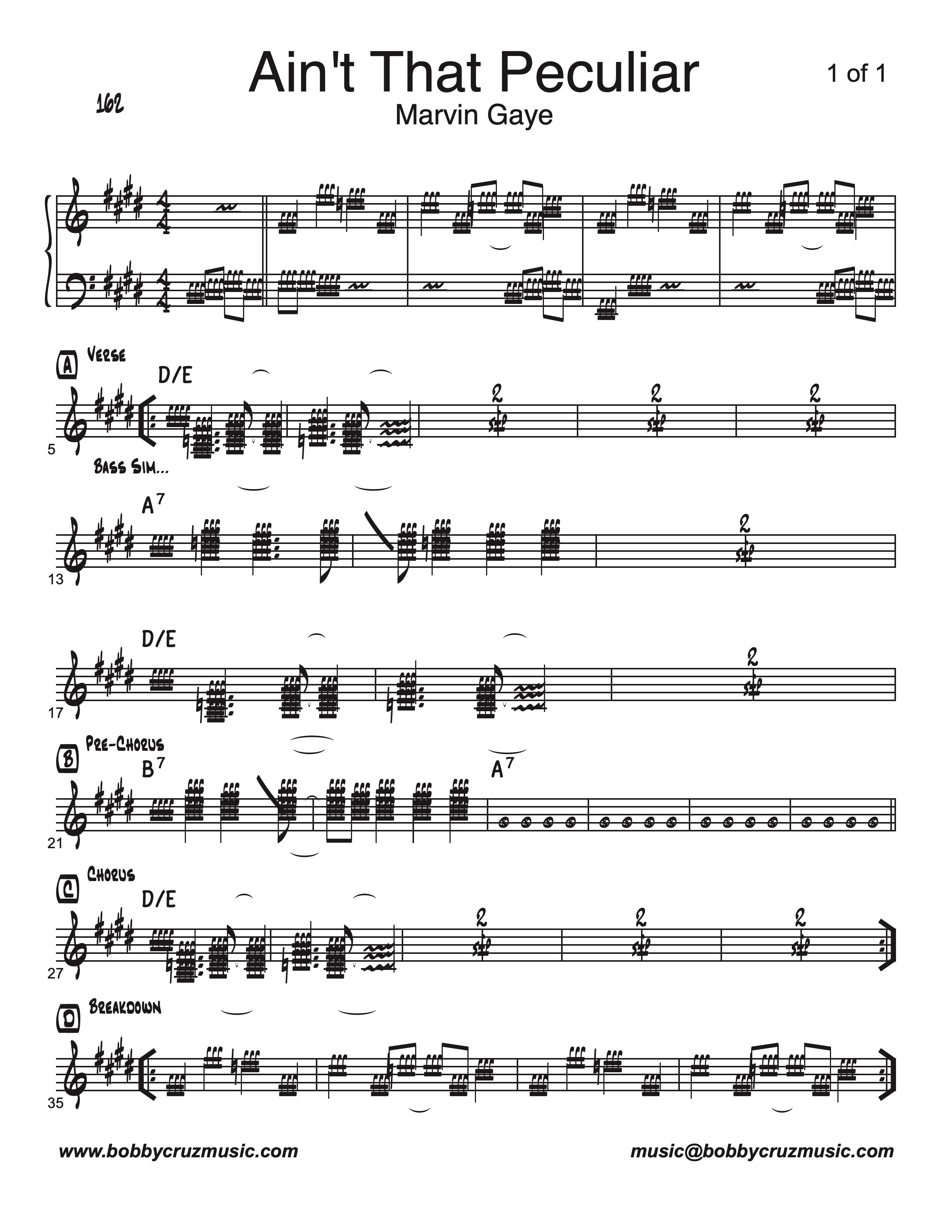
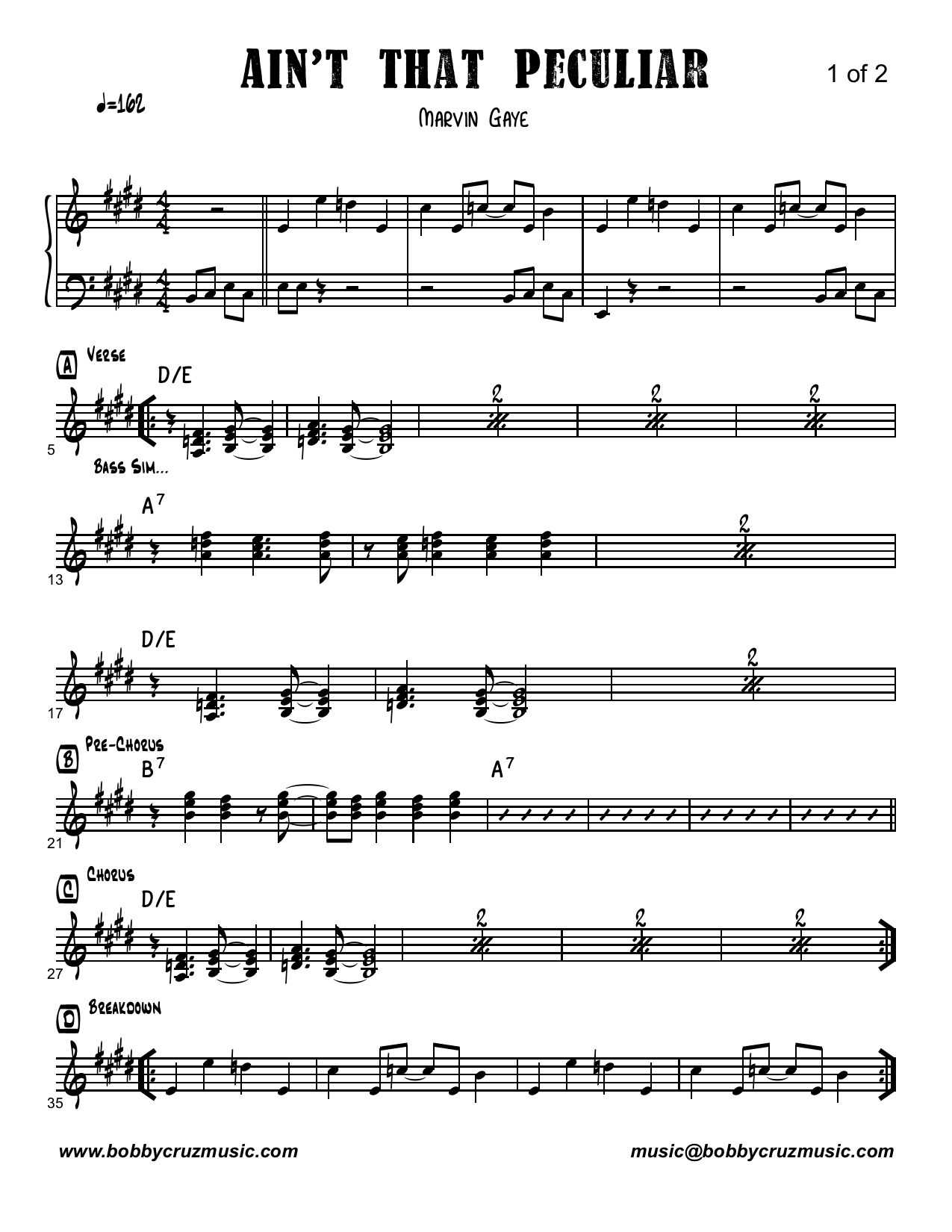
I downloaded Finale from the website and installed it. I copied all my charts from the Time Machine backup.  The charts open with different fonts for the notes, and staff styles are incorrect. My default music font is Jazz Font. Jazz Font is there, but it's displaying  "forte" signs instead of note heads. I am using Finale Copyist fonts for chord symbols, Jazz Text for rehearsal letters and other text, and some fonts I had from Sibelius for the Title and Artist fonts.

I have over 2000 charts. They all open like this. I am attaching an example of how the chart is supposed to look, and the actual Finale file view when I open it. 

I would like to know how to fix this problem without having to go through each chart.

Thanks.

Bobby
1 comment

Date Votes
Avatar
0

Bunch o' questions—you've not given enough info. This is most likely to occur with updated versions. If you brought over your old system settings from Time Machine, that caused this problem. Fortunately, it's easy to fix but, without knowing more, I won't know the easiest way. It boils down to newer installers not removing or overwriting older fonts.


What version of Finale did you download?

What version were these charts created in?

Besides the charts, what else did you bring over via Migration Assistant? Did you bring over old apps?


Check Users/(you)/Library/Fonts   You can use the Go command but I prefer to have the Use Library showing permanently.

http://osxdaily.com/2016/12/12/show-user-library-folder-macos-sierra/

There should be nothing installed anymore. Sometimes just trashing those will fix it. 


There's an absolute way to make sure that only the latest fonts are installed. If the above doesn't get it, I'll look up and repost.  

Comment actions Permalink

Please sign in to leave a comment.