I have hidden measure numbers 6, 7, and 8. How can I turn measure 9 into measure 6? Thanks,
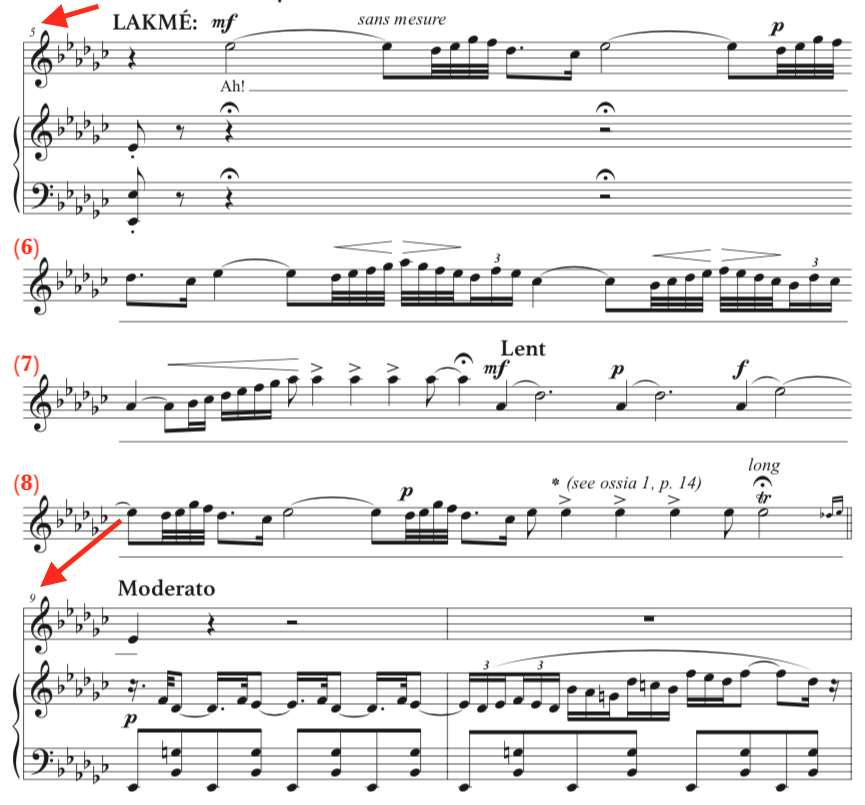


… I have hidden measure numbers 6, 7, and 8. How can I turn measure 9 into measure 6? …
Jonathan Mann,
If I understand you correctly, you need the measures 5 - 6 - 7 - 8 to appear as one (big) cadenza measure, right?
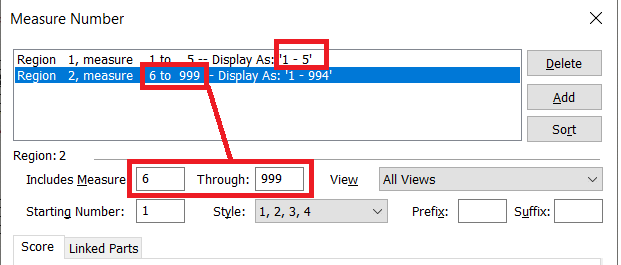
It can be done with only one measure number region.
Instead of hiding the measure numbers in m. 6 - 7 - 8, do not include m. 6 - 7 - 8 in the measure numbering:
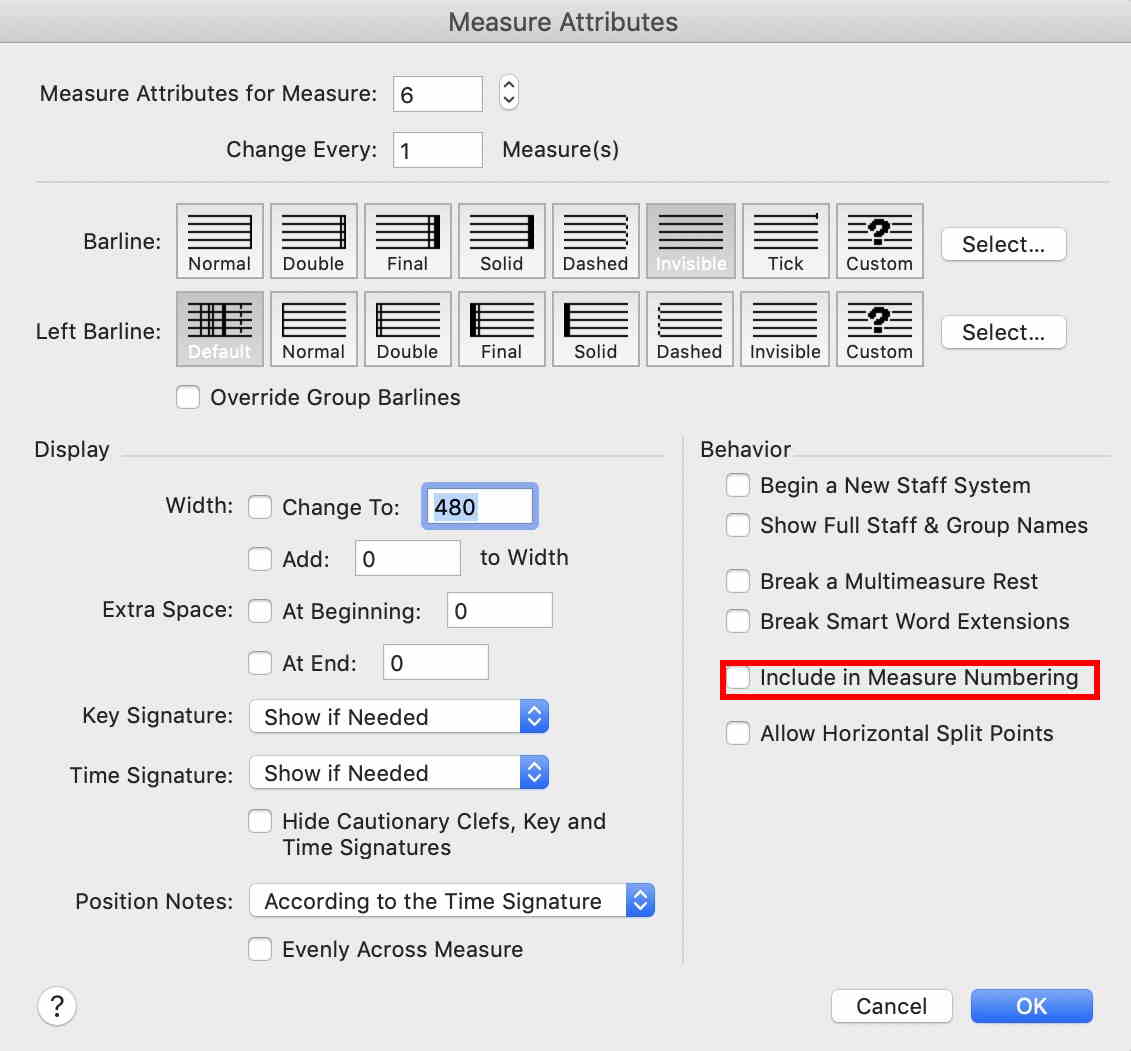
NB:
When you have de-selected “Include in Measure Numbering” for m. 6 - 7 - 8, you may experience that Finale, on some commands will affect, not the selected measure, but rather the measure three measures earlier.
To avoid this bug, go to
Preferences - View
and select Display Actual Measure Numbers (not Display Defined Measure Numbers).
This step will only affect Finale’s dialog boxes; your music notation layout will not be affected.
Please sign in to leave a comment.

4 comments
Date Votes