New post
Avatar
0

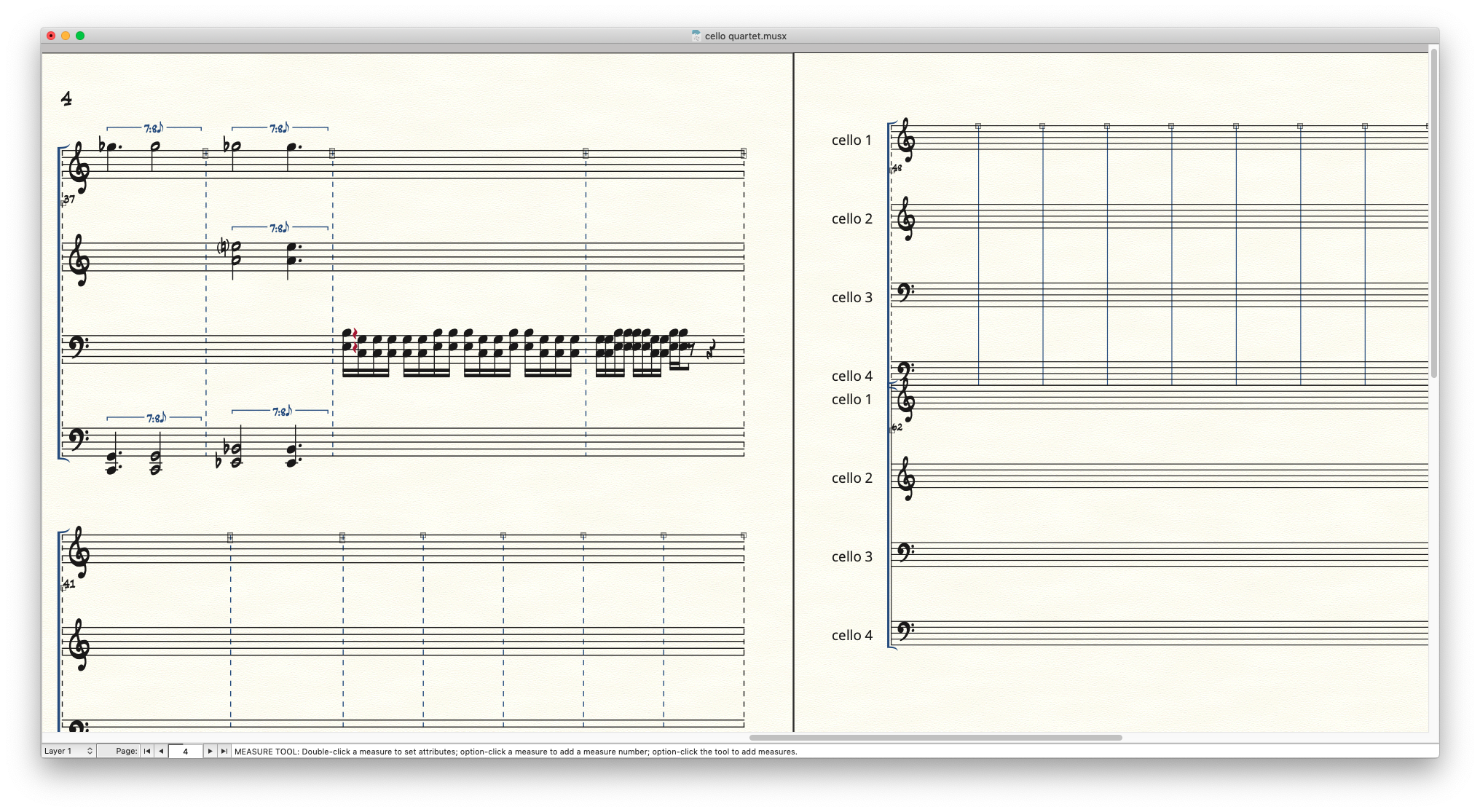
This has been something I've seen with F26 in general and it just happened spontaneously again. When I set up my current document at the start, I specified in the Setup Wizard to start with around 50 measures. All was laid out perfectly. Until a page was created after that-see screenshot. Now I have to spend a bunch of time, as in the past, trying to finesse things to all have the same layout moving forward, and usually the changes don't stick when new pages get created. What is the issue? 
2 comments

Date Votes
Avatar
0

… Now I have to spend a bunch of time, as in the past, trying to finesse things to all have the same layout moving forward, and usually the changes don't stick when new pages get created …


Let me guess:

You used the Page Layout Tool to correct the layout on each new page, one page at a time, right?


Instead, go to

Document menu > Page Format > Score…

and correct the settings there.

Then, use

Page Layout menu > Redefine Pages > …

to redefine all the pages 'at one fell swoop'.


New pages get their formatting from Page Format for Score.


You obviously need the formatting from the first (correctly formatted) pages, so you should enter that formatting in Page Format for Score.


If you are not sure, what the settings are on the first (correctly formatted) pages, use this trick:

Page Layout menu > Update Page Format for Score (select this)

Then, go to one of the first (correctly formatted) pages, and use

Page Layout menu > Systems > Edit Margins…

Change one of the margins (e. g. from zero to 1), then, change it back (to zero) - but not via Undo.

When you, after this step, inspect the settings in Page Format for Score, you will see that the settings have been updated.


When you are done, remember to de-select Update Page Format for Score.

NB:

Update Page Format for Score is program specific, not document specific!

Hence it is important that you de-select Update Page Format for Score before you begin working on another document.

Comment actions Permalink
Avatar
0

Thanks. I figured it out last night after trial and error. I wasn’t formatting as I went since it was fine until new measures and pages got created. I’ve asked for years that rather than three separate page formatting options in different places that it be simplified. I have been using Finale since the early 90’s so if it is or always obvious to me how to deal with a straightforward page layout, it’s probably challenging for newbies. Thanks. 

Comment actions Permalink

Please sign in to leave a comment.