New post
Avatar
0

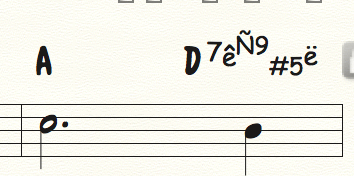
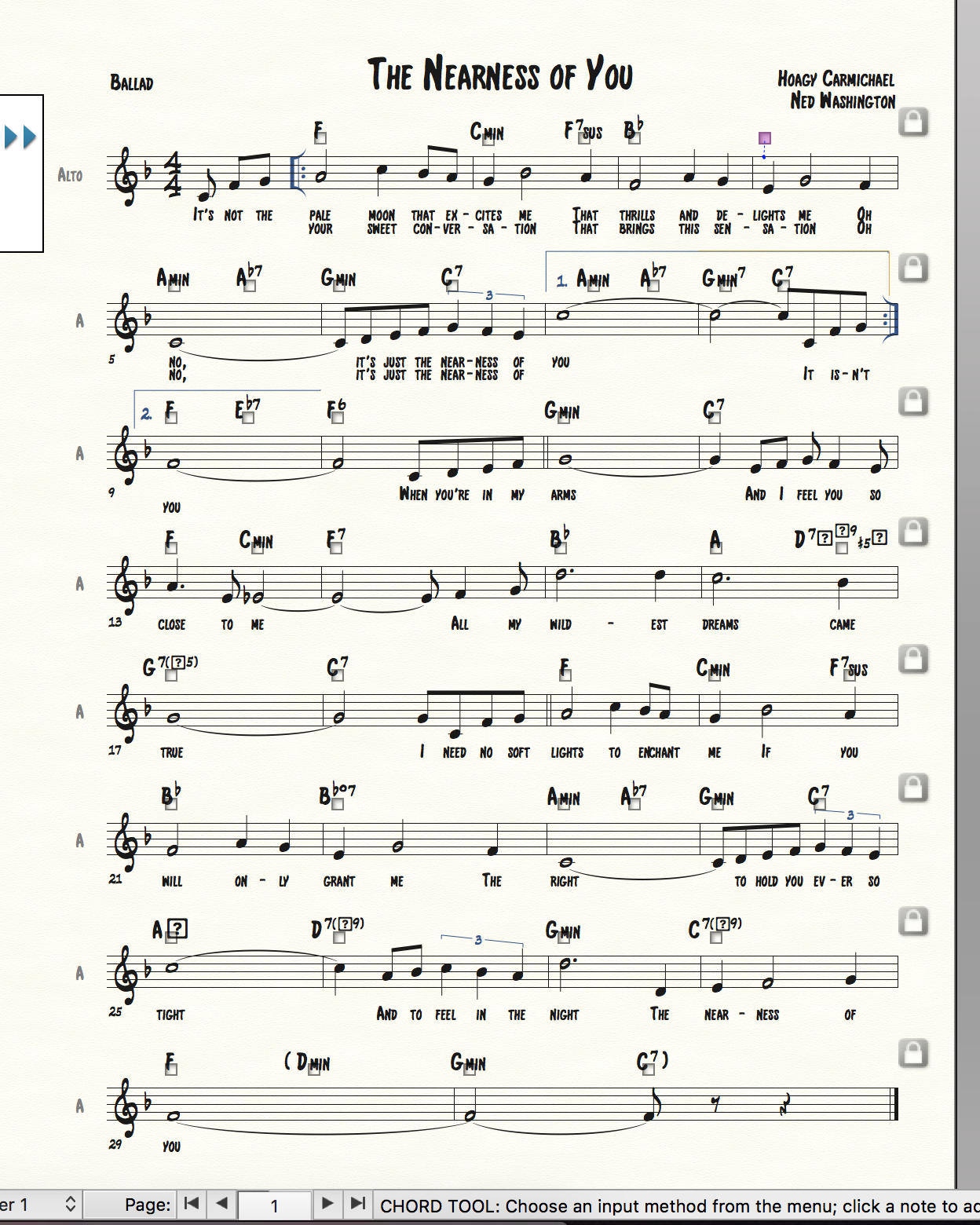
Hi! I'm a Finale v26 user working on macOS High Sierra. I'm having issues with the chord suffixes tweaking out whenever I use a font besides the standard Comic Sans, which is the preset chord suffix for Finale. I'm working on a lead sheet and it's highly irritating that I'm stuck with this font. I really don't know how to remedy this? It used to work beforehand, but now it's giving me issues and I can't figure out why. The issues are with the standard jazz chord suffixes whenever you type [chord]:0. 

Your help is appreciated!
5 comments

Date Votes
Avatar
0

We need more info.

Your word “issues” does not tell much.


The better we understand, the better we can help.


Please answer the following questions:

1) What are you trying to achieve?

2) How are you trying to do it?

3) What happens when you do that?

4) What doesn't happen that you expect to happen?

Comment actions Permalink
Avatar
0

Hi!

1. I want to type out chords with extensions so that I see (for example) a D7(b9) chord.

2. I do it by clicking the chord tool from the main palate, clicking above a measure, and typing D:0 (going to the chord mini window that pops up, and clicking the appropriate number (like D:54.) 

3. While I'm trying to type in any other font besides the default Comic Sans, Finale will give me weird symbols like this picture I'm attaching. It appears like that on the chord menu and on the lead sheet itself. I want everything to be in a standard Broadway Copyist text, but this is what happens when I change fonts on the chord menu "set font" tool.

4. I expect that a clear chord name will appear. Right now, beneath this picture, a D7(b9) chord should appear. Instead, these weird symbols are taking its place.

Comment actions Permalink
Avatar
0

1) First I would go to Document Options - Fonts, and set the desired fonts for Chord Symbols.

When you do so, you will notice that you can set the font of four elements:

Symbol (= root)

Suffix* (the * means that the font change only affects new suffixes; already existing suffixes will stay unharmed)

Alteration (= accidental, you probably need to use a music font - like Broadway Copyist - for Alteration)

Fretboard


2) Instead of creating all the new font suffixes yourself, try loading an existing Chord Suffix Library:

File menu > Load Library…

The loaded suffixes will appear in the Chord Suffix Selection, below the already existing suffixes, so you have to scroll down.

When you have loaded the library, you can delete the suffixes you do not need.

If the deleted suffix is in use in the document, Finale will warn you, and give you the option of replacing the suffix with another suffix.

Comment actions Permalink
Avatar
0

Okay, so

1. For the desired chord fonts under document options, I set Symbol as Broadway Copyist Text, Suffix as Broadway Copyist Text, and Alteration as Broadway Copyist. It changed nothing with regards to the issues I'm having being able to see the chord alteration/suffix for D7b9.

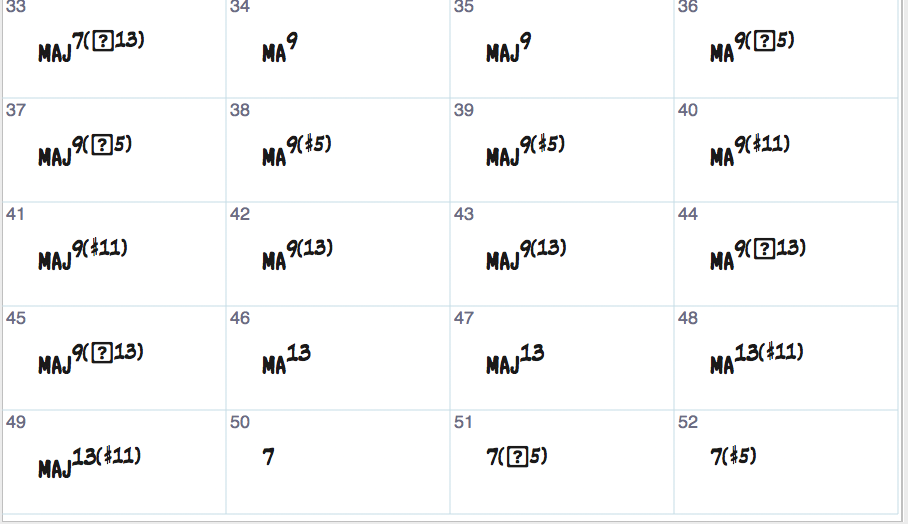
2. I loaded the Broadway Copyist library. I tried to "load library" under that same Document Options and Fonts menu. It didn't change anything either. If anything, I can see sharps, but I can't see flats or other chord suffixes/alterations. The problem doesn't occur with other fonts, and this hasn't always been an issue for me. 

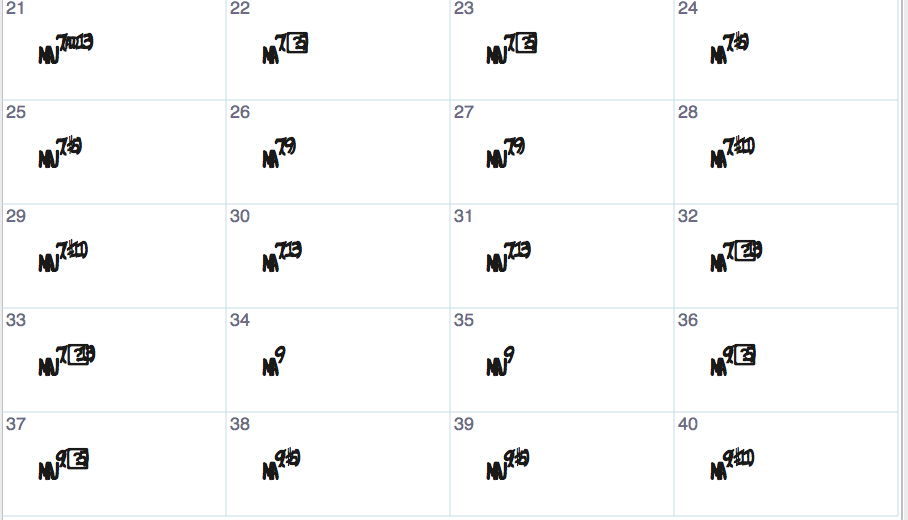
To make matters worse, I just updated Finale in hopes that it would fix my issues. It didn't, and now the texts in my new files in Broadway Copyist are all smushed together. :/

The previous version I had of Finale:

And the current:

Thanks for all your help so far, Peter, and whoever else may chime in.

Miriam

Comment actions Permalink
Avatar
0

… For the desired chord fonts under document options, I set Symbol as Broadway Copyist Text, Suffix as Broadway Copyist Text, and Alteration as Broadway Copyist. It changed nothing with regards to the issues I'm having being able to see the chord alteration/suffix for D7b9 …

You went to Document Options - Fonts, right?

Did you notice - for the Suffix Font - the * I mentioned in my previous post?

The * means that the {font change} only affects new suffixes; already existing suffixes will stay unharmed.

Did you create a new chord suffix, with 7b9 ? - or did you just look at the already existing suffix 7b9 ?


… I tried to "load library" under that same Document Options and Fonts menu …

I really do not understand how you managed to load a library in that way.

The only way (that I know of) to load a library, is this:

File menu > Load Library…

NB:

Libraries are loaded into a document, not into the Finale program itself.

Before you can load a library, you must open a document.

Comment actions Permalink

Please sign in to leave a comment.