

Hi everyone
I have a question very similar to this one. I'm writing music for musical theatre, so naturally there are a lot of style and instrument changes especially in the keyboard and guitar parts. While the "change instrument" functionality works well for the "usual doublings" (e.g. alto sax to tenor sax), it doesn't work well for style changes. Example: I want to change from a clean electric guitar to an overdrive guitar.
First, I tried using the "change instrument" functionality, but since I cannot add own instruments, I needed to "misuse" non-used instruments (such as Banjo) and change their playback configuration and name afterwards. This feels quite hacky.
So I decided to use the Kontakt Library where I can define "multi"s with 16 instruments each. Assigning the MIDI channel for the primary instruments works well:

For the mid-score patch changes, I now use an expression that switches the channel to separate channels for different variants/styles of the same instrument:
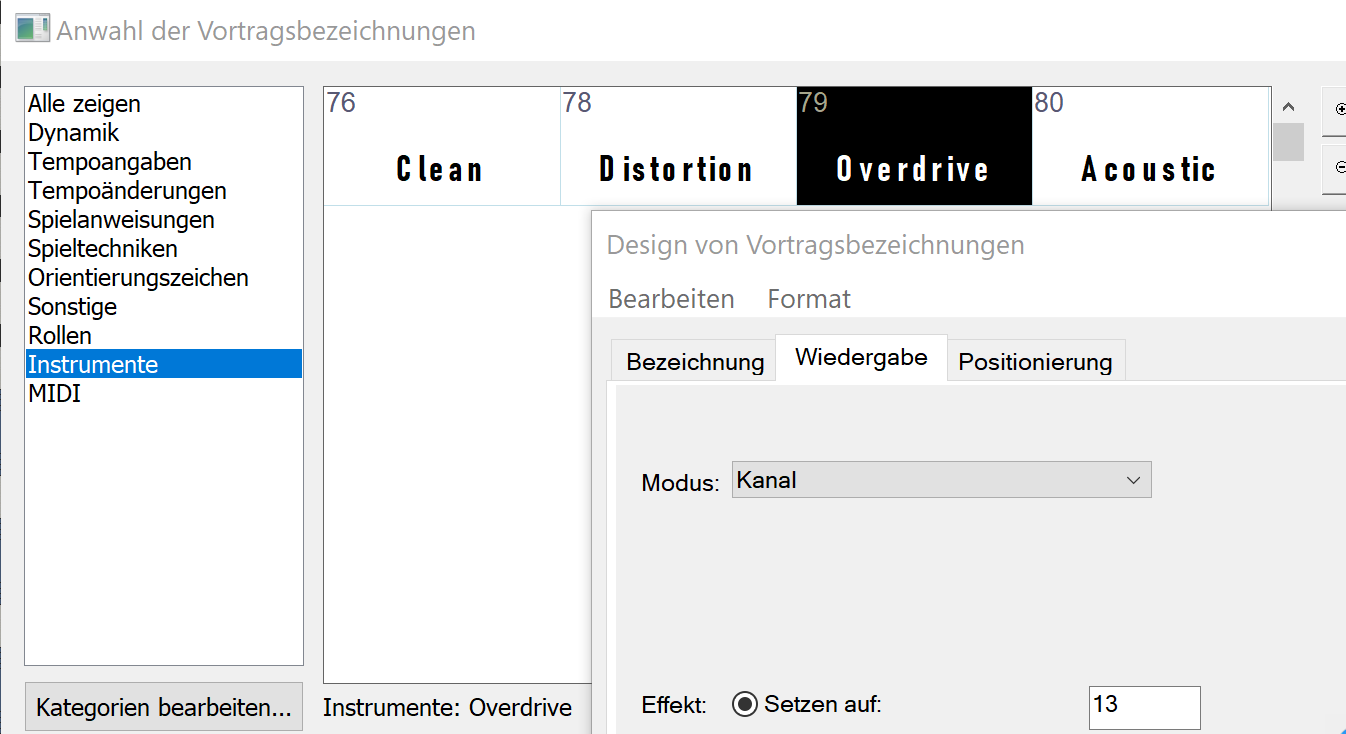
This works well in general, but there is a problem: With each such expression, Finale somehow sends a MIDI signal to the according channel turning the volume up to 0 db, thus making it the loudest instrument in the mix.
I found a workaround by adding a second expression shortly after the patch change to set the volume down to e.g. 64:
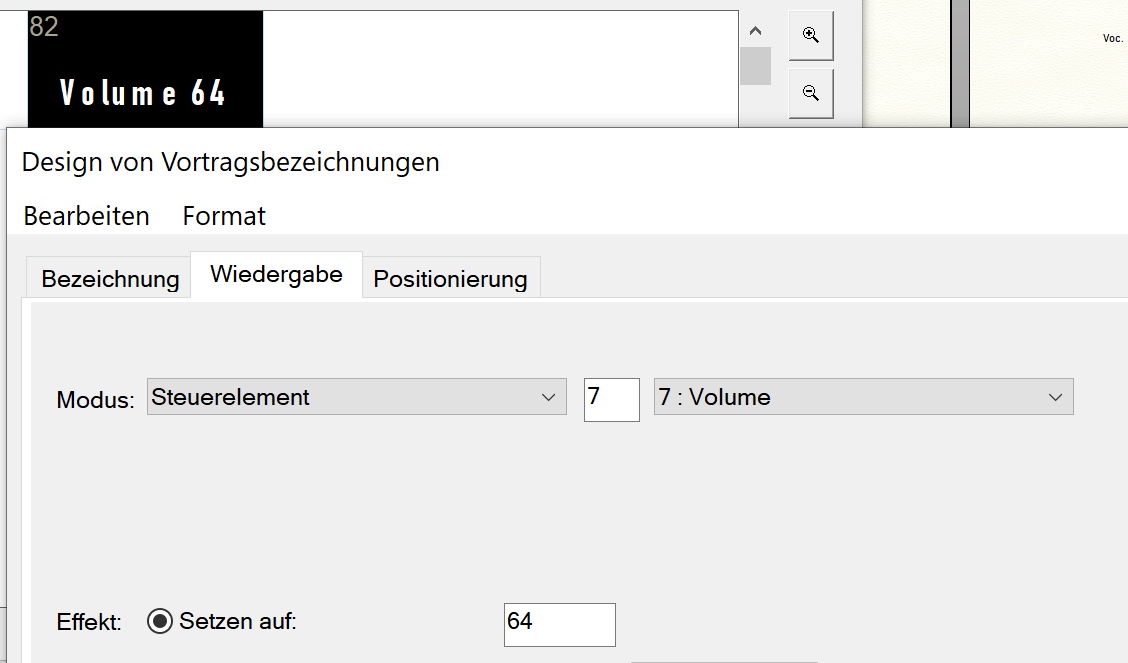
This works, but as soon as I start the playback from after the bar containing this expression, the fader is back to 0 db. So this is quite annoying to work with. I don't understand why changing the MIDI channel would also reset the volume.
Therefore I wanted to ask if someone has better practises for my particular problem and could share it. Of course I would prefer to use the "change instrument" functionality, but according to my research I cannot add own instrument definitions there.
Finale 25.5.0.290 on Windows 10

2 comments
Date Votes