New post
Avatar
0

Hi, all!

I'm engraving a piece where there is a copious amount of cross-staff beaming in one part (basically every bar for a good part of the piece). The way the note groupings work is there are always two sixteenths on the left measure and one on the right (picture attached). The problem I'm having is trying to show this beaming "across" the page. With the first two sixteenths I can simply extend their beam with the Beam Extension Tool, but I cannot for the life of me figure out how to "transform" the single sixteenth so I can flip its beams. Is this even possible? I'm using V26.2 on OSX 10.14.6 if that helps.
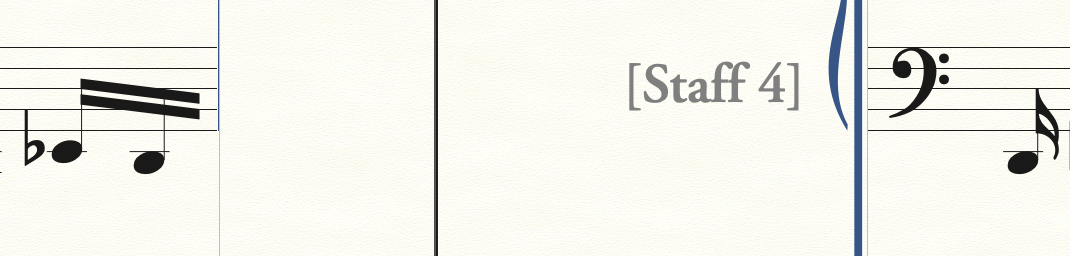
4 comments

Date Votes
Avatar
0

Welcome to the forum!


Instead of doing the {across system break beaming} manually I would use the plug-in.

Takes only a few seconds:


Selection Tool.

Select the last measure in the first system, and the first measure in the second system.

Plug-ins menu > Note, Beam, and Rest Editing > Patterson Plug-in Lite > Beam Over Barlines > Create

Comment actions Permalink
Avatar
0

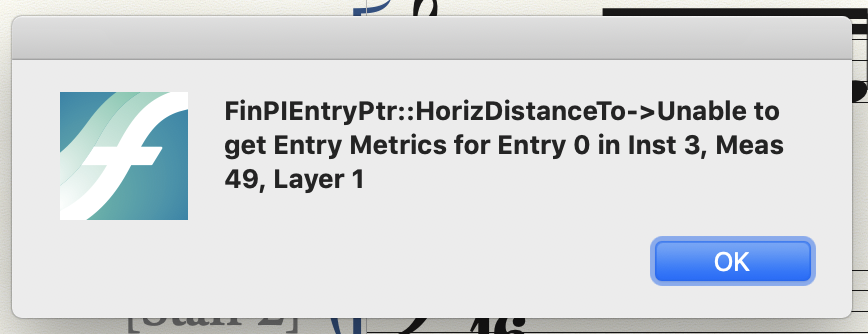
Sorry,  should have mentioned I tried this already, however Finale throws up an error message as attached below. I also tried moving the systems onto the same page, applying the plug-in, then moving them back over the pages, but that just puts too many notes in one measure and causes the notes to shift out of the measure itself, as shown by the second image.

Comment actions Permalink
Avatar
0

1) If you get an error message when running the plug-in, then the culprit could be that “Automatic Update Layout” is toggled on.

First toggle “Automatic Update Layout” off, and then try running the plug-in.


2)

… I also tried moving the systems onto the same page, applying the plug-in, then moving them back over the pages, but that just puts too many notes in one measure and causes the notes to shift out of the measure itself …

You probably mean that you tried moving the measures onto the same system.

The plug-in (unfortunately) uses another trick when the two measures are in the same system.

Comment actions Permalink
Avatar
0

Ah, the first suggestion did it, thanks so much! 

Comment actions Permalink

Please sign in to leave a comment.
