I have Finale 26.3.1.643 running on a Mac OS Catalina 10.15.5.
I have never had this problem before, but when I export a graphic, Finale is putting space in the PNG I am exporting.
Here is what the excerpt looks like
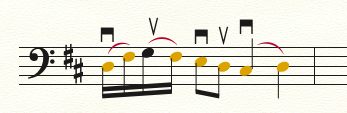
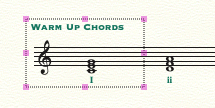
Here is what the PNG looks like



I tested this in the same version of Finale, but with Mojave, and I couldn't reproduce the problem (I tried jpg and png).
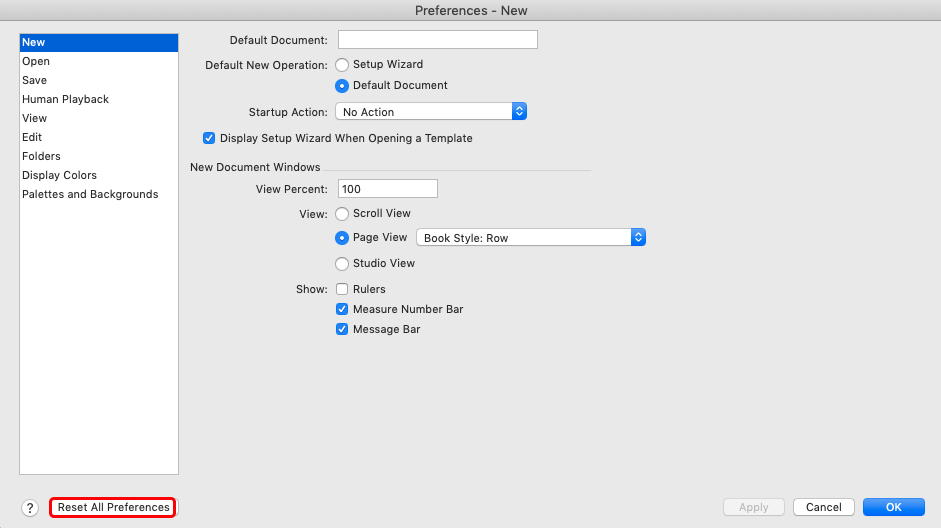
Have you tried relaunching Finale, restarting the Mac, resetting the Preferences ?
(You can also capture a region of the screen using the Mac keyboard shortcut Maj+Cmd+5 or third party utilities such as Snapz Pro, SnapNdrag, etc...)
I have restarted Finale and restarted the Mac. I am not sure what you mean by resetting preferences. I did create a new file and it works perfectly. My problem is I am creating a document with an explanation of a warm I use with school ensembles, so I need the graphics to look the same as the warm ups, e.g. same font, style, etc. I am almost done and the workaround is working. So please don't feel obligated to put more effort into it.
Thanks for your help.
It is global, but won't affect the Document Options of the individual files and more parameters (Page Format, etc...) of your templates.
Look into preferences menu, you will see which parameters are concerned.
P.S. you can locate your preferences file (com.makemusic.finale.fprf), place in another location, then try resetting preferences. A new preference file will be created. If you don't like what you get, just put the previous preference file back where it was.
Please sign in to leave a comment.

9 comments
Date Votes