New post
Avatar
1

Windows 7

Finale 25.5.0.290

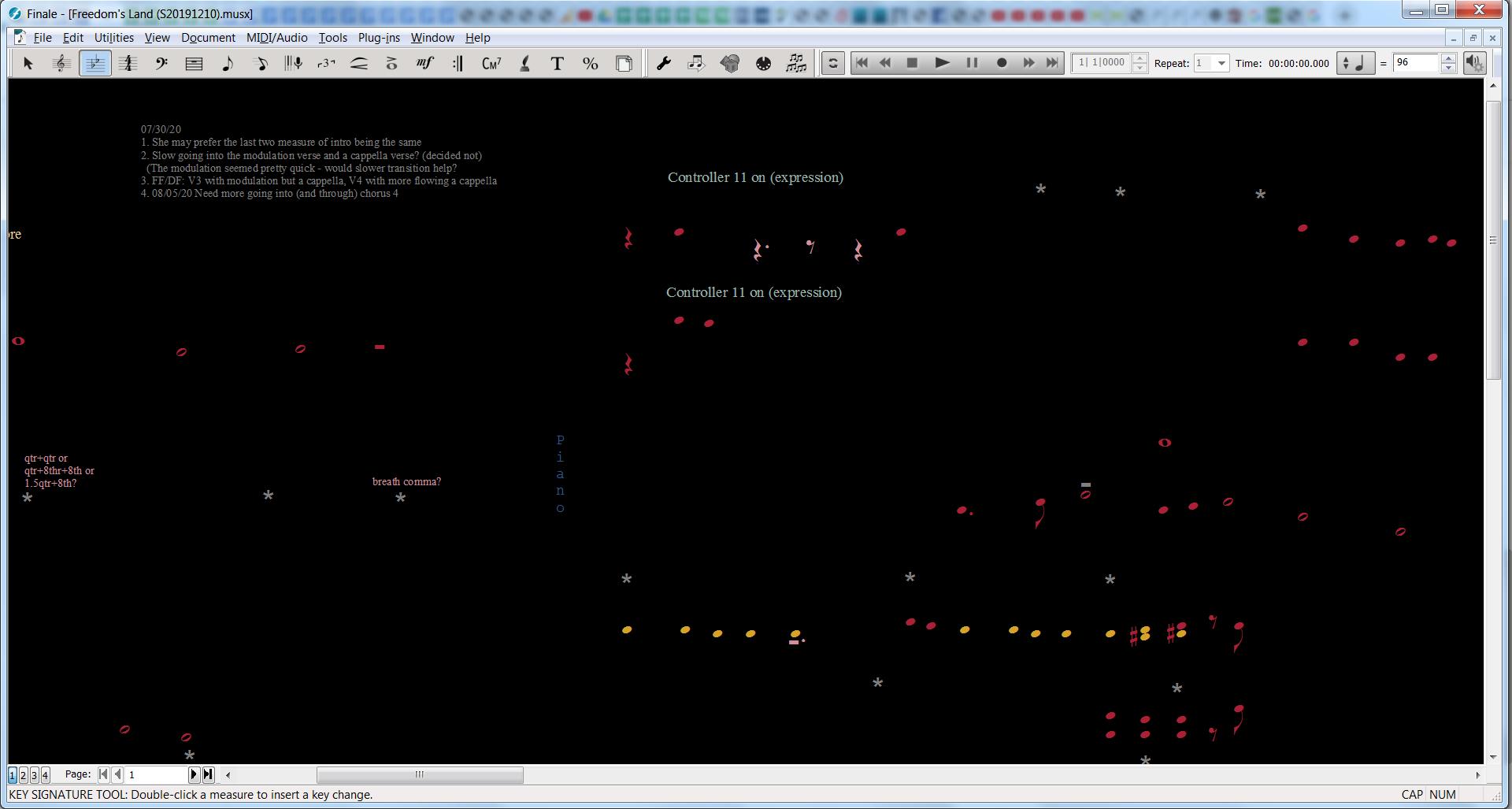
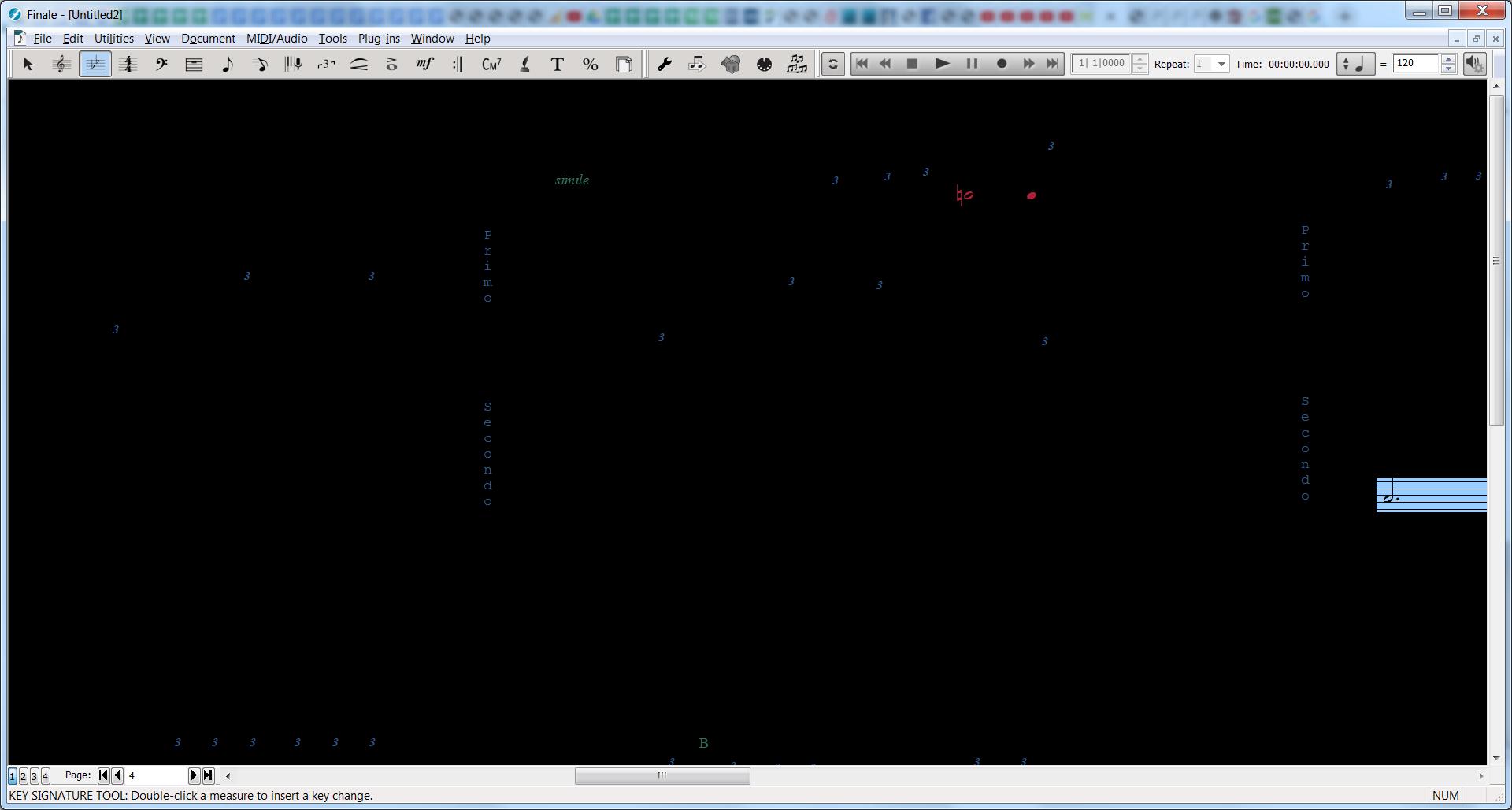
I've seen this problem many times over the years (and across multiple versions of the software), so I thought I'd finally report it.  The functionality to right-click-drag the documents around the screen is super handy, but it is very prone to causing freezes/crashes.  When the problem happens, an audible beep is heard and the document frame part of the app turns black (with some drawing remnants sometimes still showing).  At that point, the app isn't responding well, but sometimes the menu items still work - at least until a menu option is selected.  Eventually, nothing can be done except killing the process from the Task Manager.  I'd say this issue happens with me maybe 1% of the time I do a right-click-drag (or possibly less), but it is enough that I'm always thinking about whether to use it or not, and it does make me use it less.  It seems like the problem is more likely when moving more quickly, but that's just a feeling.

Thanks

5 comments

Date Votes
Avatar
1

I've never heard of a right-click-drag. And it doesn't work at all for me.

Is there a reason not to use the hand grabber tool? You can program a shortcut key to switch to it.

Comment actions Permalink
Avatar
0

Hi Mike.  I suspected that the feature may only work for Windows since the Mac originated without right-click functionality, so I did some searching... 

  1. I found another discussion in the forum that seems to confirm my suspicions about the Mac: (https://forum.makemusic.com/default.aspx?f=6&m=403358).  Of note, you are in that conversation, too. :)   (After posting this comment, I tried the link and it doesn't work from this forum - it says the forum has moved, but the link works if you paste it into a browser.)
  2. The current "Keyboard Shortcuts and Special Mouse Clicks" article  (http://usermanuals.finalemusic.com/FinaleWin/Content/Finale/Keyboard_Shortcuts_and_Special_Mouse_Clicks.htm) doesn't seem to document the right-click-drag, but I would have had to learn about it somewhere, so maybe it was documented many versions ago and removed because the Mac didn't support it.
    Later edit: The article does actually describe the functionality under the "Hand Grabber" section.  I didn't find it initially because it used different terms: "
    Temporarily switch to Hand Grabber Tool Press the right-button (and drag in the score)

As I mentioned, the feature is super handy.  It works like the Hand-grabber tool except changing tools (and back) is not required.  (I don't even keep the Hand-grabber on my toolbar because of this.)  I could switch to using the Hand-grabber tool and use the left-click, but I have a strong suspicion that the freezing/crashing would occur either way.  Assuming most Macs have a right-click now, the feature should be added for Mac.

Comment actions Permalink
Avatar
0

Actually there is a similar functionality in Mac Finale.


To, temporarily switch to the Hand Grabber Tool, hold down ⌥⌘ (= Option-Command).

Then, while holding down ⌥⌘, you can left-click and drag.

I have never experienced freeze / crash with ⌥⌘-drag.


Also, on a track pad I can drag with two fingers.

Comment actions Permalink
Avatar
0

Thanks for that, Peter. Another thing I never knew...

Comment actions Permalink
Avatar
0

I have a background in software development (and QA), so I thought I'd try a bunch of things to reproduce the issue...

  • I tried hundreds of right-click-drags (including short, long, slow, quick, circular, etc.) - no problems.
  • I tried hundreds of left-click drags using the Hand Grabber - no problems.
  • I tried hundreds of right-click drags while various tools were active: Speed Entry, Staff, Lyrics, Page Layout, Text, Articulations, Expressions - no problems
  • I tried left-click drags with the Key Signature tool and it crashed after 2 drags.
  • I restarted Finale and did hundreds or thousands of right-click drags with no problems.  Right as I was going to give up, it froze again:
  • The second time it froze, I think I had highlighted some measures and had the Key Signature Tool active.

I couldn't reproduce the issue definitively, but I suspect that the problem could happen when certain tools are open that support right-click functionality beyond the right-click-drag because I saw some strange things happen with those tools open while using right-click-drag (like when dragging with the mouse position starting or ending on an area whether additional right-click functionality is supported (like on a staff while in the Key Signature Tool.)


Comment actions Permalink

Please sign in to leave a comment.