New post
Avatar
0

I want to have a beam bwtween the last two notes in the first measure and the first 4 notes in the next measure. The music as entered is:
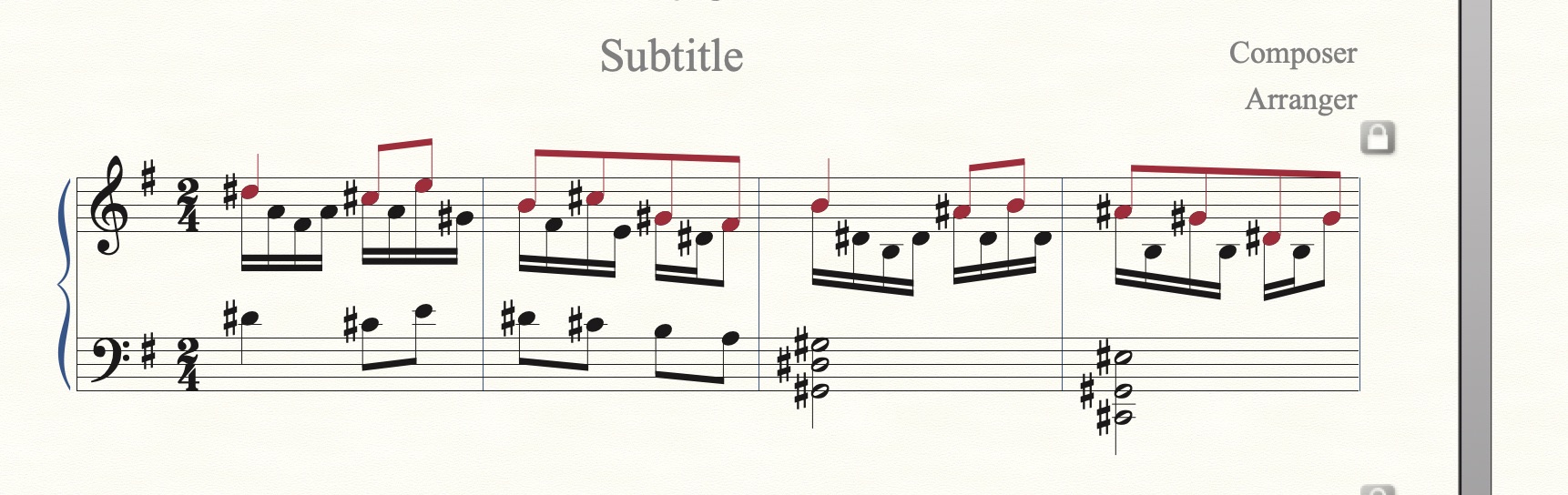
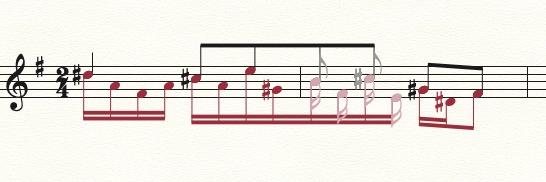
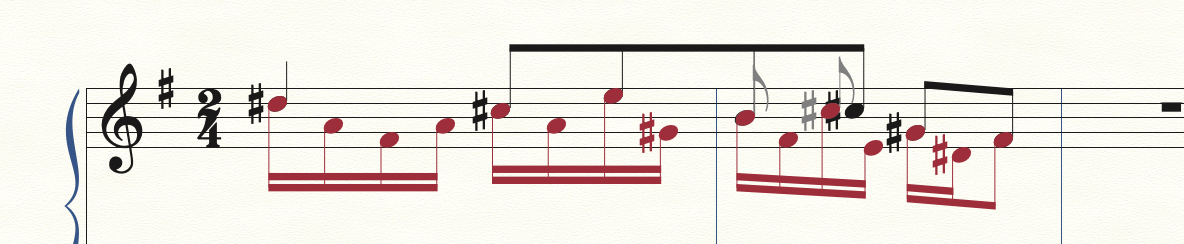
I Show Active Layer Only and edit on Layer 2. Then I select the desired 6 notes with the Selection Tool and use the Patterson Plugin for Beam Over Barlines. At this point the notes in Layer 2 show correctly:

The problem comes when I uncheck "Show Active Layer Only". The beam stretches across the page:
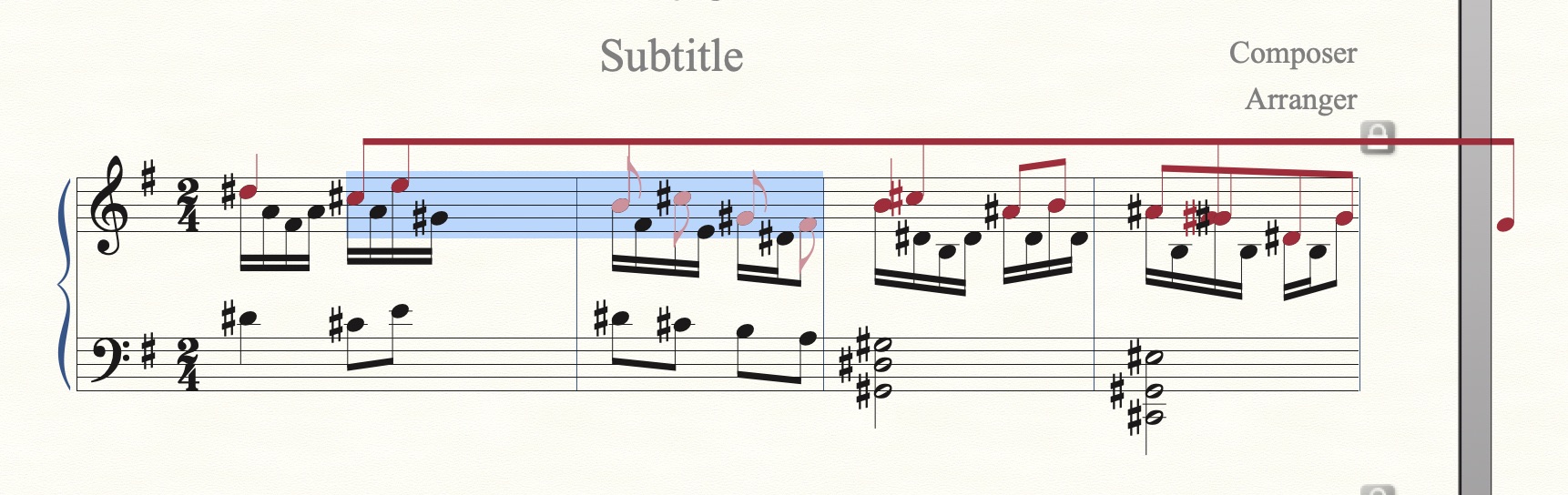
Update Layer does not repair it. "Apply Beat Spacing" shows the hidden notes staggered from the added notes. The hidden notes are in an acceptable position, but not the visible notes. "Apply Note Spacing" shows the beam spread across the page again.

Any ideas on how to correct this?

Finale 26.3.1.643 on Mac computer OSX 10.15.7

8 comments

Date Votes
Avatar
0

What happens if you just select those two notes where they cross the barline?


Does it work any differently if you swap layers one and two?

Comment actions Permalink
Avatar
0

Thank you for your prompt reply.

Selecting just the last note of the 1st measure and the first note of the 2nd measure gives the same result -- it looks good when only Layer 2 is showing, but not when all layers are visible.

Swapping layers 1 and 2 gives the same result (except the colors are swapped, of course).

Comment actions Permalink
Avatar
0
Comment actions Permalink
Avatar
0

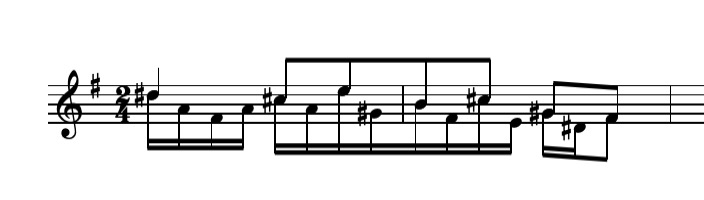
I moved the old preferences file com.makemusic.finale26.fprf out of ~/Library/Preferences and rebooted the computer and Lauched Finale. I keyed in all the notes from scratch and tried beaming across the barline (selecting only the last note of the 2st measure and first note of the next measure):

The notes don't line up even after doing "Update Layout". I'm not sure why it's working for you but not for me. I tried it on my laptop computer and had the same result. Another Mac computer user that I'm working with also has the same problem with this measure, so I don't think it's just my computers or something I'm doing wrong.

I'm starting to think that Finale doesn't always respace the music correctly when there are extra notes added to the measure (or hidden notes). I think I'll have to go with your solution of one 4/4 measure and a false barline.

Comment actions Permalink
Avatar
0

William Ooms,


The plug-in Beam Over Barlines uses one solution when beaming over a barline in “the middle of” a system.

And it uses another solution when beaming across a system break.


No promises, but with the other solution you may (perhaps) avoid your problem.

Could not hurt to try it:

1) Move the second measure down into the next system.

2) Show only Layer 2.

3) Use the plug-in to beam across the system break.

You will get a “beam stub” at the end of the first system, and another “beam stub” at the beginning of the next system.

4) Show all layers again.

5) Move the second measure back into the previous system, to restore the measure layout.

The two “beam stubs” may not connect precisely to each other, but you can fix that with the Special Tools Tool.

Comment actions Permalink
Avatar
0

Thank you, Peter. That is a pretty good work-around for now. There are only 3 measures in the entire piece (220 measures total). I tried this in the full score and it works. It does take a bit of tweaking to get the beams at the same angle, etc. but that can be tolerated.

This is a better choice than the 4/4 measure and a false barline because I don't have to hide the 4/4 and subsequent 2/4 and edit the measure numbers to get them correct.

Comment actions Permalink
Avatar
0

I think I have a fix for the problem. If I turn off "Automatic Music Spacing" in the "Preferences" -> "Edit" the notes appear to stay in their place. Of course, I'll have problems again if I ever do a subsequent "Apply Music Spacing". But I can postpone the beaming edits until late in the editing process where I'm happy with the appearance of the spacing.

Comment actions Permalink
Avatar
0

Hi, all,

I, too, have had problems with the Patterson plug-in.

I had noticed that the time the beaming crossed through a system it worked, but could not figure out why.

Reading this and other posts/replies, I tried moving the 2nd bar to the next system to make the 1st bar the end of the system and then applied the Patterson plug-in.

IT WORKS!!

Thank y'all,
:-)
Nessa

Comment actions Permalink

Please sign in to leave a comment.