New post
Avatar
0

I am using v. 25.5 on a Mac and recently upgraded to Catalina and then Big Sur.  I just noticed that all my scores have now been changed in terms of the expressions for tempo markings.  Instead of a quarter note symbol, for example, I now have a Œ. The font I am using is MetTimes.  I assume I will be told this was a big mistake, but it has worked for me in the past. I do not understand why this would happen.  Do I have to go back into all my original scores and change these by hand?  This will take forever.  I attach screen shots of the after and before, just to be clear.  I appreciate any help.
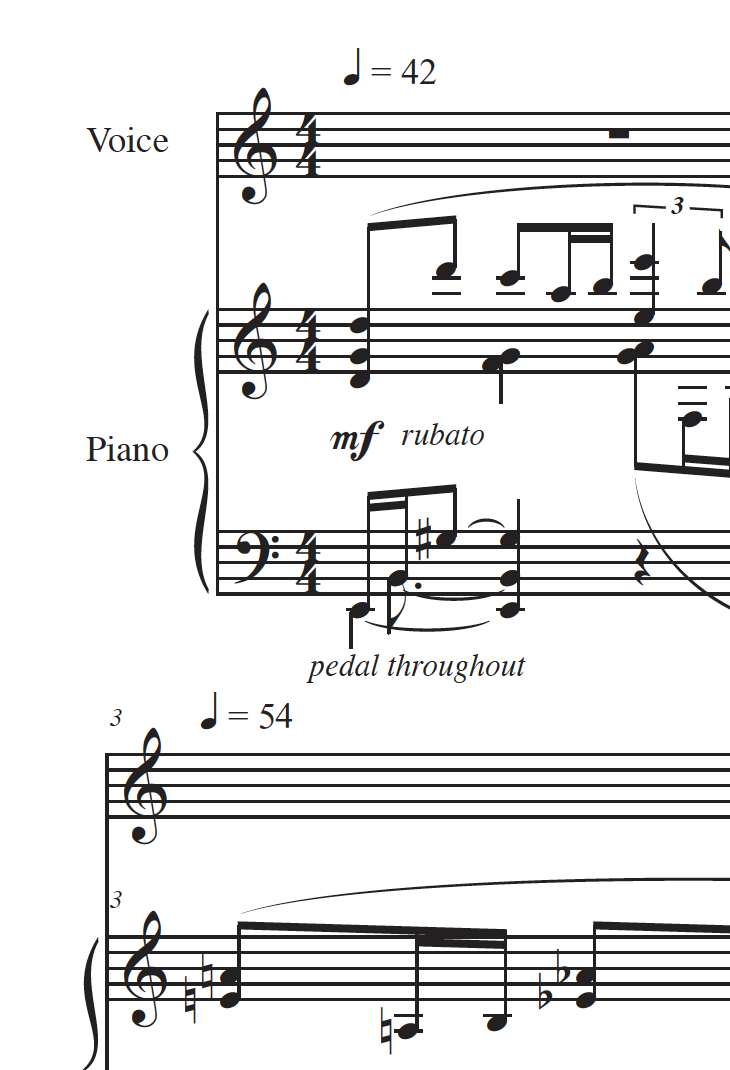
4 comments

Date Votes
Avatar
0
Comment actions Permalink
Avatar
0

… The font I am using, is MetTimes …

… I just reinstalled the MakeMusicFontsTT_7.1.2.pkg …


This does not make sense.

The font MetTimes is not a MakeMusic font.

Hence re-installing the MakeMusic fonts will not solve the MetTimes font problem.


Perhaps you meant the font MaestroTimes? (instead of MetTimes)

Comment actions Permalink
Avatar
0

It might be an incompatibility between 25 and MacOS 11.


What happens if you download the 26 demo? Per MakeMusic, it’s not yet compatible with Big Sur either but it can’t hurt to check.

https://www.finalemusic.com/blog/ 

Comment actions Permalink
Avatar
0

I don't have a magic answer to this.


But as a test, if you go into one of these expressions, what font is now being used instead of Met Times? Then use "Text Search and Replace" to search for that font and replace it with Met Times. It should change all occurrences in the file at one time.

Comment actions Permalink

Please sign in to leave a comment.