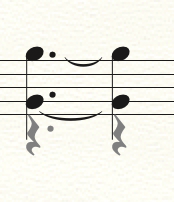
 This is problem.
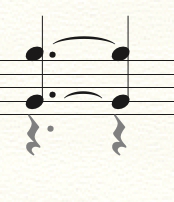 This one, too
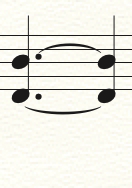
Could I make the tie direction like this when I have layer2.
Thank you.


If I understand you correctly, you are using both Layer 1 and Layer 2 in the same measure - right?
And you are displaying Layer 2 notes in the measure, but hiding Layer 2 rests - right?
1) You can avoid the problem by entering all the notes in Layer 1, using the Speedy Entry Tool feature Voice 1 / Voice 2.
In that way you do not need to enter and hide rests - since Voice 2 can be launched on any beat in a measure, without having rests on the preceding beats.
2) If you must use two layers, flip each tie individually, with Special Tools Tool, sub-tool Tie Tool.
Please sign in to leave a comment.
2 comments
Date Votes