New post
Avatar
0

I'm a newbie using Finale v25 on Windows 10 pro....

I want to number the verses in my hymn lyrics.  I use:  Lyrics > Auto-number > verses, but only the first 3 of the 5 verses have numbers.  What to do?

Also:  How do I insert a blank line between verses 3 and 4?

Thanks for any help!

Jerry

4 comments

Date Votes
Avatar
0

Turn the auto-numbering off. Number the verses with the lyrics > 1.(hardspace)first lyric


How do you mean “blank line”? Can you give us more information?

Comment actions Permalink
Avatar
0

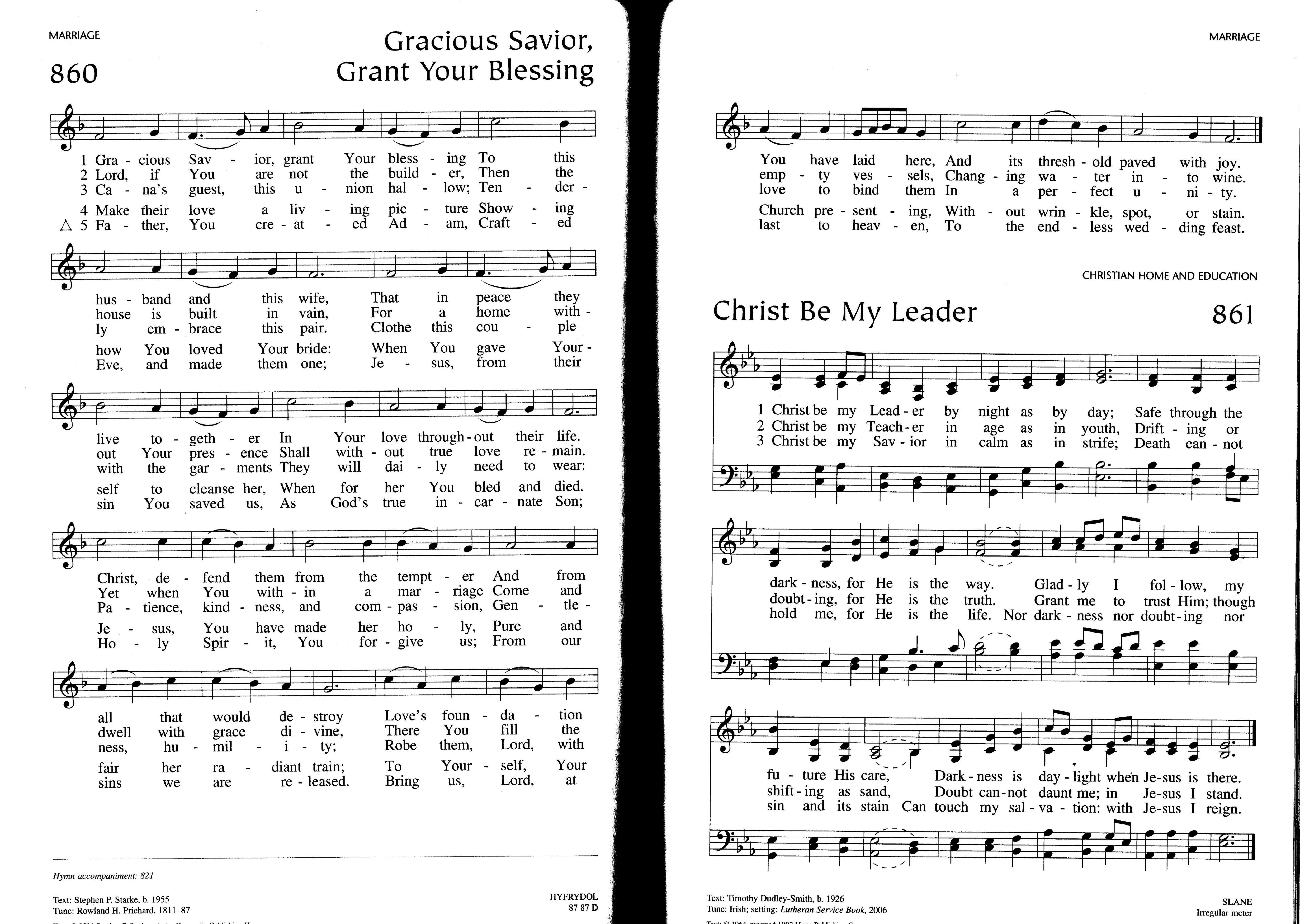
In our hymnals, blank lines (no text) are inserted after every three verses to make them more readable (hymns with more than 4verses -- see attached).  Is there a way to do this without confusing the verse numbering?


We could also print verses 4 and greater below the staves; is this possible?
 
Thanks for your help !!
--JerryI
Comment actions Permalink
Avatar
0

The space between verses 3 & 4 can be found in the lyric tool, adjust baselines. his dialog box you'll find ways to just adjust the vertical offset In a single system or the whole piece.


Verses 1 thru 3 should all have the same offset. Verse 4 should have a larger offset to separate verse 3 from 4. Verses 5 & 6 should have the same offset as verses 1 thru 3.

Comment actions Permalink
Avatar
0

We could also print verses 4 and greater below the staves; is this possible?


Enter them in text frames at the end of the piece. You can do them stacked, or next to each other; your choice.

Comment actions Permalink

Please sign in to leave a comment.