New post
Avatar
0

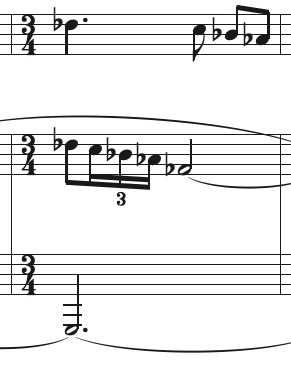
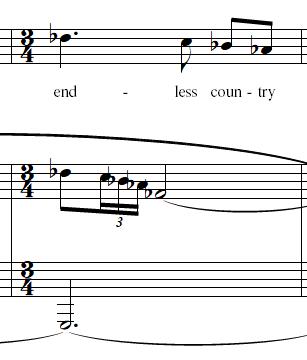
Every score I make has at least one measure where automatic spacing fails. Most of the time it's with complex passages, but sometimes it even happens with basic notation such as in the image below. With every final draft, I end up setting manual spacing to ignore and turning off automatic spacing.
5 comments

Date Votes
Avatar
0

Unfortunately I am unable to reproduce the problem.

What are the document settings for Music Spacing?

Comment actions Permalink
Avatar
0

I currently have manual positioning set to clear, but I will set it to ignore when I am ready to make final edits. (Finale 27 Windows) All the avoid collision boxes are checked and everything else is left as default. Note positioning is set to the beat spacing chart.

I inserted a new measure in front, and manually entered everything in the new measure. The spacing on both measures was perfect, but as soon as I deleted the old measure, the spacing on the new one was wrong.

I will fix it manually on my final draft.

Comment actions Permalink
Avatar
0

Did you "Update Layout" after entering the notation?  Ctrl+U for us Windows users.

Comment actions Permalink
Avatar
0

Yes, of course.

Comment actions Permalink
Avatar
0

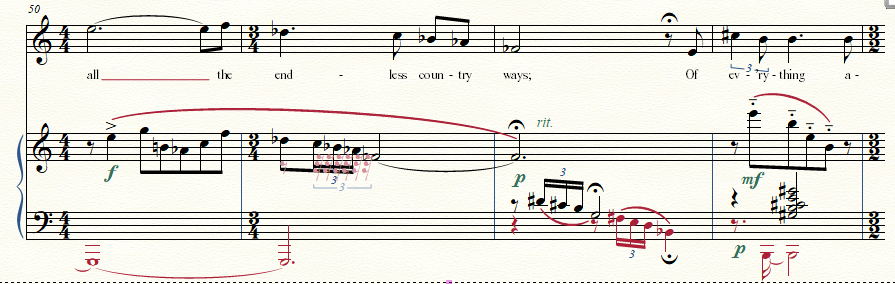
I suspect there are some spacing bugs with Finale that show up with some configurations of notes in relation to measures before and after as they flow across systems. I ended up putting in hidden rests in another layer.

(This is a song by John Ireland. I just noticed I'm missing a courtesy accidental on the B in the bass in the last measure.)

Comment actions Permalink

Please sign in to leave a comment.