New post
Avatar
0

Hoping someone can help with this. I updated Finale to 26.3.1.643 on my new Macbook using OS Monterey 12.6, and now can't get it to play back. Other music plays (through the music app), sounds through browsers work fine. Alert sounds work fine, too. As far as I can tell, it's just Finale. Thanks in advance.

3 comments

Date Votes
Avatar
0

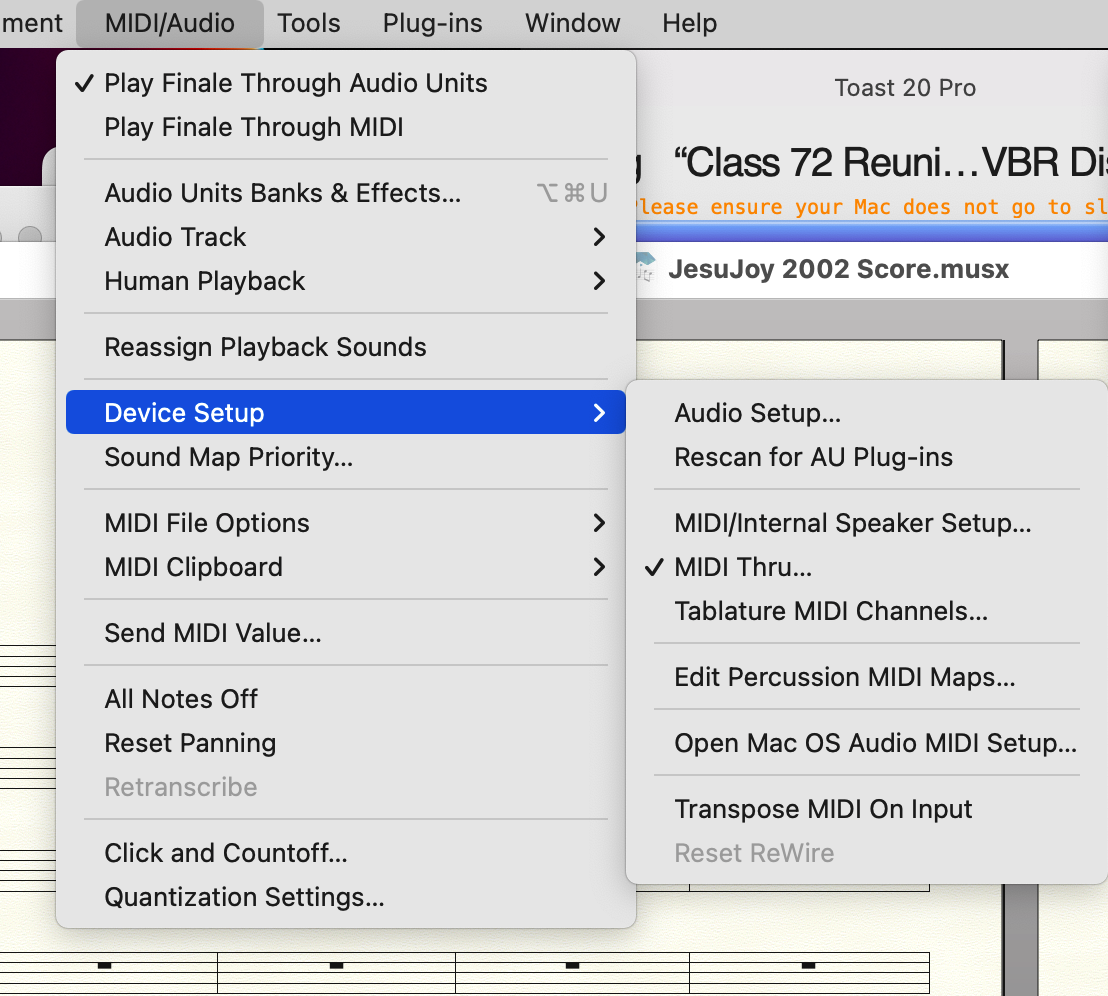
It's not Monterey but sometimes an OS update can trigger it. There is more than one possibility but we'll tru the usual suspect first. A shortcut to this should really be in the standard File menu — but it isn't. Here's how to get to the Audio screen in Finale for Mac: In MIDI/Audio, you want to navigate to Audio Setup… like this:


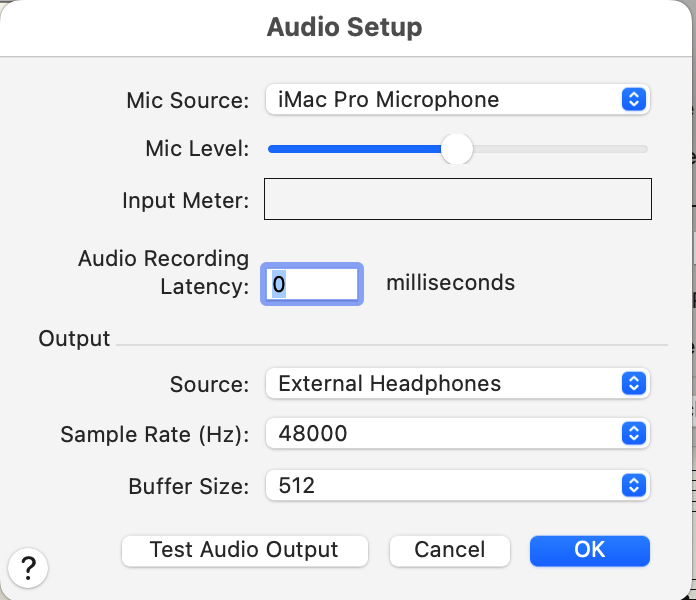
Clicking on Audio Setup… brings the Audio screen where you can select Audio In and Out.


If this doesn't do it, there are other possibilities so post here.

Comment actions Permalink
Avatar
1

This worked! Thanks very much!

Comment actions Permalink
Avatar
0

Is your New MacBook an AS aka Apple Silicon (M1 or M2)?


Finale 26 is not AS Native and must be run over Rosetta 2 if so. This does not apply to Intel Macs.

Comment actions Permalink

Please sign in to leave a comment.