Nueva publicación
Avatar
0

Hello,

I'm on Mac OS Sierra and Finale 25.1.0.232.
I wish to report inappropriate behavior in Finale when I create a score with slash notation to have only the structure with chords.
After I entered the chords and copy the measure, it happens that the chords overlap and than the width of the measure changes dramatically and I have to fix it with appropriate manuals adjustments. I hope in a fix.

This is a private video I made for demo:

https://youtu.be/0-avMlSna7M

5 comentarios

Fecha Votos
Avatar
1

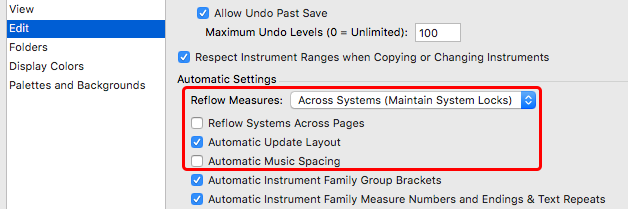
Try with this set-up in Preferences :

Acciones de comentarios Permalink
Avatar
0

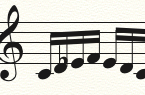
I've tryed your suggestion, it is a workaround, useful but a workaround, because when I need to insert notes, then I must change again preferences for avoid situations like this in the screenshot.

Acciones de comentarios Permalink
Avatar
1

I don't think changing the preferences again and again is the way to go. Try to select the region, and apply Utilities -> Music Spacing -> Note spacing (shortcut is 4), followed by Update Layout.

Acciones de comentarios Permalink
Avatar
0

Thanks, this is a good way to go for me. ;)

Acciones de comentarios Permalink
Avatar
0

Also make sure that locked systems (padlock displayed in right margin) in not forcing too many measures per system.

Acciones de comentarios Permalink

Iniciar sesión para dejar un comentario.