Nueva publicación
Avatar
0

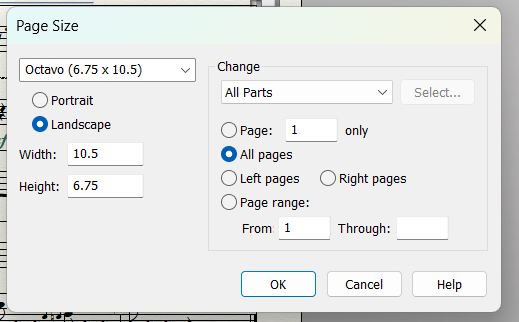
I'm trying to print parts for use in marching band flip folders, using the Octavo page size (seems to be the prevailing opinion):
 

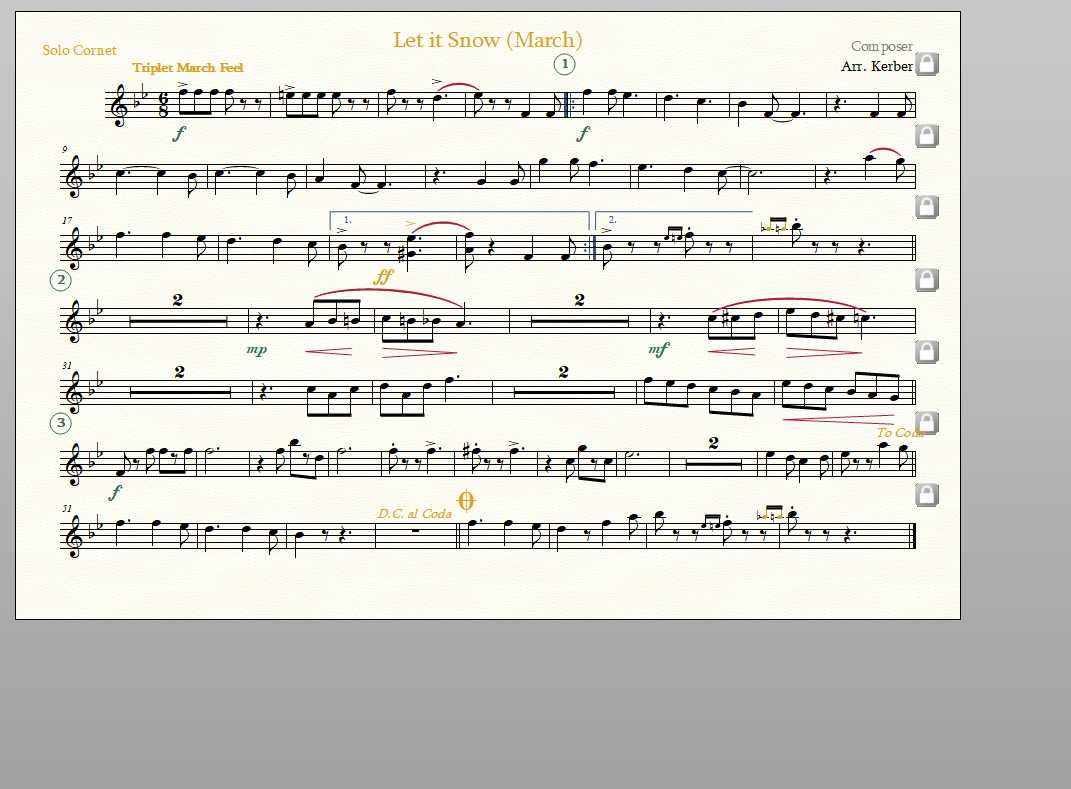
This is what the part looks like when formatting (note that it uses the full page):
 

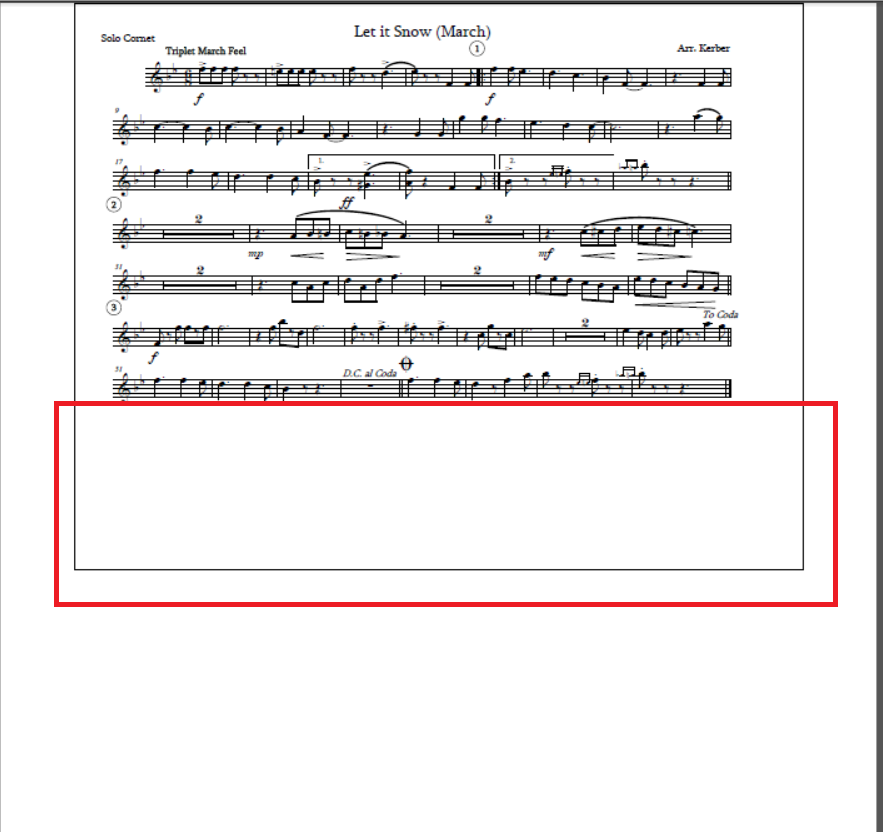
But then when I print it to a pdf using 2 pages per sheet in landscape, it shows as the following (with the huge gap on the bottom of the octavo page, in the red rectangle):
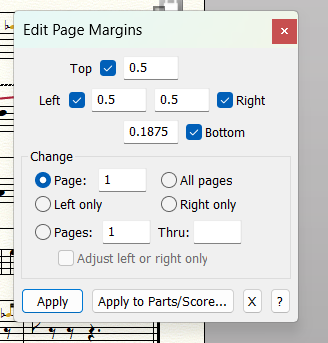
Is this a printer setting? I've tried setting the bottom margins accordingly, with no change:
 

Let me know if you have any thoughts on how I can fix this. Using Windows 27.4.1.110

6 comentarios

Fecha Votos
Avatar
0

If I understand you correctly, you have a Finale document containing both score and linked parts (inside the very same Finale document) - right?


And you are printing the linked parts (not the score) - right?


What I would suggest:


1) Document menu > Page Format > Parts…

These settings are the default settings for new pages.

Already existing pages are not affected - until you Redefine Pages - as described in step 2) below.

Check that all the Page Format settings are correct for the parts.

If a setting is wrong, then correct it.

Click OK, to exit the Page Format dialog.


2) While viewing the linked part, switch to the Page Layout Tool.

Page Layout menu > Redefine Pages > All Pages of Current Part/Score

This step will update the part with the default settings from step 1) above.


Do the steps 1) and 2) solve your problem?


If you have not done so already, take a look at 

File menu > Page Setup…

Check that the Page Setup settings are correct.


By The Way:

When you print “to a pdf using 2 pages per sheet in landscape”, what PDF software are you using?

Perhaps CutePDF?

Acciones de comentarios Permalink
Avatar
0

Edit Page Margins is not a printer setting, it is a layout tool but will have an effect on how the margins will look, if the following steps are respected.

Do you have the correct values in Document -> Page Format -> Score ?

And in Page Layout, did you select "Redefine Pages (All) to apply these values ?

Acciones de comentarios Permalink
Avatar
0

What are you using for your Windows print driver? Have you tried printing to PDF and fixing it from there? 

Acciones de comentarios Permalink
Avatar
0

I've been using Adobe PDF as the printer...Microsoft Print to PDF doesn't give me the "2 sheets per page" formatting options I need.

I've used "redefine page", I get the same large gap at the bottom. 

Acciones de comentarios Permalink
Avatar
0

… I've used "redefine pages", I get the same large gap at the bottom …


What about

File menu > Page Setup…

?

Are the settings in Page Setup as you need them?

If not, then correct them.


… I've been using Adobe PDF as the printer…Microsoft Print to PDF doesn't give me the "2 sheets per page" formatting options I need …


In Other Words, Adobe PDF gives you the "2 sheets per page" formatting options you need. - right?

Does Adobe PDF also give you the page size you need?

Acciones de comentarios Permalink
Avatar
0

"I've used "redefine page", I get the same large gap at the bottom. "

Is that gap only present on the pdf and in the printed version ? On the monitor, there is no gap ?

If the problem happens with the pdf, you could try to print the pdf with anoother tool : the Graphic Tool of Finale, PDFCreator or CutePDF...

Acciones de comentarios Permalink

Iniciar sesión para dejar un comentario.