
There was a program error in Finale 2014.5 for Mac that caused notes, staves, and other items on a document's page to display incorrectly or not redraw regularly or properly.
The problem occurs when you have at least one document minimized while working on another document. It looks something like this when zooming...
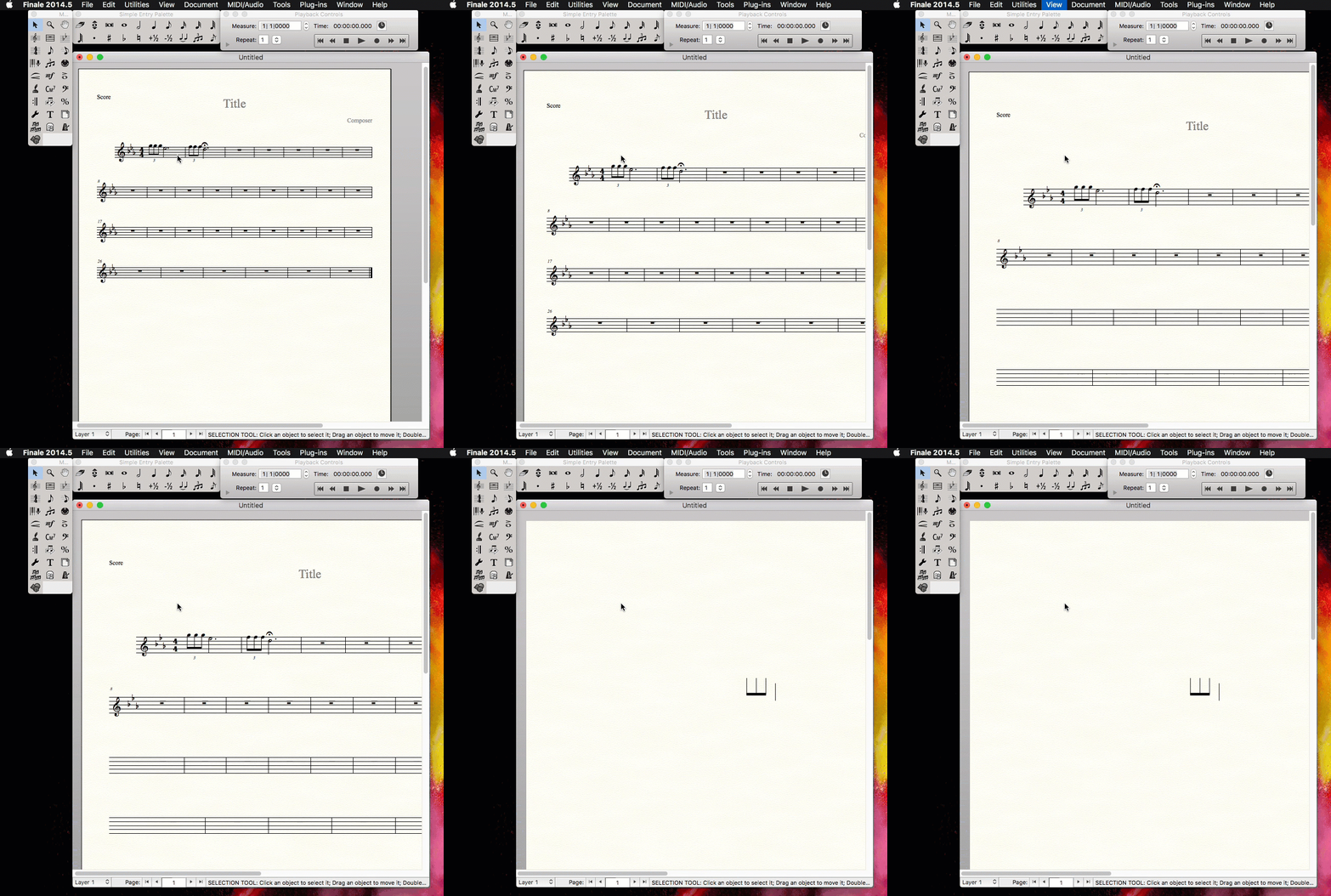
You will also notice other unexpected behaviors like:
- The Selection tool will not select measures.
- Certain tools cannot select their items or make changes.
- Changes you make to the score do not take effect until switching to Scroll view and back again.
If you are running into this issue, you can un-minimize any documents you have minimized and then choose View > Redraw Screen to return your working document to normal.
-OR-
You can change a setting in the Mission Control section of System Preferences. This setting is not available in Mac OS X 10.8 (Mountain Lion).
- Close any open programs with the exception of this web browser (you will have to log out and log back in after making this change).
- Click the apple icon in the upper, left-hand corner of your screen and choose System Preferences.
- Open the Mission Control section.
- Deselect the Displays have separate spaces option. This setting determines how a multiple monitor setup handles Spaces.
- Restart your computer.
You can now use Finale 2014.5 with minimized documents. This issue has been resolved in the latest version of Finale.