New post
Avatar
0

What I wanted to do was to quickly copy a chord multple times in the same measure. In the example below, I wanted to be able to quickly copy the chord three more times in the measure shown:

Even though I was unable to find a posting which tells you how to do this, I did figure out a procedure for doing this:

(1) Click the selection tool, hold down the left mouse button, and make a window which starts just to the left of the note being copied and ends JUST PRIOR to the rest after this note...which should look like this:
IMPORTANT:  This window must extend just to the left of the rest after the copied note (as shown above).

(2) Hold down the left mouse button, then drag the window created such that the left side of this window (which has a dark black line) is JUST TO THE LEFT of the rest after the copied note:

IMPORTANT: The left side of the dark line rectangle must be just to the left of the rest just to the right of the copied note, as is shown above.

(3) Release the left mouse button, and now you'll see one copy of the first note:

(4) Repeat steps (2) and (3) twice more and you'll make two more copies of the same cord:
10 comments

Date Votes
Avatar
0

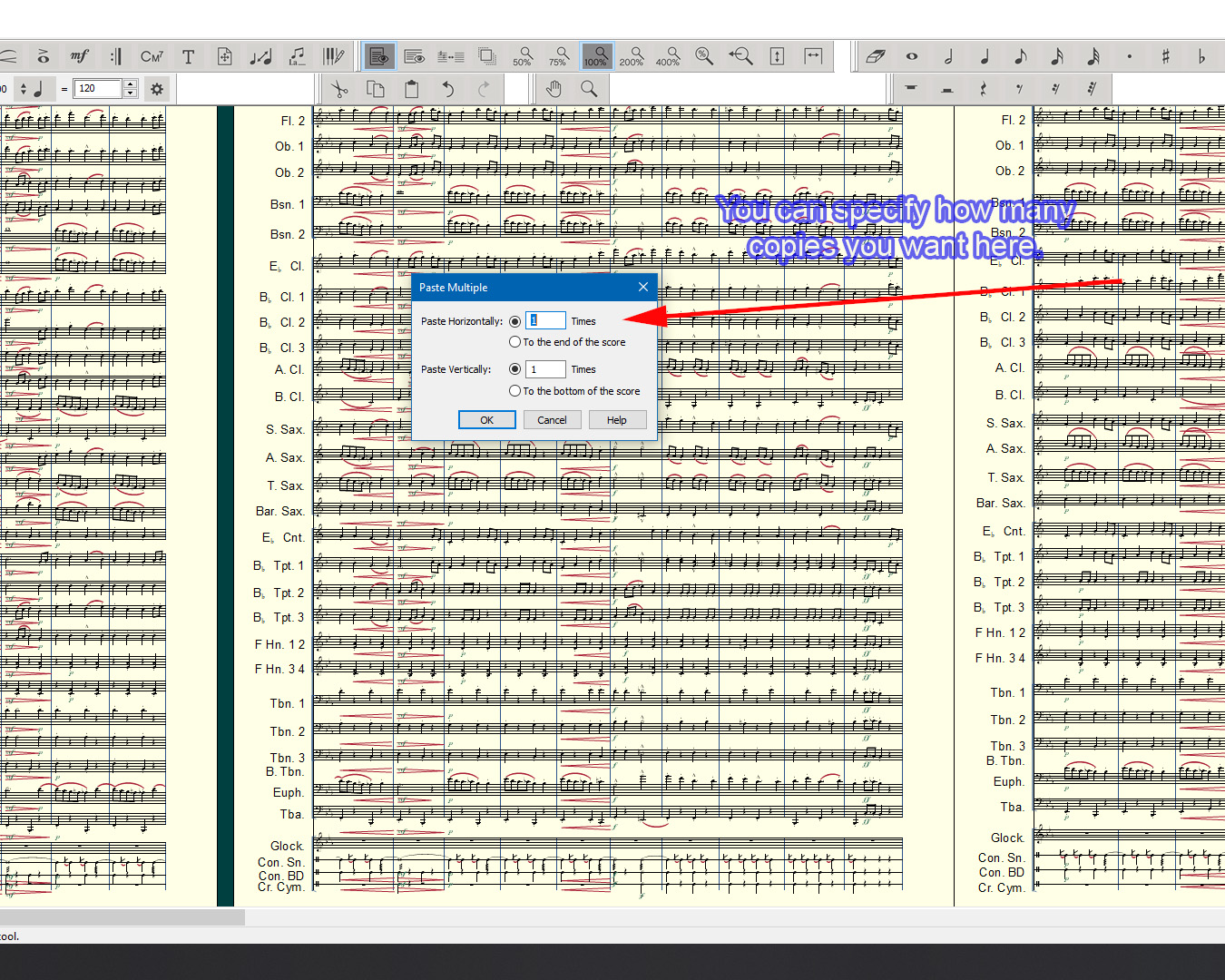
It’s even faster if, after duplicating the chord once, you then selected and pasted the two-chord group. You might also,try Paste Multiple.


You could also use the Option-click to paste; quicker than dragging.

Comment actions Permalink
Avatar
-1

It looks like what you did works so is there a question here or is this a teaching example on how to do this?

Comment actions Permalink
Avatar
1

EB, it looks like a teaching example. So I pitched in with a couple of quicker ways, to help him. 

Comment actions Permalink
Avatar
0

This comment was created:

  • as a "teaching example" (since I was unable to find this example any place else, and since it was definately not obvious how to copy a chord),
  • it was a "question" as to whether or not there were other simpler / quicker ways to perform this same function, and finally
  • it was a "suggestion"; that is, if there are indeed no simpler ways to copy a chord than what is described above, would FINALE consider adding a function to "COPY CHORDS" which is simpler / more obvious than the above procedure?
Comment actions Permalink
Avatar
0

Yes. Paste multiple, in the Edit menu. It’s not in the Selection tool context menu, for some reason.

Comment actions Permalink
Avatar
0

Brenda I don't know how long you have been a Finale user but to me and I am sure to Mike Rosen this is oblivious to us.

You can even specify just what exactly you want to copy and how many of them you want. You can either specify horizontal or vertical, too.

I think we all agree that the Finale manual could be more clear in some places.

Comment actions Permalink
Avatar
0

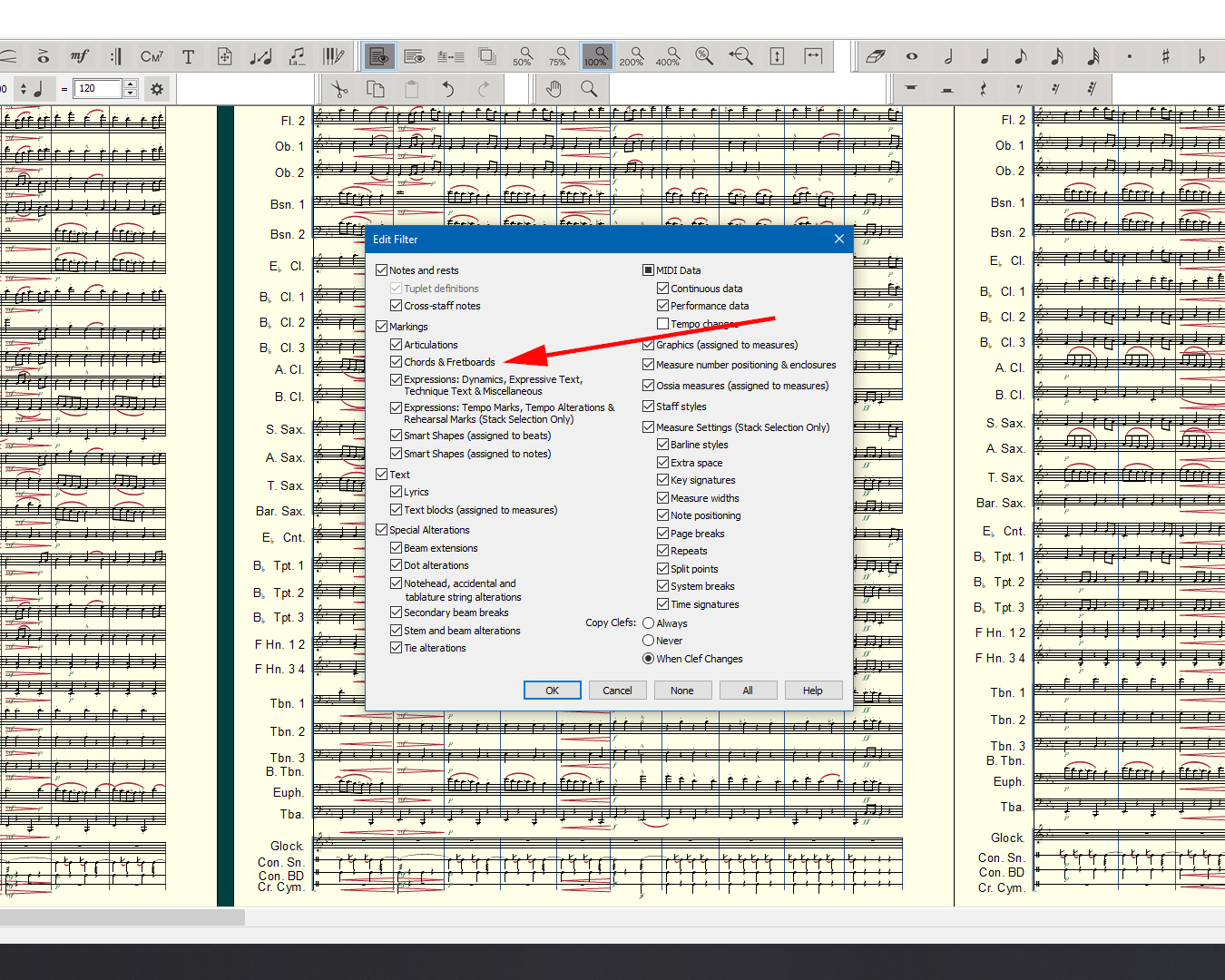
I don't think I'm explaining my issue with copying a chord well enough.  Clicking the Edit FIlters >> Markings >> Chords and Fretboards doesn't resolve my issue. 

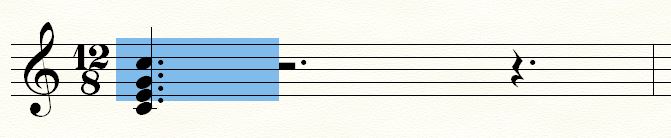
I'll try another example to show you the concern.  In the screen capture below, I've created a rectangle around a chord I would like to copy:

When I let go of my mouse, the following area gets selected:

Based on the area selected, I am thinking that I now have a copy of the chord (i.e., a half note chord) in my clipboard.  If I then paste that chord in the next measure, here is what gets pasted:

Now I'm completely bufuddled.   Before I spent time trying to understand what was going on, I couldn't understand why I got an eighth note pasted, when what I thought would be pasting was a half note chord.  Hmmmm.

Now that I've been experimenting awhile with how FINALE's copy paste works, what I've come to realize is that the SIZE of the starting selection window determines exactly what you are copying and pasting (i.e., the size of this selection window must be made exactly right to copy then paste the chord you want pasted).

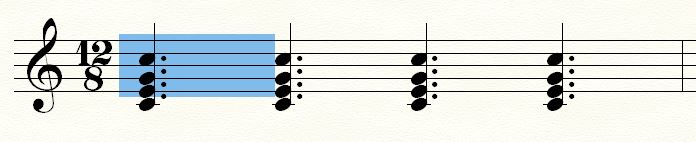
I'll start this same example over again, but this time I've created a rectangle which starts just to the left of the chord to be copied and it extends to the area just before the next rest....:

...then when I paste what's in the clipboard into the next measure, I DO paste the half note that I expected should be pasted:

Does this better explain the concern I have?  That is, the COPY then PASTE of chords doesn't happen as I think many FINALE users (including myself) might expect, and at least as of now I've not seen any documentation which explains the above noted technique for copying then pasting a chord in a way that I think FINALE users would expect.

Comment actions Permalink
Avatar
0

Insofar as one gets what one selects, Finale not only works predictably but gives one more flexibility than what otherwise might be the case. I can see how one might assume highlighting just the chord selects its entire length, but that is (as you have discovered) an unfounded assumption. Selecting only an eighth slice of the chord, one gets the correct chord, but only the first eighth note rhythm of it.


(There is no such thing as intuitive. Everything is based on each person's past experience.)

Comment actions Permalink
Avatar
0

"...Selecting only an eighth slice of the chord, one gets the correct chord, but only the first eighth note rhythm of it..."  That's great.  Now I understand that is how it works.  What I'm asking as a minimum is that FINALE documentation exists which explains how this works.  Understanding how this works (withou having any documentation) took me hours to figure out.  Nothing is obvious...until it's obvious...then it's obvious.

Comment actions Permalink
Avatar
0

Brenda what I think happened is you forgot that it is possible to select a chord tone but you must also select a rhythm. Just like when you play music, you know what notes to play but you also need to know how long to play them. It is that part that threw you off. Again, I think long time Finale users do not think this is unusual but is expected behavior, thus oblivious behavior.

Part of your post said,

  I wanted to be able to quickly copy the chord three more times in the measure shown:

This is why Mike Rosen and me answered you the way we did. You seemed to understand the rhythm part in your post. I agree with you Kido that MM could do a better job with the documentation manual. Finale is as easy to pick up and learn how to use or it can be as difficult as you want to make it. The saying that anything in music is possible using Finale if you can only figure out how rings true.

Comment actions Permalink

Please sign in to leave a comment.