

What I wanted to do was to quickly copy a chord multple times in the same measure. In the example below, I wanted to be able to quickly copy the chord three more times in the measure shown:

Even though I was unable to find a posting which tells you how to do this, I did figure out a procedure for doing this:
(1) Click the selection tool, hold down the left mouse button, and make a window which starts just to the left of the note being copied and ends JUST PRIOR to the rest after this note...which should look like this:
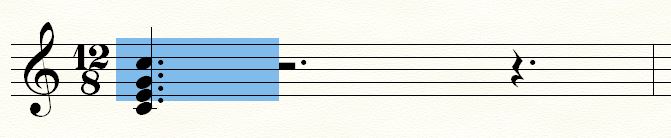
IMPORTANT: This window must extend just to the left of the rest after the copied note (as shown above).
(2) Hold down the left mouse button, then drag the window created such that the left side of this window (which has a dark black line) is JUST TO THE LEFT of the rest after the copied note:

IMPORTANT: The left side of the dark line rectangle must be just to the left of the rest just to the right of the copied note, as is shown above.
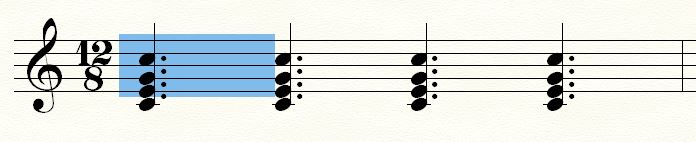
(3) Release the left mouse button, and now you'll see one copy of the first note:

(4) Repeat steps (2) and (3) twice more and you'll make two more copies of the same cord:








10 comments
Date Votes